5 Best Free Electronic Signature Software for 2026 (Free Downloads Tested)
Looking for a free way to sign documents online? Discover the top electronic signature software with free downloads that offer security, ease of use, and legal compliance.

If you want to sign documents online without paying for a subscription or running into an unexpected paywall, choosing the right free electronic signature software matters. While many tools offer free plans, they vary widely in document limits, features, and what you can actually do before you need to upgrade.
This guide compares the best free eSignature platforms, starting with our top pick. We'll break down each tool's free plan, limitations, and key features so you can find the best option for your needs.

Best Free eSignature Software
- Fill — Best overall free eSignature software for document workflows
- SignWell — Best for simple document signing with clean interface
- Signaturely — Best for sending occasional contracts
- DocHub — Best PDF editor with built-in esigning features
- Xodo Sign — Best affordable alternative
Related: Best Free eSign Software
1. Fill — Best Free Electronic Signature Software Overall
Uploading a document and sending it for signature is a straightforward process in Fill. Simply upload a PDF, JPG, or .DOCX file, add signature fields, and assign the signer. It's all done within minutes.
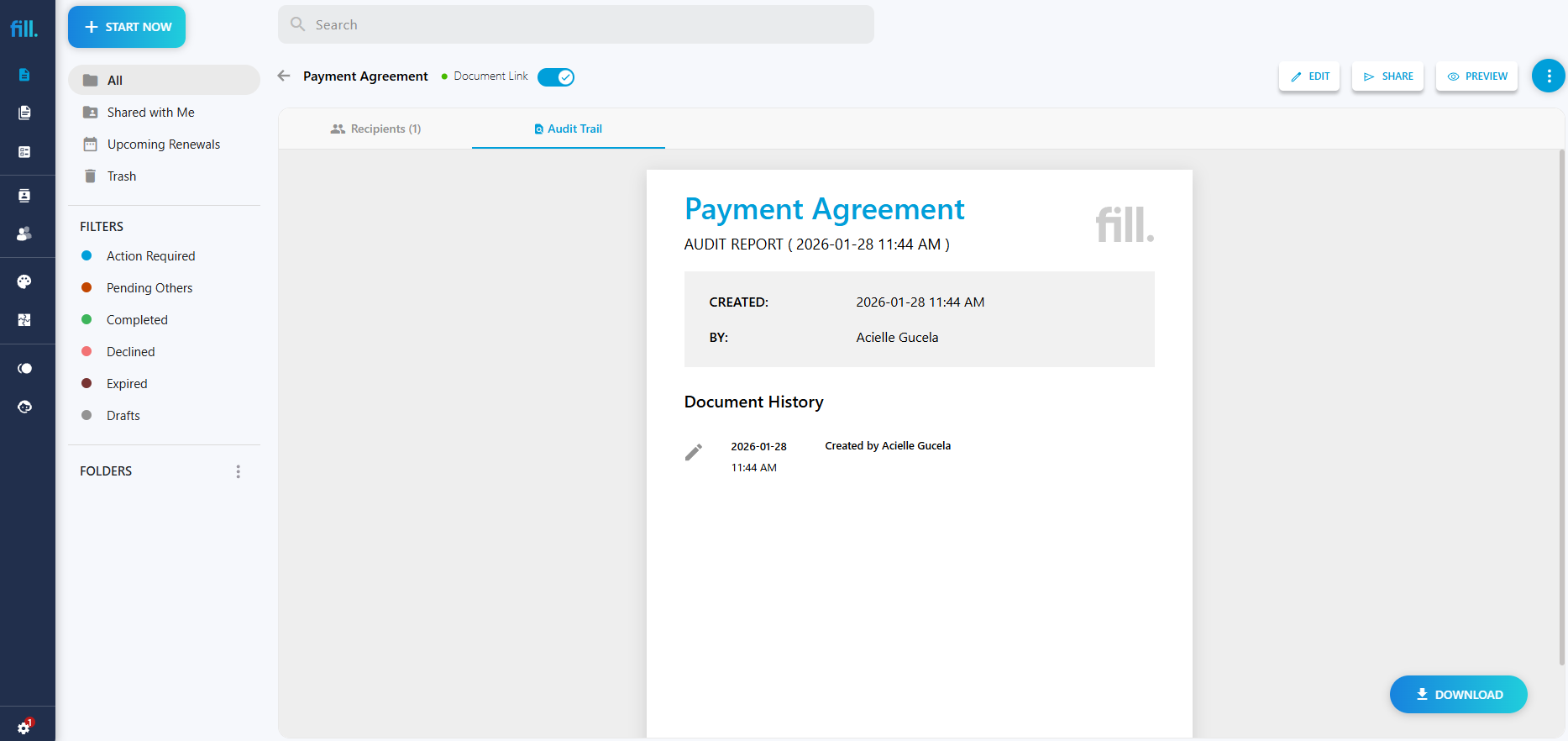
What further stands out is how the platform focuses on complete document workflows, not just signatures. In addition to basic signing tools, Fill includes templates, document automation, and audit trails, making it easier to manage frequently used contracts.
The interface feels clean and modern, and adding signature fields or form elements is as simple as dragging them into the document. During testing, I was able to send a document, receive the signed version, and download the completed file with a detailed audit trail.
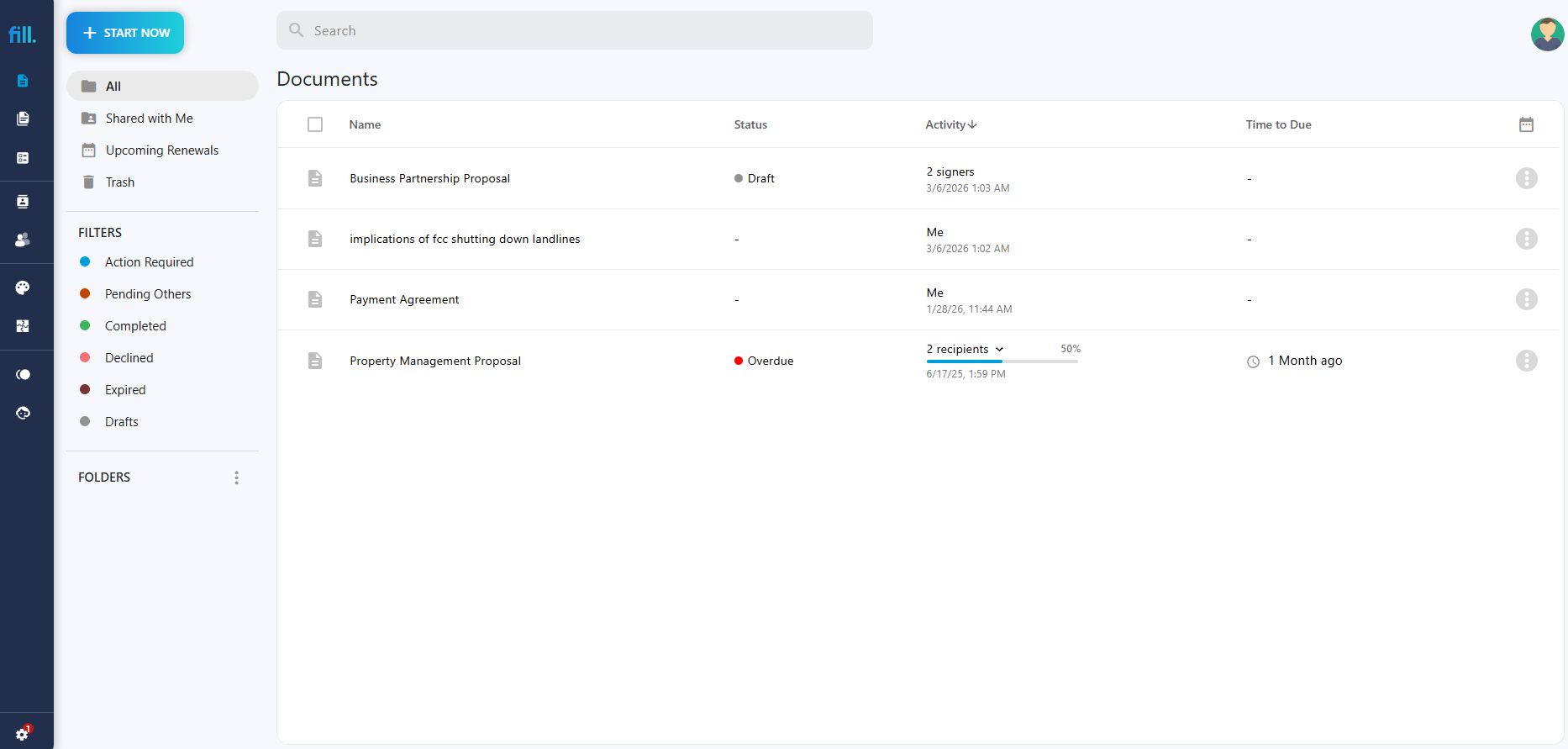
For small teams that regularly send agreements, these workflow features make a noticeable difference compared to simpler signing tools.
Key Features
- Drag-and-drop document editor
- Reusable document templates
- Secure audit trails
- Automated signing workflows
- Cloud-based document management
Free Plan Details
Fill offers a free trial that lets users sign and send documents electronically, making it accessible to freelancers, startups, and small businesses that want to avoid printing and scanning paperwork. Check out the Fill's pricing and plans.
Pros
- Intuitive interface
- Strong document automation features
- Useful templates for recurring agreements
- Smooth signing workflow
- Unlimited signature requests across all plans
Cons
- Advanced automation features are part of paid tiers
Best For
Small businesses and teams that want more than just basic document signing.
2. SignWell — Best Free eSignature Tool for Simple Signing
When I tried SignWell, I focused on how quickly we could send a document for signature without having to set up complicated workflows. After uploading a PDF agreement, the platform guided me through placing signature fields and assigning signers in a very straightforward way.
The interface is extremely minimal, which makes it easy to learn. Within a few minutes, I had a document ready to send for signature. For users who only need to collect signatures occasionally, this simplicity is appealing.
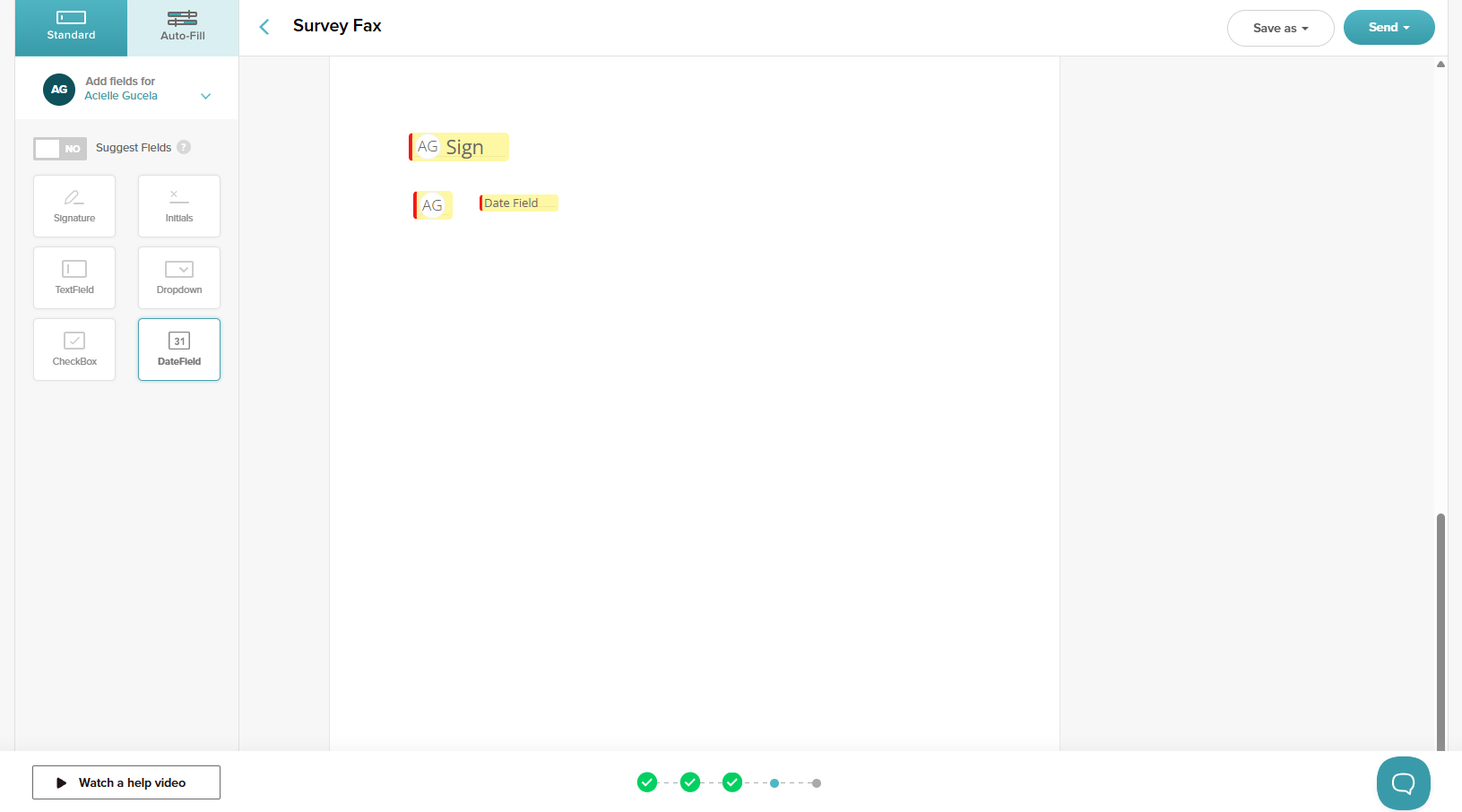
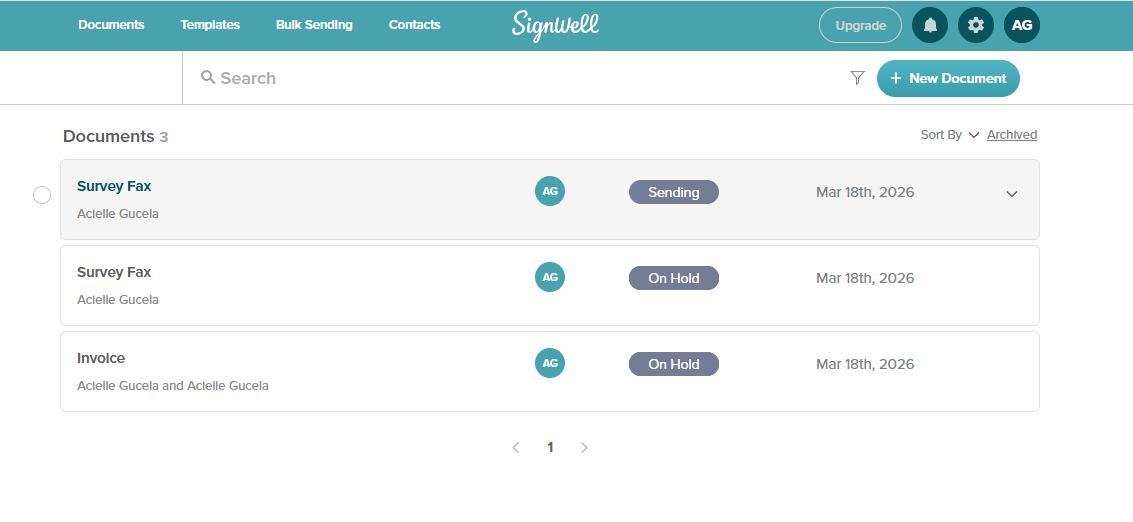
However, during testing, it became clear that SignWell is primarily designed for basic signing workflows. It works well for sending documents and tracking signatures, but it lacks some of the automation and document management features available in more advanced platforms. Plus, my document didn't send out automatically. It was placed on hold for several minutes before it went out for signature. Some users also find that SignWell hasn't innovated its interface over the past several years and that it doesn't look very appealing for pricing/proposal software.
Key Features
- Document templates
- Bulk sending
- Set signing orders
- Simple document tracking
Free Plan Details
The free plan allows users to send 3 documents per month, which is enough for occasional signing needs.
Pros
- Very easy to use
- Fast document preparation
- Clean interface
Cons
- Limited automation features
- Fewer integrations compared to other platforms
Best For
Freelancers or small teams that only need basic electronic signatures.
3. Signaturely — Best Free Option for Occasional Contracts
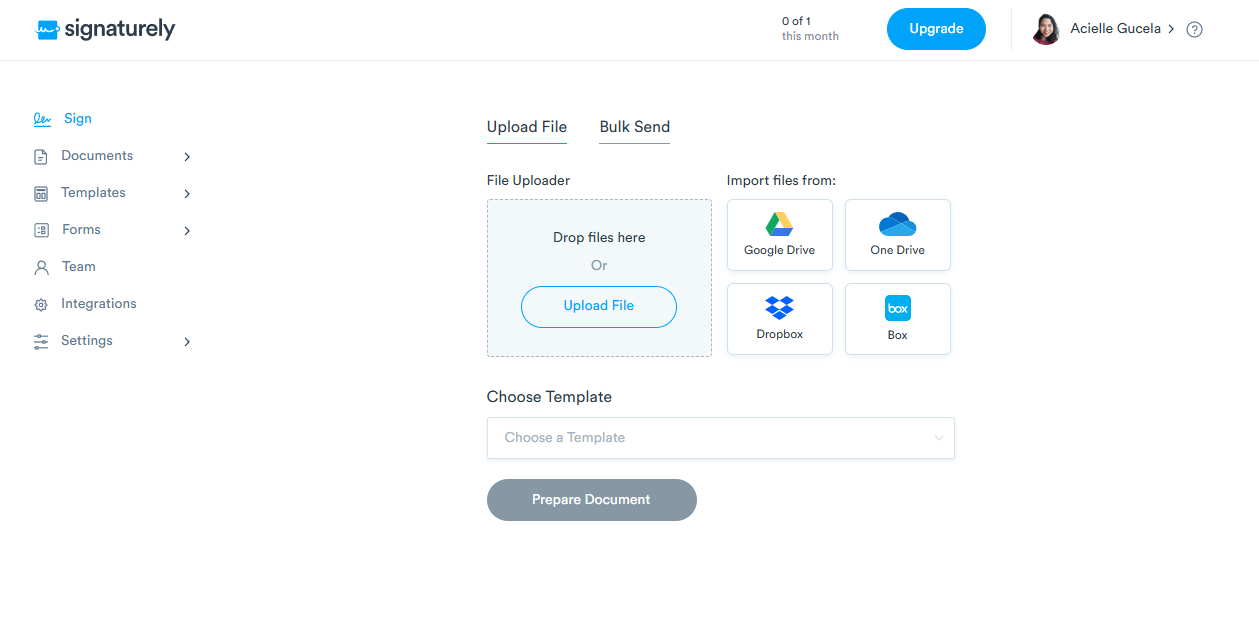
When testing Signaturely, I wanted to see how quickly I could create and send a simple agreement. After uploading a document, the editor allowed me to drag signature fields and assign signers in just a few steps. The platform focuses on keeping the signing process simple. The interface is easy to navigate, and sending a document takes only a few minutes.
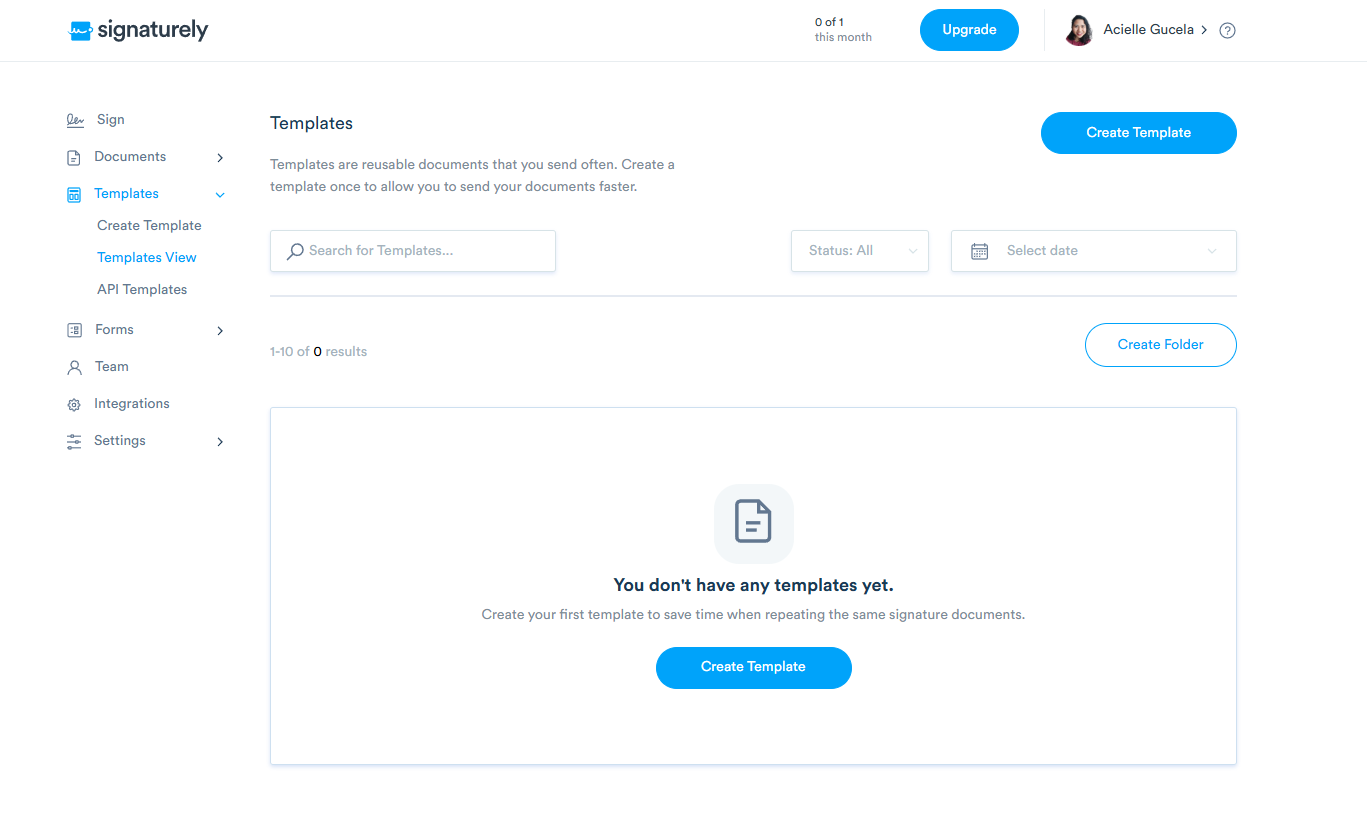
During testing, I also explored the template feature, which allows users to save frequently used agreements. This can be helpful for freelancers or consultants who repeatedly send similar contracts. However, the templates feature isn't part of the free trial or free plan. You need to upgrade to a Personal Plan for $25 monthly to access 1 template or a Business Plan for $50 monthly to access unlimited templates. Other users also wished that templates offered other customization options.
The Signaturely platform is also clearly designed for lightweight signing tasks and doesn’t offer the same level of automation or workflow customization as more advanced tools.
Key Features
- Reusable document templates
- Email reminders
- Audit trails
- Simple document editor
Free Plan Details
Signaturely offers a free trial so you can test it features. Once the trial is over, you're converted to a free account that lets you send 1 document for free monthly.
Pros
- Simple and beginner-friendly
- Quick document setup
- Helpful templates
Cons
- Limited integrations
- Minimal workflow automation
Best For
Freelancers and independent professionals sending occasional agreements.
4. DocHub — Best Free PDF Editor with Built-in Signing
While testing DocHub, the experience felt slightly different from other eSignature tools because the platform is primarily a PDF editor with signing capabilities. After uploading a document, I was able to annotate the file, add text fields, and place signature elements. The editing tools are quite extensive, which makes it useful if you frequently modify PDFs before sending them.
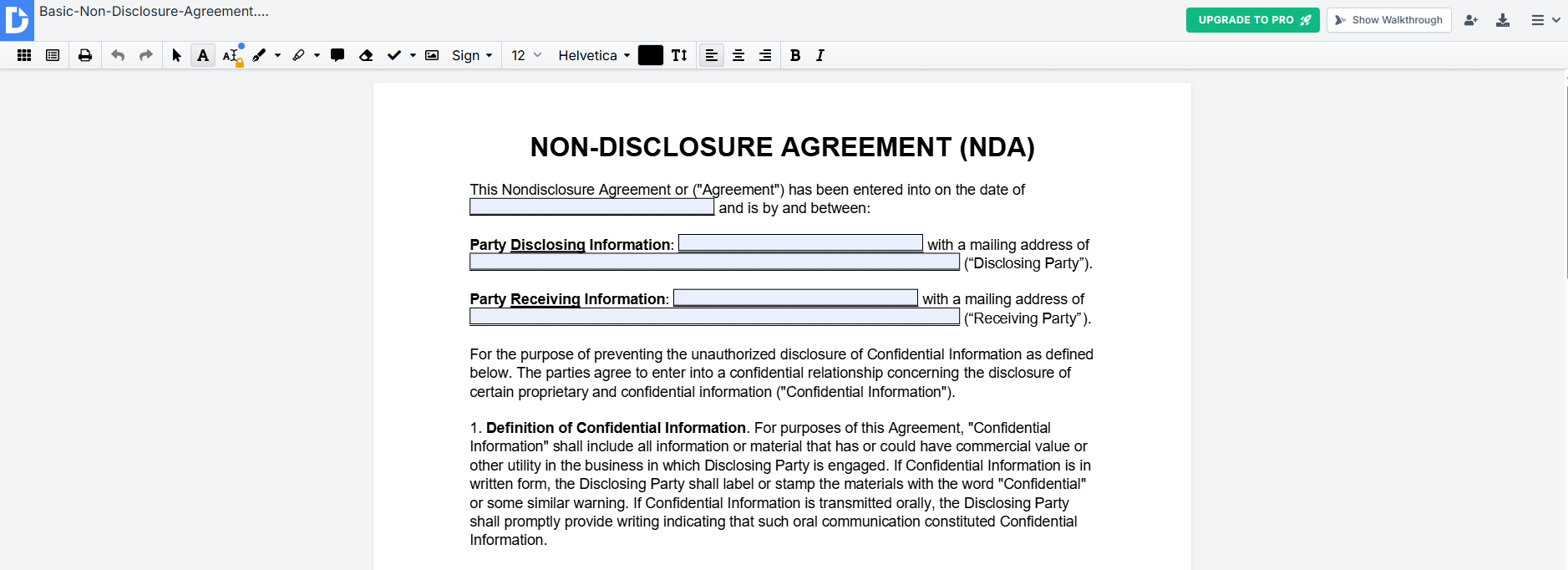
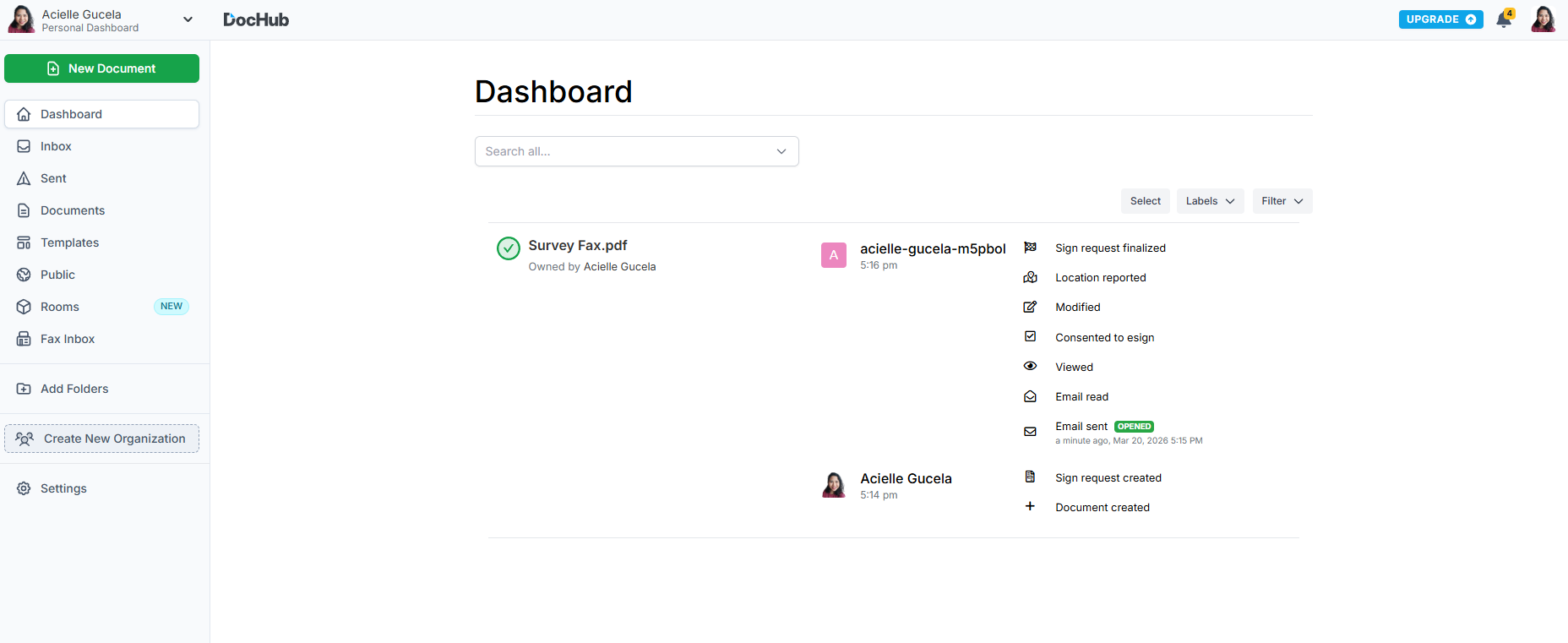
The signing workflow works well, but it’s clear that DocHub prioritizes PDF editing and collaboration rather than automated document workflows. For users who need both editing and signing in one tool, this combination can be convenient. If you are comparing PDF-first tools, see our DocHub vs Lumin PDF breakdown of editing, signing, and collaboration features.
Key Features
- Full PDF editing tools
- Annotation and markup features
- Electronic signatures
- Cloud document storage
Free Plan Details
DocHub offers a free plan with limits on document processing and storage. Under the Free Plan, you're limited to 3 uses of any DocHub core feature.
Pros
- Excellent PDF editing capabilities
- Easy annotation tools
- Useful for document collaboration
Cons
- Not designed primarily for signing workflows
- Limited automation features
Best For
Users who need a PDF editor with built-in signing tools.
5. Xodo Sign — Best Budget-Friendly Free Signing App
When I tested Xodo Sign (formerly eversign), I wanted to evaluate how it compares with other lightweight eSignature tools. The document upload and field placement process was simple. I was able to add signature fields, assign signers, and send a document fairly quickly. The platform covers the core features needed for electronic signatures, including audit logs and document tracking.
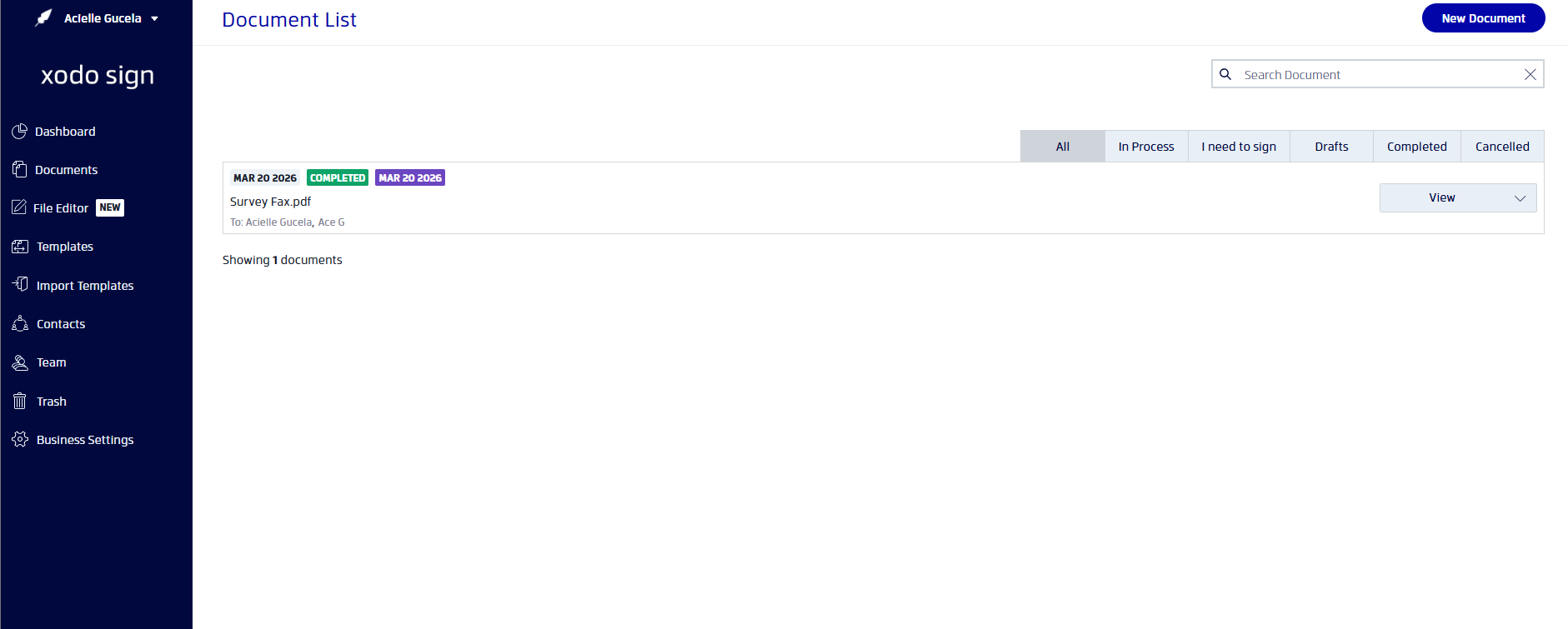
However, compared to more workflow-focused platforms, Xodo Sign offers fewer integrations and automation features. Some users have complained that once a document has expired, they can't resend it and have to redo the entire process to recollect signatures. Others were also concerned on the limited customization options available. I've also noticed that there are no pre-created templates. You have to start from scratch, then save the document as a template.
Key Features
- Electronic signatures
- Document templates
- Audit trails
- Document tracking
Free Plan Details
The free plan includes basic signing functionality for up to 3 documents monthly.
Pros
- Simple signing workflow
- Affordable upgrade plans
- Easy document preparation
Cons
- Smaller ecosystem
- Limited automation tools
Best For
Small teams looking for a simple and affordable signing tool.
Also Read: The Best Free Signature Makers
How We Tested These Free eSignature Tools
To identify the best free eSignature software, I tested each platform using the same workflow to simulate how a typical business user would send and sign documents online.
First, I created a sample agreement and uploaded it to each platform. From there, I evaluated how easy it was to add signature fields, assign signers, and send the document for signing. I also reviewed how the signing process worked from the recipient’s perspective, including email notifications, signing steps, and final document delivery.
During testing, I focused on several factors that matter most for individuals and businesses using free eSignature tools:
Ease of Use
A good eSignature platform should make it simple to upload documents, place signature fields, and send them for signing without complicated setup steps.
Free Plan Limitations
Many eSignature tools advertise free plans, but they often come with restrictions, such as limited document sends, restricted templates, or missing automation features. I reviewed what users can realistically accomplish using the free tier.
Workflow Features
Beyond basic signatures, I looked at whether each platform supports useful features such as templates, document tracking, reminders, and automated workflows.
Security and Audit Trails
Electronic signatures must provide a clear record of signing activity. I evaluated whether each platform generates audit trails or verification logs to help maintain compliance and transparency.
Overall Value
Finally, I considered how useful the free plan would be for freelancers, small businesses, and teams that regularly handle contracts or agreements.

What to Look for in Free eSignature Software
Not all free electronic signature software offers the same capabilities. While many platforms allow you to sign documents electronically, the best tools include features that help streamline document workflows and improve efficiency.
Here are the most important factors to consider when choosing free electronic signature software.
Document Sending Limits
Many free plans limit the number of documents you can send each month. If you frequently send contracts, agreements, or approval forms, look for a platform with generous or unlimited sending limits.
Templates for Reusable Documents
Templates let you save commonly used contracts and quickly resend them without rebuilding the document each time. This is especially helpful for businesses that regularly send similar agreements. Majority of signature software offer this feature under a paid plan.
Workflow Automation
Some platforms offer automated reminders, signing order controls, and document tracking. These features help ensure documents are completed on time without manual follow-ups.
Security and Compliance
Electronic signatures must meet legal and security standards. Look for platforms that provide audit trails, encryption, and compliance with major electronic signature regulations. Check out our article comparing different HIPAA-compliant electronic signature software.
Integrations With Other Tools
If your team uses cloud storage, CRM platforms, or productivity tools, integrations can simplify document management and reduce manual work.
Choosing the right tool depends on how often you send documents and how much automation your workflow requires.
Free vs Paid eSignature Software
Free eSignature software can be a great starting point for freelancers, small teams, and individuals who only need to send documents occasionally. However, as businesses grow, they often require more advanced features that are typically available in paid plans.
Understanding the differences between free and paid eSignature software can help you decide which option is best for your needs.
What Free eSignature Software Usually Includes
Most free plans allow users to upload documents, add signature fields, and collect electronic signatures. These plans are ideal for simple signing tasks such as contracts, agreements, and consent forms.
Common features found in free plans include:
- Basic document signing
- Limited document sends
- Email notifications
- Standard audit trails
What Paid Plans Typically Add
Paid eSignature plans usually unlock more advanced capabilities designed for teams and businesses that handle large volumes of documents.
These features may include:
- Unlimited document sending
- Reusable and customizable templates
- Advanced document automation
- Workflow routing and approvals
- Team collaboration tools
- CRM and cloud storage integrations
- Enhanced security and compliance features
For many users, a free plan is sufficient for occasional document signing. Businesses that regularly send contracts or manage complex document workflows often benefit from upgrading to a paid plan.
Final Thoughts
Resorting to free options doesn't necessarily mean that you're willing to settle for less. It can be a cost-efficient approach to maximizing the profitability of your business. As long as your free electronic signature software can deliver as promised, then there's no reason why you shouldn't make the most out of it.
With Fill, you can start with a free account to gain full access to its web app and feature-rich online dashboard. Try Fill today and experience what it's like to seamlessly sign documents across multiple platforms.
FAQ About Free eSignature Software
What is free eSignature software?
Free eSignature software allows users to sign documents electronically without printing or scanning paperwork. These tools enable individuals and businesses to upload documents, add signature fields, and collect legally binding signatures online.
Many platforms offer free plans with limited features or document sending restrictions.
Are electronic signatures legally binding?
Yes. Electronic signatures are legally recognized in many countries under regulations such as the U.S. ESIGN Act and the Uniform Electronic Transactions Act (UETA). These laws give electronic signatures the same legal standing as handwritten signatures for most business transactions.
However, some specialized documents may still require traditional signatures depending on local regulations.
Can I sign documents online for free?
Yes. Many platforms offer free electronic signature plans that allow users to sign documents online. These tools typically allow you to upload a document, create a digital signature, and send the file for signing without paying for a subscription.
What is the difference between a digital signature and an electronic signature?
An electronic signature refers to any electronic method used to indicate agreement to a document, such as typing your name or drawing a signature.
A digital signature is a more advanced form of electronic signature that uses cryptographic technology to verify the identity of the signer and ensure the document has not been altered.
What is the best free eSignature software?
The best free eSignature software depends on your needs. Some platforms focus on simple document signing, while others offer more advanced features like templates and workflow automation.
Tools like Fill, SignWell, Signaturely, DocHub, and Xodo Sign provide free plans that allow users to sign and send documents electronically.

Related Stories
The 8 Best Electronic Document Signature Software (Tested 2026)

Best eSignature Apps for Android (Tested for Real Mobile UX)
Best Free Signature Makers (2026): Create a Signature Online Instantly
