The 8 Best Electronic Document Signature Software (Tested 2026)
Explore the Best Electronic Document Signature Software to sign contracts securely, streamline workflows, and ensure full legal compliance.
I tested eight of the leading electronic document signature software platforms for 2026 to see which ones make sending, signing, and managing documents the easiest. After comparing features, usability, pricing, and workflows, Fill stood out as my top pick for its clean interface and complete document workflow tools.
In this guide, I'll compare all eight options, including Fill, DocuSign, PandaDoc, Dropbox Sign, and more, highlighting where each platform excels, its limitations, and who it's best suited for. The comparison table below provides a quick overview before the detailed reviews.
How I Evaluated Each Tool
Rather than focusing on every available feature, I paid attention to what affects real-world use.
- Speed of use: how long it took from signup to actually sending something out. This alone revealed a lot about how each tool is designed.
- Ease of use: Not just whether the interface looked clean, but whether the tool guided me naturally from one step to the next without hesitation.
- Workflow clarity: whether I knew exactly what was happening at each stage, especially after sending the document.
- Friction, both for the recipient and for me. Because a tool isn’t just about sending. It’s about getting documents signed without delays or confusion.
Each of the tools below were tested as of July 2026.
Quick Comparison of the Best Electronic Signature Software
Fill: My top pick for everyday document signing
My take: The most balanced tool in terms of usability and functionality.
Fill stood out not because it added more features but because it removed friction.
From the start, the workflow is clear. There’s a single entry point, and each step flows logically into the next: upload, assign, review, and send.
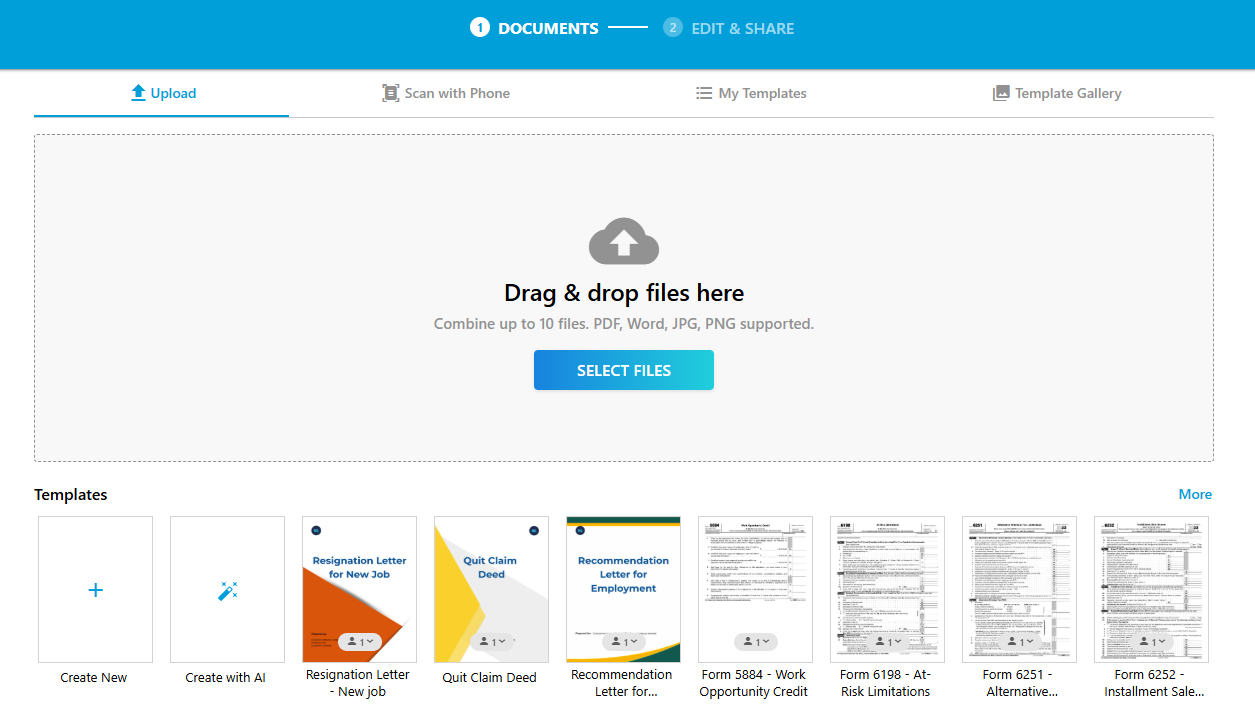
What makes the difference is the details. Pre-filling fields reduces work for recipients. Linking fields keeps documents consistent. The built-in review step ensures everything is correct before sending. And the ability to test the document from the recipient’s perspective adds confidence.
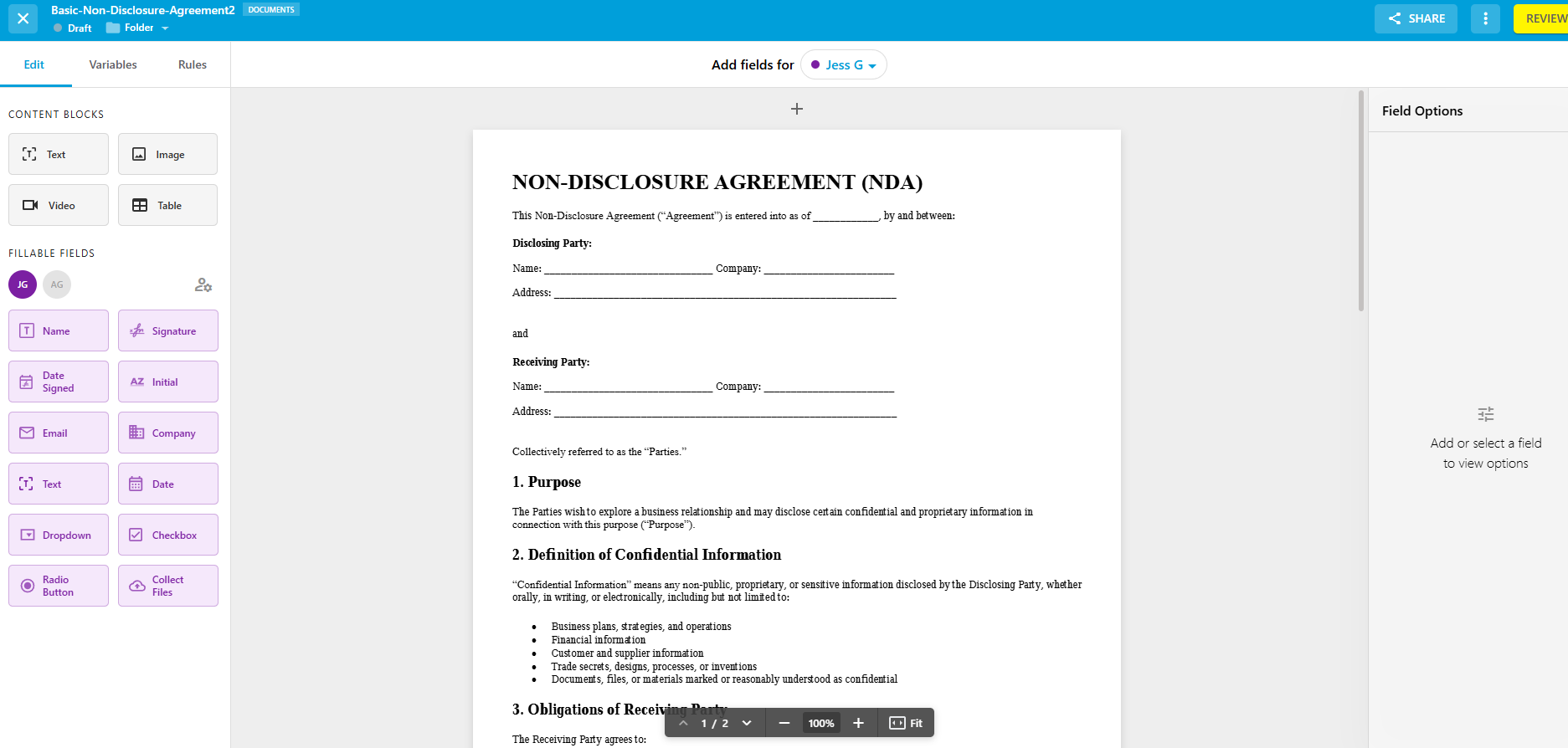
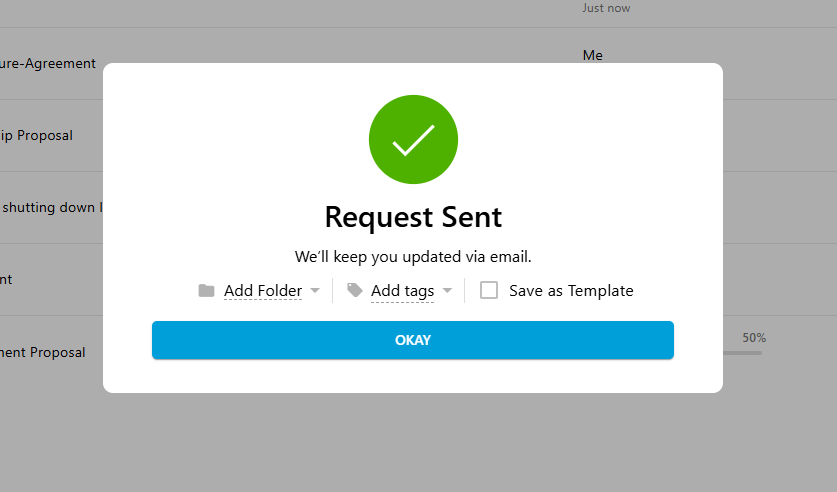
It’s also one of the few tools where the post-send experience feels just as considered as the setup.
What I liked
- Clear, intuitive workflow
- Pre-fill and linked fields
- Built-in review before sending
- Strong document organization
What I didn’t like
- AI assistant requires login for full use
- Timestamp formatting needs consideration
- Trial requires a credit card
Best for: Businesses that want a practical, all-in-one solution
Avoid if: You need highly specialized enterprise features
Pricing: Has 3 plan tiers: Basic at $8.33 per month, Plus at $16.67 per month, and Pro at $29.17 per month. All plans offer unlimited esignature requests. See Fill's pricing for details.
DocuSign: Powerful, but heavier than what most people need
My take: Fast and reliable but heavier than most people actually need.
DocuSign was one of the fastest tools for sending a document, once I got past the onboarding.
Right after signing up, I was asked for business and team details, which felt unnecessary when the goal was simply to send a document.
Once inside, though, everything worked smoothly. Uploading a document, assigning fields, and sending it out took only a few minutes. The interface feels polished, and the overall experience reflects a platform designed for scale and compliance.
But that’s also where the trade-off appears. DocuSign is a full system. And for simpler workflows, that can feel like more than you need.

What I liked
- Fast document sending once inside
- Clean, secure interface
- Widely recognized and trusted
What I didn’t like
- Onboarding felt intrusive
- No review step before sending
- Can feel overwhelming for simple use
Best for: Established teams with complex workflows
Avoid if: You just need a simple way to send and sign documents
Pricing: Starts at $10 per month. There's no free plan, but you can request a 30-day free trial.
Looking for Docusign alternatives? Check out our detailed review.
PandaDoc: Built for proposals, not just signatures
My take: Great for structured documents but not the simplest option.
PandaDoc approaches document signing differently. It treats documents as something you build and manage, not just as something you send.
The onboarding reflected that. I was guided through templates and set up immediately, which helped surface useful features but also added a bit of friction upfront.
Once I started working with it, the strengths became clear. Templates are easy to use, and the ability to preview them before applying them is a small but important detail. There’s also a built-in review step before sending, which adds confidence to the process.
The trade-off is that you’re managing more than just signatures. Formatting and customizing documents takes time, especially if your needs are simple.

What I liked
- Strong templates and document creation tools
- Preview before sending adds confidence
- Clean and intuitive interface
What I didn’t like
- Formatting can take extra effort
- Advanced features come with a learning curve
- Pricing increases for full functionality
Best for: Teams creating proposals and structured documents
Avoid if: You just need a quick, straightforward signing tool
Pricing: Starts at $19 per month and comes with a free 14 days trial.
Dropbox Sign: Simple, clean signing workflows
My take: Easy to use at first but not built for complexity.
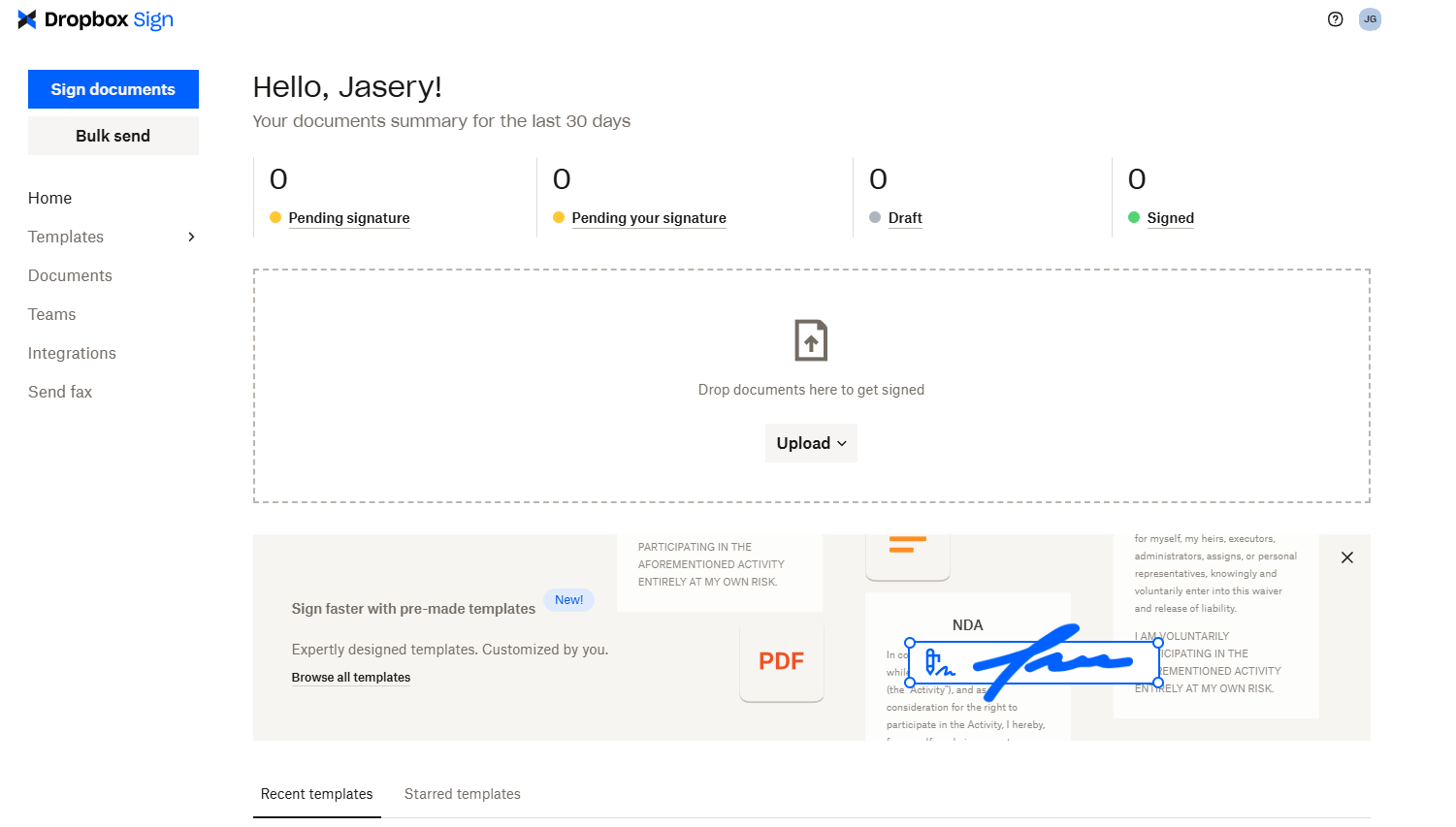
Dropbox Sign was one of the easiest tools to get started with. Uploading documents and assigning fields felt straightforward, and I appreciated being able to drag fields exactly where I wanted them.
It also provides helpful prompts as you navigate, which makes it easier to discover features without feeling overwhelmed.
But as I tested more scenarios, the limitations started to show. Managing multiple documents felt less organized, and some workflows required extra steps, like reopening a document just to complete your own signature.
What I liked
- Clean, intuitive interface
- Flexible field placement
- Helpful in-app guidance
What I didn’t like
- Limited tracking for multiple documents
- Extra steps for certain actions
- Feels constrained as workflows grow
Best for: Simple, low-volume signing workflows
Avoid if: You manage multiple documents or need more control
Pricing: Starts at $15 per month and offers a 30-day trial
Signaturely: Simple signing for freelancers
My take: One of the simplest tools but also one of the most constrained.
Signaturely is designed to be straightforward, and that’s clear from the start. Uploading documents and assigning fields is quick, and there’s very little to figure out.
One feature that stood out was the ability to fill out your own fields before sending the document. It’s a small detail, but it removes an extra step later.
The limitation is that the simplicity comes at the cost of flexibility. Editing documents requires reuploading them, and integrations are limited compared to other tools.

What I liked
- Very simple and easy to use
- Ability to pre-fill fields before sending
- Clean, uncluttered interface
What I didn’t like
- Requires credit card for trial
- Limited integrations
- No built-in document editing
Best for: Freelancers and small teams
Avoid if: You need flexibility or integrations
Pricing: Costs $25 per month for the Personal plan and $50 per month for the Business Plan
Adobe Acrobat Sign: Best inside the Adobe ecosystem
My take: Feature-rich, but slower to get started.
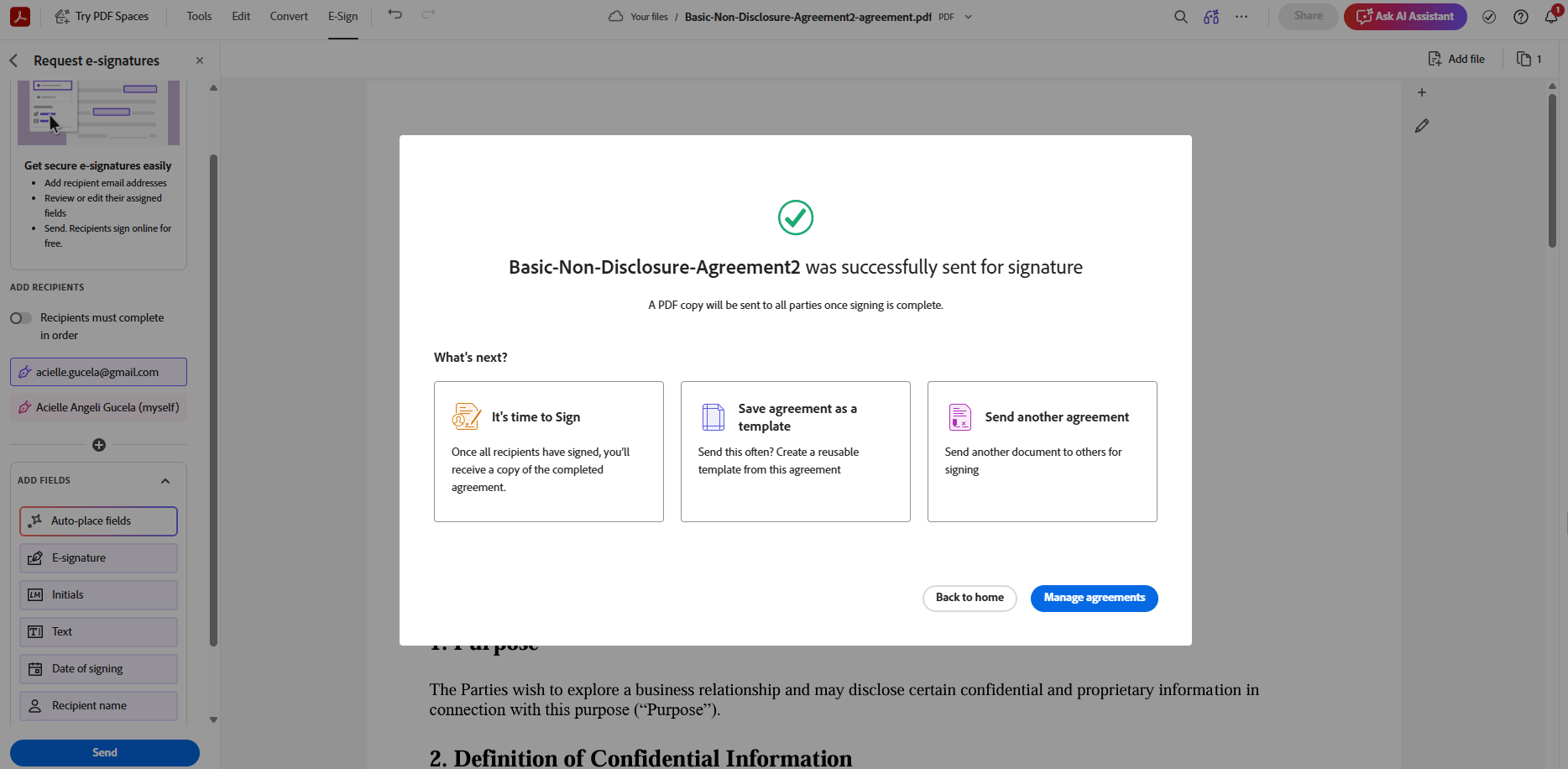
Adobe Sign feels like part of a larger system rather than a standalone tool. Even getting to the signing interface required navigating through an admin console, which added friction early on.
Once inside, though, it’s powerful. The ability to automatically detect fillable fields is especially useful, and the integration with PDF workflows is strong.
But for simple use cases, it can feel overkill.
What I liked
- AI-assisted field detection
- Strong PDF capabilities
- Secure and compliant workflows
What I didn’t like
- Confusing navigation at the start
- More complex than needed for simple use
- Higher pricing
Best for: Teams already using Adobe tools
Avoid if: You want speed and simplicity
Pricing: Starts at $14.99/month for individuals and $16.99/month for teams
SignNow: Affordable signing for budget teams
My take: Quick and capable, but slightly inconsistent.
SignNow made it easy to get started. It immediately assumed I wanted to send a document and even generated a signature automatically, which removed a few steps.
The interface is clean, and the overall experience is fast but there were moments where things felt unclear, particularly around pricing prompts and email delivery.
What I liked
- Fast onboarding and setup
- Affordable pricing
- Strong integrations
What I didn’t like
- Confusing paywall prompts
- Email delivery not always reliable
- Some features are harder to find
Best for: Budget-conscious teams
Avoid if: You want a fully transparent workflow
Pricing: Starts at $8 per month for the Business Plan (billed annually)
Jotform Sign: Strong form builder, less intuitive signing flow
My take: Great for online forms, but not as strong for signing workflows.
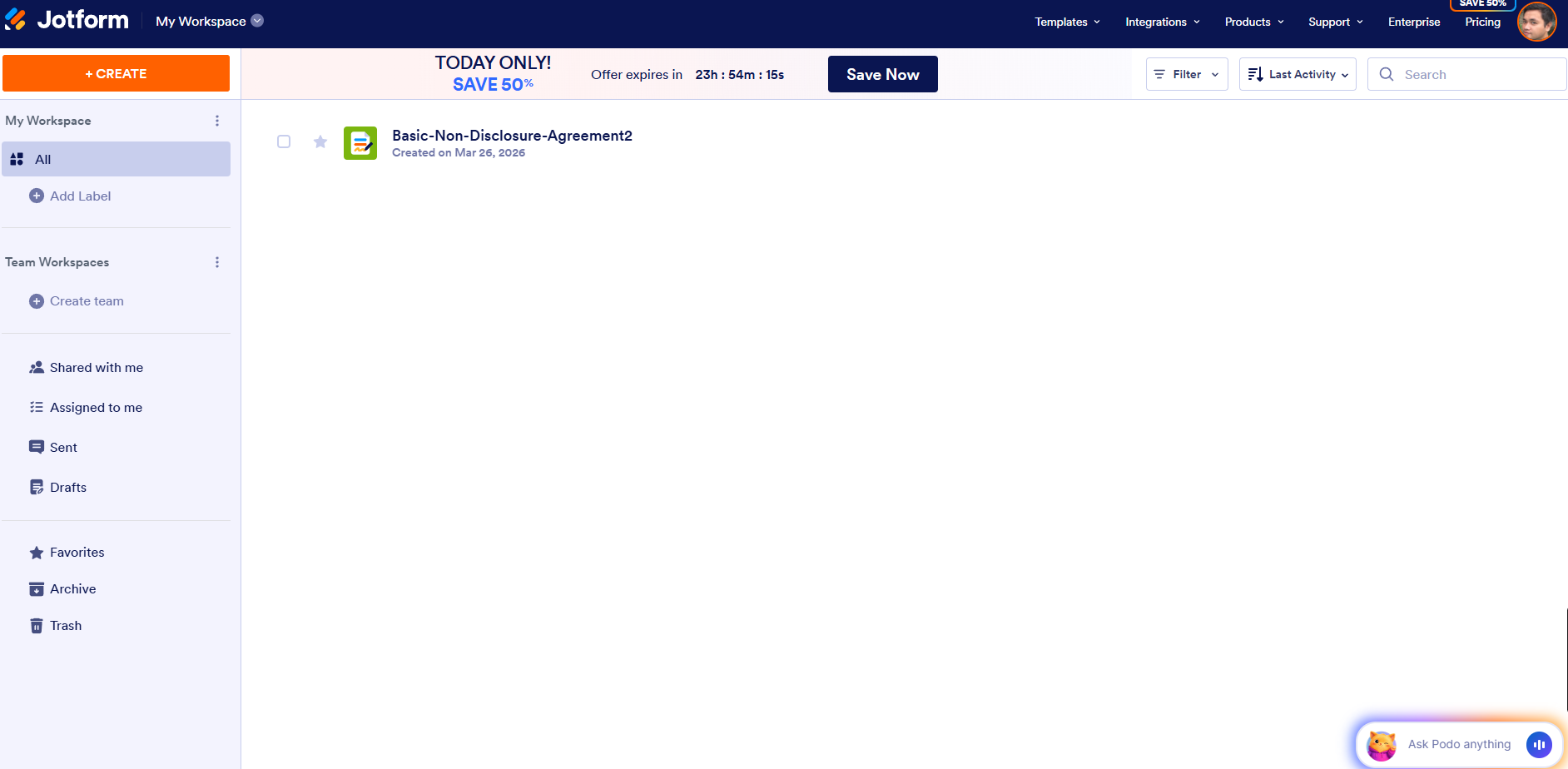
Jotform Sign made it easy to start building documents right away, even before creating an account. The form-building experience is smooth, and field detection works well.
However, once I moved to sending and tracking documents, the experience became less clear. There wasn’t always a strong confirmation that the document had been sent, and tracking felt fragmented.
What I liked
- Easy and fast form creation
- Good customization options
- Free plan available
What I didn’t like
- Confusing sending flow
- Harder to track documents
- Limited editing of uploaded files
Best for: Form-heavy workflows
Avoid if: You need clear document tracking
Pricing: Offers a free limited plan. Paid plans start at $34 per month
The Best Esignature Software: What Surprised Me
After testing all of these tools, the biggest realization was this: most platforms are built around features, not outcomes.
They offer templates, automation, and integrations—but those don’t necessarily make the process easier. In many cases, they add more steps. What actually made a difference was clarity. The tools that worked best weren’t just fast. They made every step obvious, from sending to tracking to signing.
Another surprising pattern was where friction shows up. It’s rarely during setup. It’s after sending—when emails don’t appear where expected, when confirmation isn’t clear, or when tracking becomes harder than it should be.
Over time, those small points of friction matter more than any feature.
Related Read: Top 5 Free Electronic Signature Software
Final Thoughts: Which Electronic Signature Software Is Actually Worth It?
After testing multiple electronic signature tools, one thing becomes clear: most of them can do the job. You can upload a document, add fields, and send it out for signing. On the surface, they all solve the same problem. But once you start using them regularly, the differences show up in the details.
Some tools are built for scale, packed with features, integrations, and workflows designed for larger teams. Others focus on simplicity but can feel limited as your needs grow. And a few sit somewhere in between, trying to balance both. That’s really what choosing the best electronic signature software isn't all about jus the features. You should also check which one makes the process feel clear, fast, and reliable every time you use it.
If your workflow involves complex approvals, enterprise-level compliance, or deep integrations, tools like DocuSign or Adobe Sign make sense. If your focus is on proposals and client-facing documents, PandaDoc is a strong option. But for most everyday use cases, like sending contracts, collecting signatures, and managing documents without unnecessary steps, the priorities are different.
You want something that:
- works immediately
- doesn’t require setup just to send a document
- and removes friction instead of adding to it
That’s where Fill stands out.
It’s not trying to compete on complexity. It focuses on making the core workflow intuitive, from uploading and assigning fields to reviewing, sending, and tracking documents. And in practice, that’s what makes it one of the most practical document signing software options available today. If you’re looking for a tool that balances usability, functionality, and cost, without overcomplicating the process, Fill is the one I’d choose.
Try Fill for yourself. Start sending documents in minutes with a clean, intuitive workflow designed for real use.
FAQs About Electronic Signature Software
What is the best electronic signature software?
The best electronic signature software depends on your needs. Tools like DocuSign are ideal for enterprise workflows, while platforms like PandaDoc work well for proposals and document automation. For most everyday use cases, solutions like Fill offer a strong balance of ease of use, functionality, and affordability.
Are electronic signatures legally binding?
Yes, electronic signatures are legally binding in many countries, including the United States, under laws like the ESIGN Act and eIDAS in the European Union. Most reputable esignature tools include audit trails and security measures to ensure compliance.
Check out our review on the best HIPAA-compliant electronic signature software.
What should I look for in document signing software?
When choosing document signing software, focus on ease of use, workflow clarity, pricing, and features like templates, document tracking, and integrations. The best tools make it easy to send and sign documents without adding unnecessary steps.
What is the easiest electronic signature tool to use?
The easiest electronic signature tools are those with minimal setup and intuitive workflows. Platforms that allow you to upload, assign fields, and send documents in just a few steps tend to provide the best experience for both senders and recipients.
What is the most affordable electronic signature software?
Pricing varies widely, but some tools offer affordable plans for individuals and small teams. Solutions like Fill and SignNow provide competitive pricing while still offering essential features like unlimited signature requests and document tracking.
Looking for free esignature apps? Check out our review on the best free eSign software.
Can I use electronic signature tools for contracts?
Yes, electronic signature tools are commonly used for contracts, agreements, and legal documents. As long as the platform complies with legal standards and includes authentication and audit trails, signed documents are generally enforceable.

Related Stories
5 Best Free Electronic Signature Software for 2026 (Free Downloads Tested)

Best Signature Generators (2026): Top Tools for Online Document Signing

Best Electronic Signature Apps (Tested & Compared for 2026)