DocuSign vs HelloSign (Dropbox Sign): Which eSignature Tool Wins? (2026)
DocuSign and HelloSign (now Dropbox Sign) serve different types of users. Compare pricing, features, compliance, and workflows to see which eSignature platform is right for your business—and whether a simpler alternative makes more sense.

Updated: June 2026
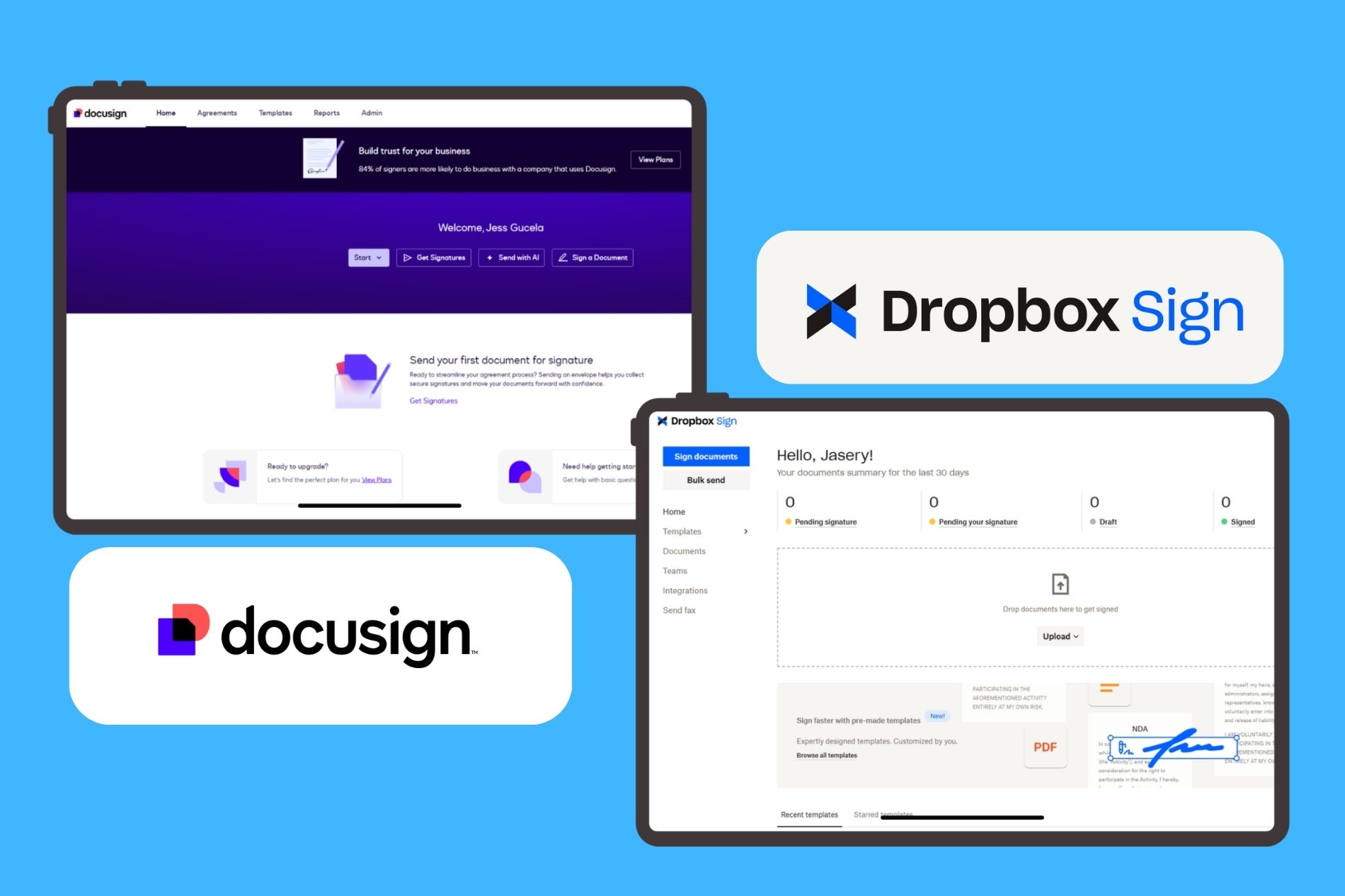
DocuSign and HelloSign, now officially called Dropbox Sign, are two of the most widely used eSignature platforms, but they're built for very different buyers. DocuSign is better suited for enterprises that need advanced compliance, complex workflows, and deep integrations. Dropbox Sign is simpler, more affordable, and often a better fit for small businesses with straightforward signing needs.
- Choose Dropbox Sign if: You want a simple eSignature platform with a free plan, unlimited signature requests on paid plans, predictable pricing, and minimal setup.
- Choose DocuSign if: You need enterprise-grade compliance, advanced workflows, extensive integrations, and more control over complex agreement processes.
- Best value alternative: Fill is a practical middle ground for businesses that need more than basic eSignatures, including PDF editing, templates, and document workflows, without the complexity of enterprise software.
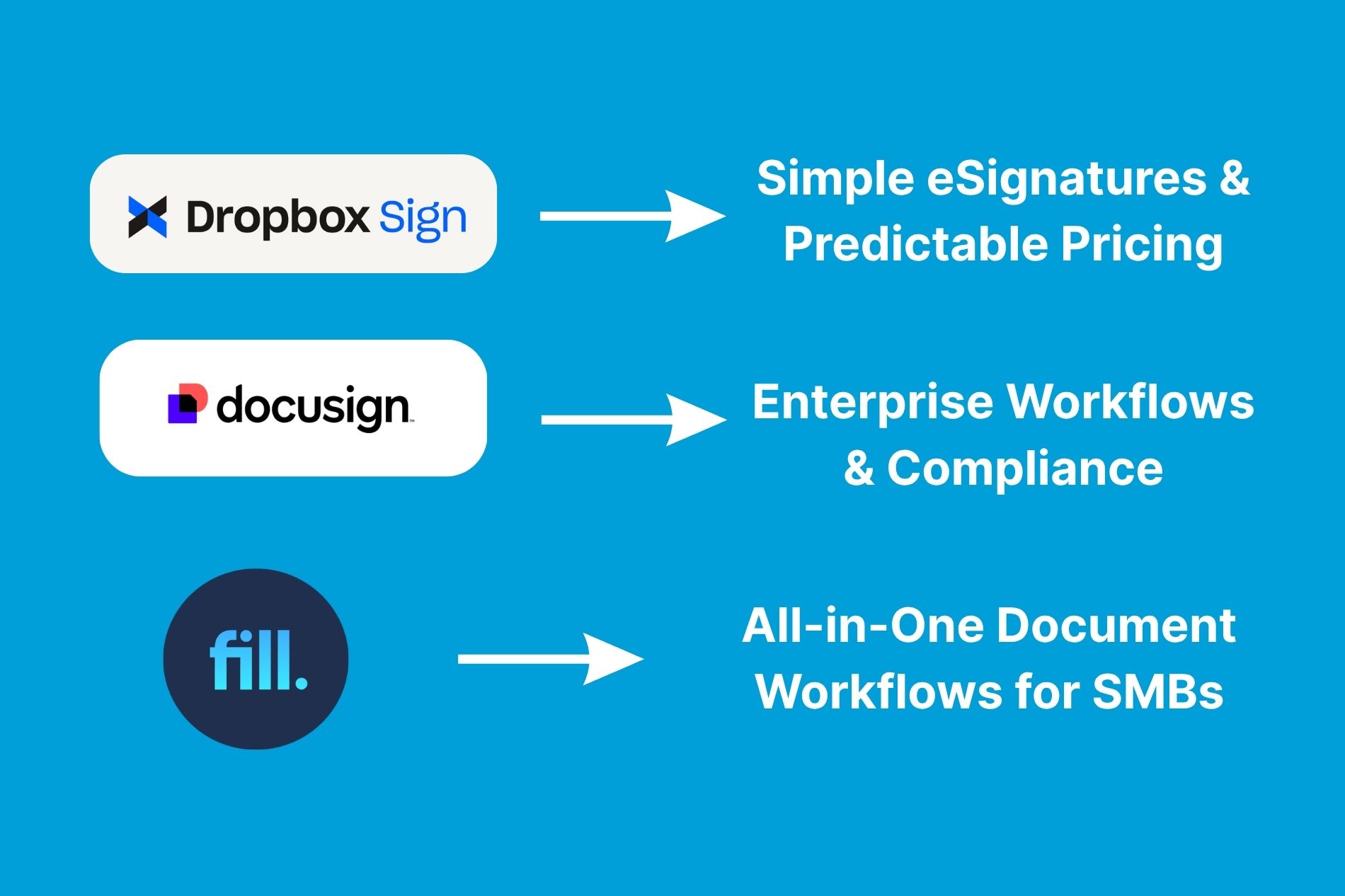
Choosing between DocuSign and HelloSign (now Dropbox Sign) comes down to your priorities. DocuSign offers advanced workflows, enterprise-grade compliance, and extensive integrations, while Dropbox Sign emphasizes simplicity, ease of adoption, and predictable pricing for smaller teams.
First, What Happened to HelloSign?
HelloSign was rebranded to Dropbox Sign after Dropbox acquired the company in 2019 and gradually integrated its eSignature platform into the broader Dropbox ecosystem.
The product still offers many of the features that made HelloSign popular, including:
- Electronic signatures
- Templates
- Audit trails
- Team collaboration
- API access
- Dropbox integrations
Throughout this article, you'll see both names used because many people still search for “HelloSign vs DocuSign,” even though the product is now officially called Dropbox Sign.
DocuSign vs Dropbox Sign at a Glance
If you're evaluating multiple platforms, this eSignature software comparison can help you understand how DocuSign and Dropbox Sign fit within the broader market before diving into the details below.
At a high level, DocuSign and Dropbox Sign serve different audiences. DocuSign is geared toward businesses that need advanced workflows, extensive integrations, and enterprise-grade compliance capabilities. Dropbox Sign focuses on simplicity, predictable pricing, and straightforward document signing for smaller teams and organizations with less complex requirements.
For many buyers, the decision comes down to complexity versus simplicity. DocuSign offers greater depth and customization, while Dropbox Sign prioritizes ease of adoption and lower administrative overhead. The right choice depends on your compliance requirements, document volume, and the complexity of your signing workflows.
What Is DocuSign?
DocuSign is one of the most widely adopted electronic signature software globally. It offers digital signing, workflow automation, identity verification, and agreement lifecycle capabilities.
Beyond eSignatures, DocuSign has expanded into:
- Contract lifecycle management
- Document generation
- Identity verification
- AI-powered agreement analysis
- Workflow automation
Its breadth of features makes it attractive to larger organizations with complex approval processes and compliance requirements.
What Is HelloSign (Dropbox Sign)?
Dropbox Sign is Dropbox's electronic signature platform, formerly known as HelloSign.
The product focuses on simplicity. Users can prepare, send, and track signature requests without navigating complex workflows or enterprise-level configuration.
Core capabilities include:
- Legally binding eSignatures
- Reusable templates
- Team management
- Audit trails
- API access
- Native Dropbox integration
Dropbox Sign is often chosen by startups, agencies, and SMBs that want a straightforward signing experience without extensive administrative overhead.
Feature-by-Feature Comparison
Ease of Use & Setup
DocuSign
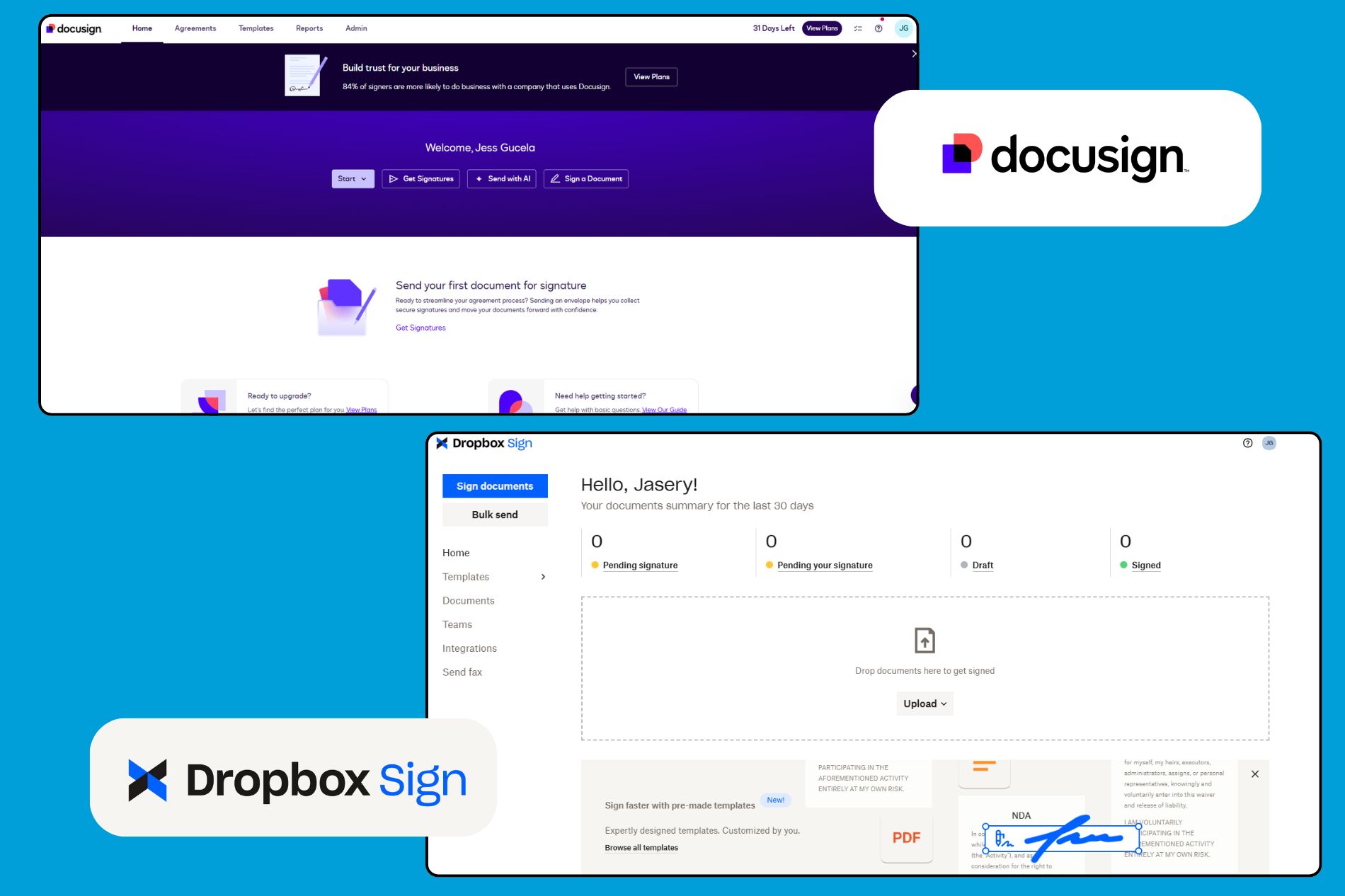
DocuSign offers a broader feature set than many eSignature platforms, but that flexibility comes with a steeper learning curve. Setting up templates, workflows, recipient routing, and administrative controls can take time, particularly for new users. The platform is designed for organizations that manage complex approval processes and need more customization.
Standout capabilities include:
- Advanced workflows and routing
- Extensive customization options
- Scalable administration tools
Dropbox Sign
Dropbox Sign takes a simpler approach. The interface is clean and intuitive, making it easy to prepare documents, add signature fields, and send requests with minimal setup. Most users can get started quickly without extensive training, which is one reason the platform remains popular among startups and smaller teams.
Standout capabilities include:
- Fast onboarding
- Minimal setup requirements
- Easy document preparation and sending
Winner: Dropbox Sign for ease of use; DocuSign for advanced workflow capabilities.
Templates & Document Prep
DocuSign
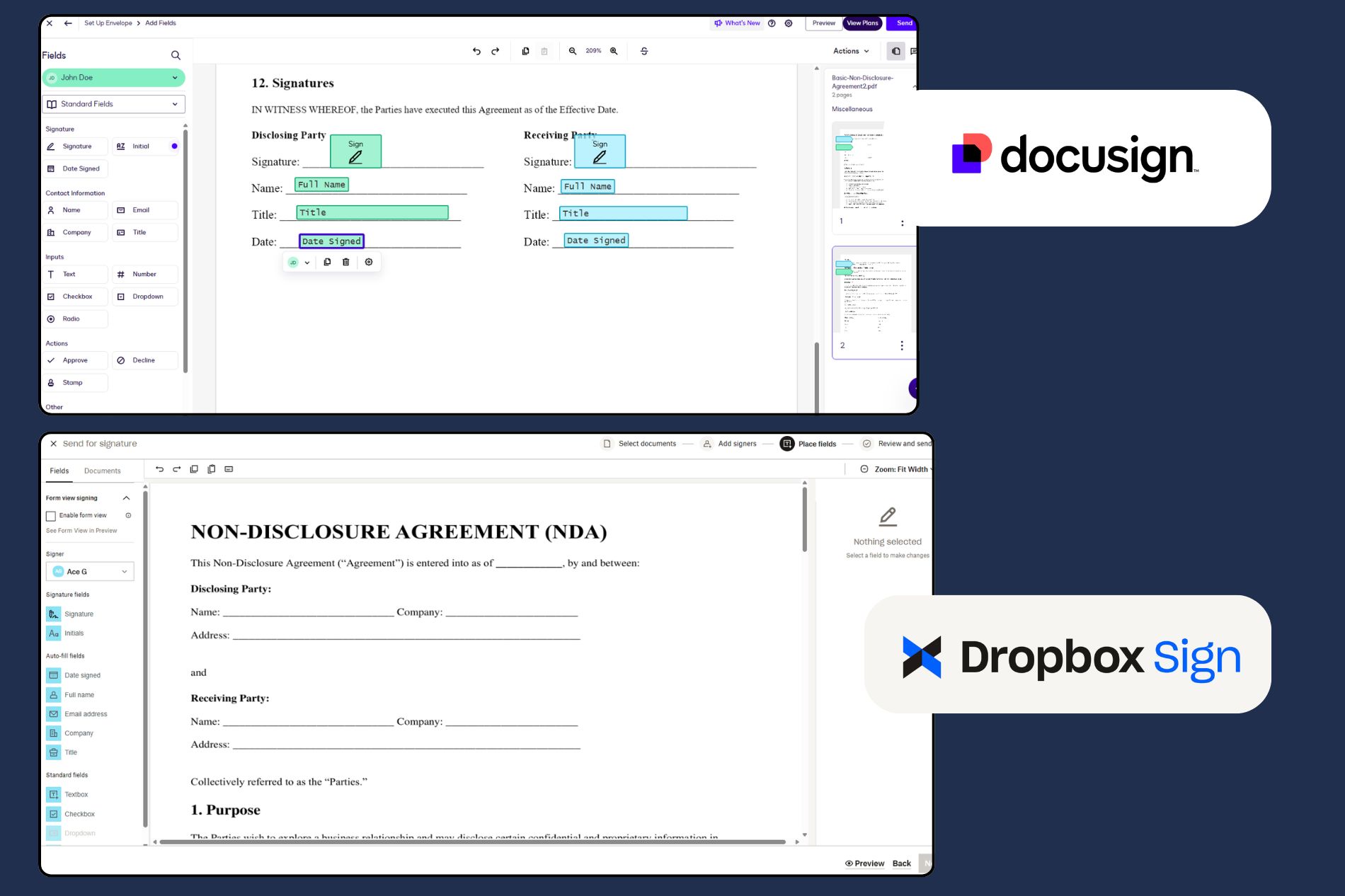
DocuSign provides robust document preparation tools that go beyond basic templates. Users can create reusable PDF templates, build conditional fields, set up complex recipient routing, and automate approval workflows. The platform also supports bulk sending and additional workflow options, useful for organizations handling large document volumes.
Key capabilities include:
- Reusable templates
- Conditional fields
- Bulk sending
- Advanced approval workflows
Dropbox Sign
Dropbox Sign covers the document preparation features most businesses need. Users can create templates, save commonly used forms, add signature fields, and send reminders for outstanding requests. While it doesn't offer the same level of workflow automation as DocuSign, its simpler feature set is often sufficient for sales agreements, onboarding forms, and standard contracts.
Key capabilities include:
- Reusable templates
- Team templates
- Automated reminders
- Bulk sending on higher plans
Winner: DocuSign. Organizations with complex document workflows and high signing volumes will generally benefit from its more advanced preparation tools.
Integrations & API
DocuSign
DocuSign has one of the largest integration ecosystems in the eSignature market. It connects with major business platforms such as Salesforce, Microsoft 365, Google Workspace, HubSpot, NetSuite, and SAP, making it easier to embed electronic signatures into existing workflows. Its API is also widely adopted by enterprises that require custom implementations and advanced automation.
Notable integrations include:
- Salesforce
- Microsoft 365
- Google Workspace
- HubSpot
- NetSuite
- SAP
Dropbox Sign
Dropbox Sign offers a smaller but practical integration library focused on everyday business tools. Native connections with Dropbox and Google Workspace are particularly useful for teams that already store and collaborate on documents within those ecosystems. The API is also frequently praised for being straightforward to implement, especially for businesses with simpler requirements.
Notable integrations include:
- Dropbox
- Google Drive
- Google Workspace
- Salesforce
- Slack
- Zapier
User discussions across review sites and Reddit often describe Dropbox Sign as easier to implement, while DocuSign is typically preferred when businesses need more extensive integrations and customization.
Winner: DocuSign for breadth and enterprise flexibility; Dropbox Sign for implementation simplicity.
Security & Compliance
DocuSign
DocuSign is built with enterprise compliance in mind. The platform maintains globally recognized security certifications and supports regulatory requirements across industries such as healthcare, financial services, and life sciences. It also offers advanced identity verification, authentication methods, detailed audit trails, and granular administrative controls for managing users and permissions.
These capabilities make DocuSign particularly well suited for organizations that operate in highly regulated environments or need sophisticated governance over how agreements are signed and managed.
Dropbox Sign
Dropbox Sign offers a robust set of security controls for SMB and mid-market organizations. The platform includes SOC 2 compliance, encryption, tamper-evident audit trails, two-factor authentication, access-code-protected signature requests, single sign-on, and role-based permissions.
For many businesses, these protections are more than sufficient for everyday contracts and agreements. However, Dropbox Sign doesn't offer the same breadth of compliance certifications and enterprise governance capabilities that make DocuSign attractive to highly regulated organizations.
Winner: DocuSign. Both platforms provide strong security features, but DocuSign's broader compliance and governance capabilities give it an advantage for organizations with complex regulatory requirements.
Organizations with industry-specific security requirements should review each vendor's published compliance documentation and certifications before making a decision.
Mobile & Signing Experience
DocuSign
DocuSign's mobile app supports the full document lifecycle, enabling users to prepare agreements, send signature requests, track progress, and manage workflows on a mobile device. The experience is comprehensive, though the broader feature set can make the interface feel more complex.
Dropbox Sign
Dropbox Sign prioritizes a straightforward signing experience. Documents are easy to review and sign on mobile devices, and the interface focuses on completing tasks with minimal friction. For recipients who simply need to sign and return agreements, the experience can feel faster and less overwhelming.
Winner: Dropbox Sign for simplicity and signer experience; DocuSign for advanced mobile capabilities.
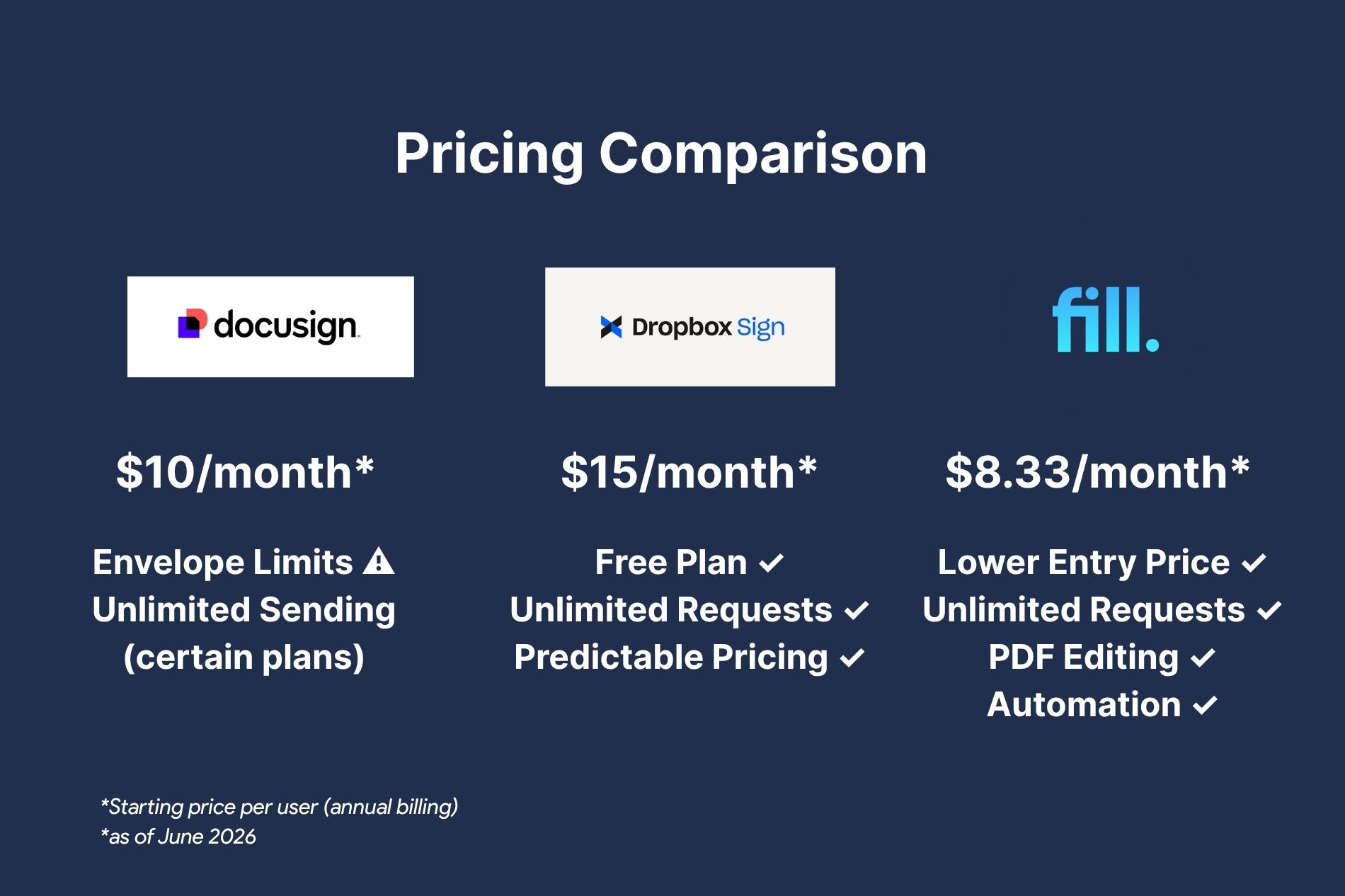
Pricing: DocuSign vs Dropbox Sign
Pricing is one of the biggest factors buyers consider when comparing DocuSign and Dropbox Sign. While both platforms offer paid plans for businesses, they differ in several important ways, including free options, signature request limits, and how costs scale with document volume.
For many buyers, DocuSign vs. HelloSign pricing is the deciding factor, as the two platforms differ significantly in free options, signature limits, and how costs scale with usage.
Note: Prices, envelope allowances, signature request limits, and included features are subject to change and may vary by subscription type or region. Information is accurate as of June 2026. For the latest information, visit the official DocuSign Pricing and Dropbox Sign Pricing pages.
Quick Pricing Comparison
DocuSign Pricing (and the Envelope Cap)
DocuSign pricing starts at approximately:
One of the biggest considerations with DocuSign pricing is its use of envelope allowances on many eSignature plans. For example, the Personal plan currently includes 5 envelopes per month, while the Standard and Business Pro plans include 10 envelopes per user per month. Newer IAM offerings may provide unlimited web-app sending, but allowances and available features can vary by plan and subscription type.
For organizations that send a high volume of agreements, these limits can influence overall costs and plan requirements. Teams should evaluate not only the monthly subscription price but also expected document volume and whether advanced workflow capabilities justify upgrading to higher-tier plans.
Organizations evaluating DocuSign often consider factors such as:
- Envelope allowances on certain plans
- Sending volume requirements as usage grows
- Whether advanced workflows require higher-tier plans
- Overall costs relative to expected document volume
Note: Envelope allowances and included features may vary by plan and subscription type.
HelloSign / Dropbox Sign Pricing (and Free Tier)
Dropbox Sign pricing generally includes:
Dropbox Sign's pricing model is generally easier to predict because paid plans include unlimited signature requests. The platform also offers a free plan with up to 3 signature requests per month, making it a practical option for freelancers, startups, and businesses with occasional signing needs.
For organizations that regularly send documents, the unlimited request model can make cost estimates easier as usage grows. Businesses that primarily need electronic signatures and templates may find Dropbox Sign's pricing structure simpler to understand than platforms that apply envelope allowances or more complex usage considerations.
However, Dropbox Sign's lower complexity also comes with trade-offs. Organizations that require advanced compliance features, enterprise administration controls, or highly customized workflows may eventually need to move to higher-tier plans or evaluate more robust platforms.
Organizations evaluating Dropbox Sign often consider:
- Access to a free plan for occasional use
- Unlimited signature requests on paid plans
- Predictable costs as document volume grows
- Whether basic workflows are sufficient for long-term needs
Note: Document request limits and included features may vary by plan and subscription type.
Pricing Verdict
The pricing verdict ultimately comes down to what your business values most. DocuSign offers a lower entry price on its Personal plan and remains a strong option for enterprise procurement and advanced agreement workflows. However, envelope allowances on many plans can make costs more difficult to predict as document volume grows.
Dropbox Sign stands out for its simpler pricing model. The free plan and unlimited signature requests on paid plans make it easier for SMBs to estimate costs and scale usage without worrying about sending limits. For businesses that need more than basic eSignatures, however, factors such as built-in document tools, workflow automation, and overall platform value become just as important as monthly pricing.
For some SMBs, pricing isn't just about the monthly subscription cost. It's also about what's included in the platform. Businesses that need eSignatures, PDF editing, templates, and workflow tools may find that overall value depends on whether those capabilities are bundled together or require additional software.
See how Fill compares on price.
When to Choose DocuSign
DocuSign is a good fit for:
- Healthcare and financial services companies
- Mid-market and enterprise teams
- Organizations with complex approval chains
- Businesses requiring advanced compliance controls
- Companies deeply integrated with Salesforce, Microsoft, or ERP systems
When to Choose HelloSign (Dropbox Sign)
Dropbox Sign is a good fit for:
- Startups and small businesses
- Teams already using Dropbox or Google Workspace
- Companies with straightforward signing workflows
- Businesses that prioritize ease of use
- Organizations with limited eSignature requirements
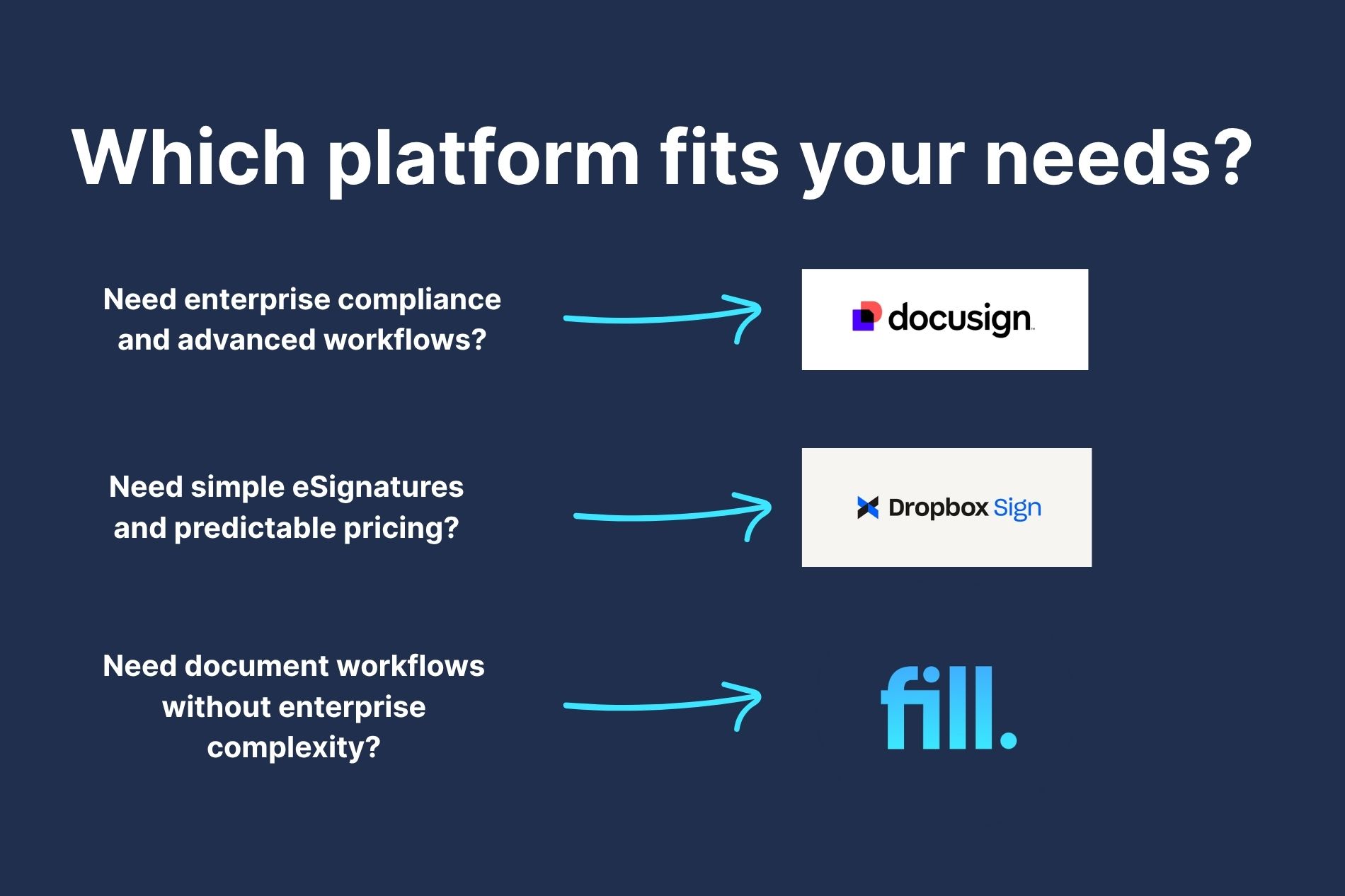
Looking for a Simpler Alternative? Here's Where Fill Fits
DocuSign and Dropbox Sign both handle electronic signatures well, but many small businesses need more than a signing tool. They also need to create, edit, organize, and automate documents without paying for multiple platforms or navigating enterprise-level complexity.
That's where Fill fits.
Fill combines eSignatures, PDF editing, templates, document workflows, and automation in one platform built for SMBs. Instead of switching between a PDF editor, a signature tool, and a document management system, teams can manage the entire document process in one place.
Organizations handling protected health information may also require HIPAA-compliant eSignatures with a signed BAA. Fill includes HIPAA support with a BAA on its Pro plan, making it suitable for healthcare teams that need secure document workflows and electronic signatures.
Fill vs DocuSign vs Dropbox Sign
The biggest difference is that Fill is designed as a document workflow platform, not just an eSignature tool. Businesses can create, edit, sign, store, and automate documents from a single workspace while avoiding the complexity of enterprise software and the need for additional PDF tools.
For SMBs that have outgrown Dropbox Sign's basic feature set, a HelloSign (Dropbox Sign) alternative may provide more robust document workflows without the learning curve and administrative overhead that often come with enterprise software. Likewise, businesses looking for a DocuSign alternative may want advanced document capabilities and automation without higher costs, per-envelope considerations, or features they don't necessarily need.
Fill offers a practical middle ground: unlimited signature requests, built-in document tools, workflow automation, and lower starting pricing in one platform.
Start a free trial and see how Fill compares.
DocuSign vs HelloSign (Dropbox Sign): The Final Verdict
There isn't a single winner in the DocuSign vs. HelloSign comparison, as the two platforms are designed for different types of users.
Choose DocuSign if: You need advanced workflows, enterprise-grade compliance, extensive integrations, or highly customizable agreement processes. The platform is generally better suited for regulated industries and organizations that treat agreements as a core business process.
Choose Dropbox Sign if: You want a simpler eSignature platform with predictable pricing, minimal setup requirements, and an easier learning curve. For many SMBs with straightforward signing needs, Dropbox Sign offers enough functionality without the complexity of enterprise software.
Some businesses sit between these two options. They need more than basic eSignatures but don't require enterprise-level administration or costs. In those cases, an all-in-one platform like Fill may provide a more practical balance of document management, automation, and eSignature capabilities.
If you're still evaluating your options, you may also want to read our PandaDoc vs DocuSign comparison, which explores how DocuSign compares with another leading document workflow platform.
Want something simpler and lower-cost than traditional enterprise platforms?
DocuSign vs HelloSign FAQs
What happened to HelloSign?
HelloSign was rebranded as Dropbox Sign after Dropbox acquired the company. The core electronic signature functionality remains largely the same, but the platform now integrates more closely with Dropbox products and is marketed under the Dropbox brand.
Is DocuSign or HelloSign better?
Neither platform is objectively better. DocuSign is stronger for enterprise workflows, compliance, and integrations. Dropbox Sign is easier to use and often more affordable for small businesses with straightforward eSignature needs.
Businesses seeking more functionality than Dropbox Sign but less complexity than DocuSign may also consider a HelloSign (Dropbox Sign) alternative.
Which is cheaper, DocuSign or Dropbox Sign?
Dropbox Sign is generally less expensive. Its paid plans start at $15/user/month (billed annually) and include unlimited signature requests, making costs easier to predict as usage grows. DocuSign's entry plan is lower on paper, but envelope allowances on most plans can push costs higher for teams sending more than a handful of documents per month.
Are HelloSign (Dropbox Sign) signatures legally binding?
Yes. Electronic signatures created through Dropbox Sign are legally binding in jurisdictions that recognise eSignatures, including under the ESIGN Act and UETA in the United States and eIDAS in the European Union. Each signed document includes a tamper-evident audit trail that can be used to verify authenticity if a signature is ever disputed.
Who is DocuSign's biggest competitor?
DocuSign's main competitors include Dropbox Sign, Adobe Acrobat Sign, PandaDoc, and Fill. The strongest DocuSign alternative depends on your needs: Dropbox Sign wins for simplicity and price for SMBs, Adobe Acrobat Sign for PDF workflows, and Fill for all-in-one document management for teams that need more than just eSignatures.
Is there a free DocuSign or HelloSign alternative?
Yes. Dropbox Sign offers a free plan with up to three signature requests per month for occasional users. Fill offers a free 7-day trial, allowing businesses to test its all-in-one document workflow platform, including eSignatures, PDF editing, templates, and automation, before committing to a subscription.
Skip envelope limits and per-seat pricing - start free with Fill.

Related Stories
Fill Now Supports Signer ID Verification (and Other Features to Look Out For)

Free Handwritten Signature Generator: Create Yours Online with Fill