eSignature Audit Trail: What It Records and Why It Matters
What happens after someone clicks “Sign”? An eSignature audit trail records the signing activity behind a completed document, from signer identity and timestamps to authentication and document integrity. Here's what it records and why it matters.
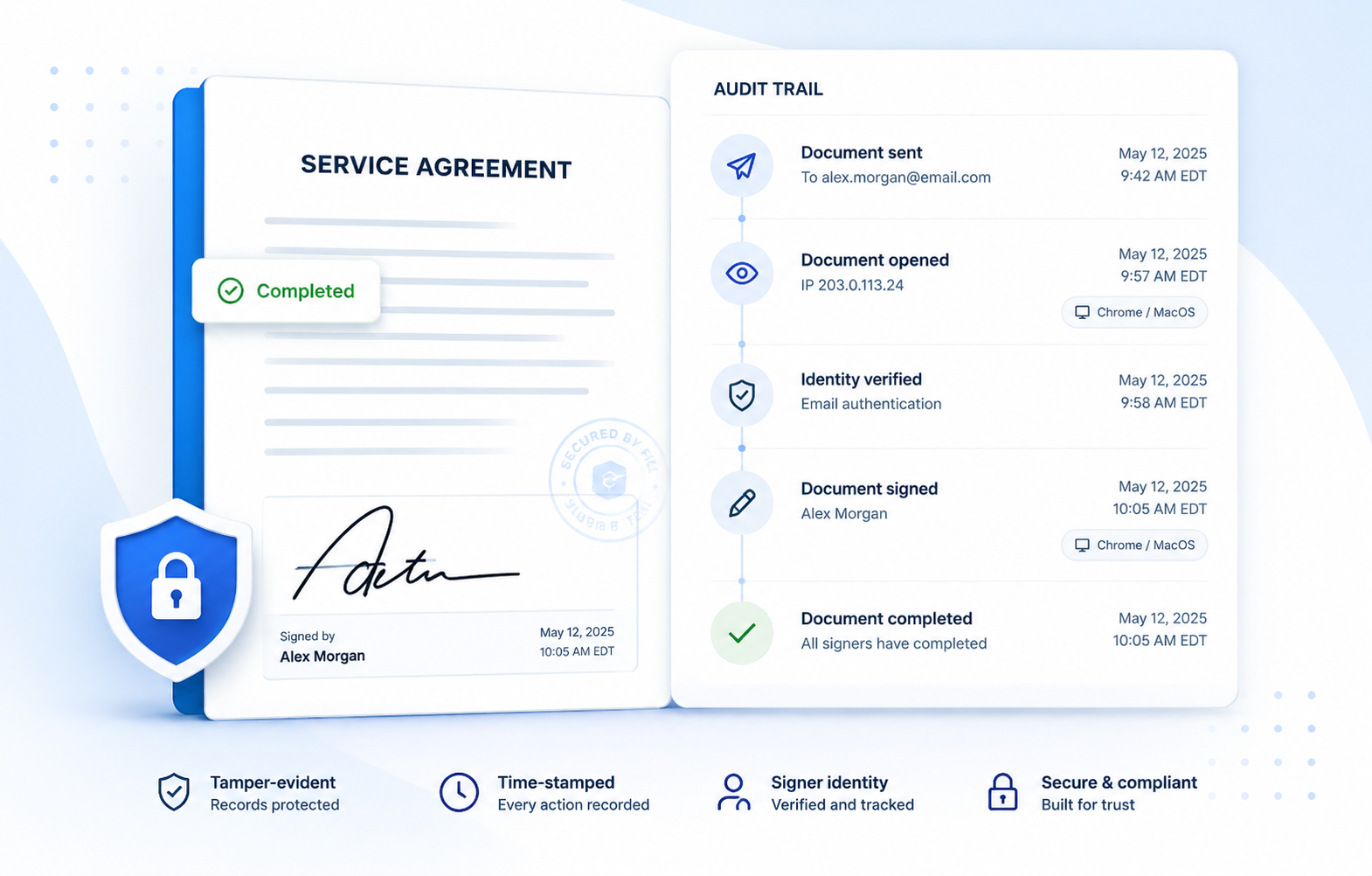
A signer says they never agreed to a contract. An auditor asks who actually signed a document and how you know. A dispute comes down to a simple question: what evidence do you have?
That is where an eSignature audit trail matters. It provides the record behind a completed electronic signature, showing what happened to a document throughout the signing process from the moment it was sent to the moment it was completed.
What is an eSignature audit trail?
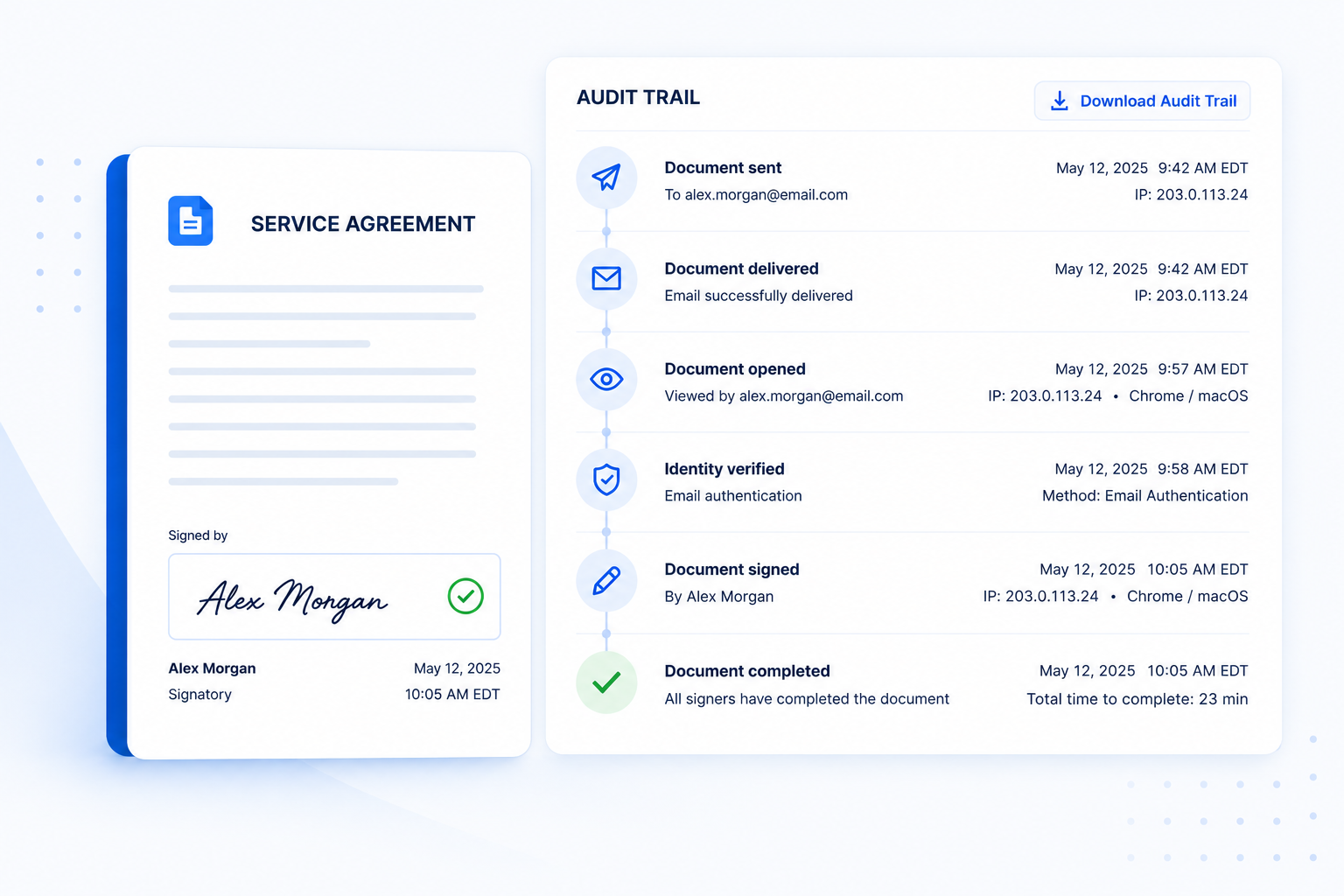
An eSignature audit trail is the tamper-evident log a signing platform keeps for every document, recording who did what, when, from where, and how they were verified, from the moment the document is sent to the moment it is completed.
In practice, an audit trail turns a completed signature into a documented sequence of events, providing context around who accessed, signed, and completed the document. That record can become important when you need to demonstrate the history and integrity of a signed document.
Learn more about electronic signature software →
eSignature and digital signature are related, but they are not technically the same. An electronic signature is a broad term for electronic methods used to indicate a person's intent to sign, while a digital signature uses cryptographic technology to authenticate the signer and help detect changes to the signed document.
A digital signature audit trail can therefore include the signing history as well as technical evidence associated with the digital signature, such as certificate and validation information. The exact records depend on the technology and provider being used.
Audit trail vs. certificate of completion vs. the signed PDF
These three records are related, but they are not the same thing.
The practical takeaway: storing the signed PDF alone may not preserve the evidence behind the signature. The certificate of completion gives you a concise summary, while the full audit trail provides the underlying history you may need when questions arise.
What an eSignature audit trail records
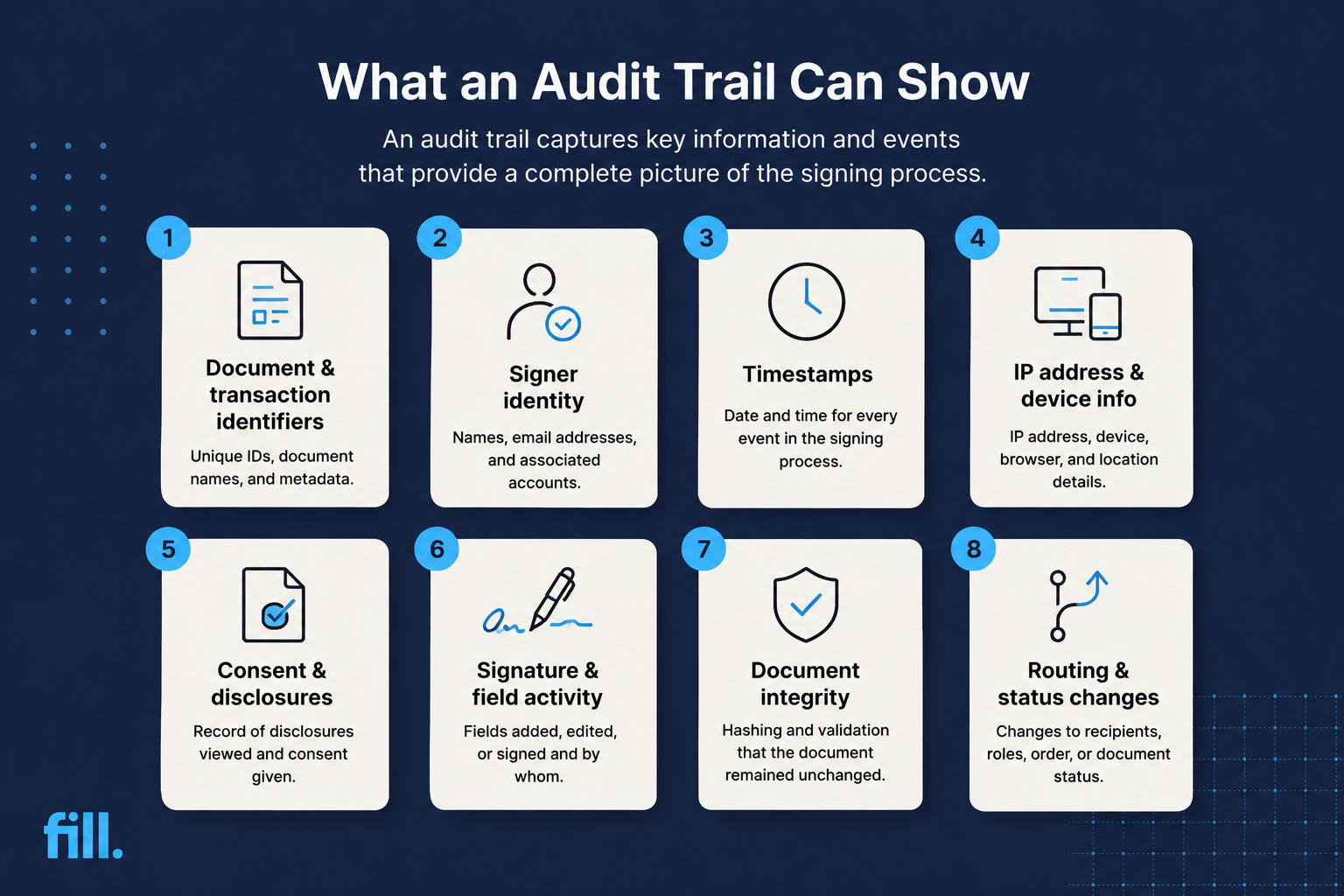
The exact information varies by eSignature provider, but a comprehensive audit trail should capture enough information to reconstruct what happened during the signing process.
Document and transaction identifiers
Every signing transaction should be tied to identifiers that distinguish the document and its signing record. These can include a document ID, transaction ID, envelope ID, document name, and version information.
Together, they connect the audit record to the exact document and make it easier to retrieve when needed.
Signer identity and authentication method
The audit trail records who performed each signing action and how their identity was authenticated. Depending on the platform and workflow, this may include an email address, account credentials, access code, identity verification, or another authentication method.
The clearer the connection between the signer and the signing event, the easier it is to establish who performed an action if the signature is later questioned.
Timestamps for every event
Rather than showing only when the final signature was applied, a detailed audit trail can record when a document was sent, delivered, opened, signed, declined, or completed. Time zones may also be included.
This chronological record helps reconstruct the signing process and establish what happened and when.
IP address, device, and browser data
Technical details provide additional context about where and how a signing session took place. Depending on the provider, an audit trail may record the signer's IP address, device, operating system, or browser.
This information does not necessarily prove who was physically using the device, but it can help establish that a document was accessed from a particular network or device at a particular time.
Consent and disclosure acceptance
The signing record may capture whether and when a signer accepted required disclosures or consented to electronic records. This can include acceptance of an electronic records disclosure, agreement to use electronic signatures, or acknowledgment of certain terms before signing.
These records can be relevant where laws impose requirements around electronic records and consumer consent. Under the U.S. E-SIGN Act, certain consumer transactions require affirmative consent and specific disclosures before legally required information can be provided electronically.
Signature and field-level activity
Individual signature fields and other required fields can be tracked throughout the signing process. The record may show when a signer completed a signature, initial, checkbox, date field, or other required field, as well as which signer completed each field in a multi-party document. This provides more detail than simply showing that the document was completed.
Document integrity: hashing and the tamper-evident seal
Cryptographic controls help demonstrate that a signed document has not been altered after completion. An eSignature system may use hashing to create a digital fingerprint of the document. If the underlying data changes, the resulting hash can change as well.
Combined with other security controls, this helps demonstrate that the completed document corresponds to the version that was signed. For regulated electronic records, 21 CFR Part 11 includes requirements for secure, computer-generated, time-stamped audit trails for certain electronic records and requires changes to records not to obscure previously recorded information.
Routing changes, declines, and voids
A complete transaction history should also capture events that interrupt or change the normal signing process. Depending on the platform, this may include when a document was declined, voided, reassigned, resent, or when the signing order changed.
Recording these events helps explain gaps or unexpected changes in the signing history and provides a more complete picture of what happened to the document.
Why the audit trail matters legally
An electronic signature does not become legally valid simply because an audit trail exists. Legal requirements depend on the transaction, jurisdiction, applicable laws, and the way the electronic signature was created and retained.
In the U.S., the E-SIGN Act generally provides that a signature, contract, or record cannot be denied legal effect solely because it is electronic. It also sets requirements around retaining electronic records in an accurate, accessible, and reproducible form when a retention requirement applies.
An audit trail supports that evidence chain. If a signature is disputed, it can provide evidence about the signer, timing, authentication, consent, and document integrity.
For regulated environments, requirements can be more specific. Under 21 CFR Part 11, for example, covered electronic records must meet controls designed to ensure authenticity and integrity, including secure, time-stamped audit trails and controls over electronic signatures.
This article provides general information, not legal advice. Requirements vary by jurisdiction, transaction, and industry.
What happens when a signature is disputed?
Imagine a company sends a service agreement to a customer for electronic signature. The customer signs it, the agreement is completed, and both parties receive the final PDF.
Six months later, the customer claims they never signed it.
The signed PDF shows a signature, but that may not answer every question. Who accessed the document? When did they sign it? Which email address was associated with the transaction? Was the document completed from the same session? Did the signer accept the electronic records disclosure?
The audit trail can provide that missing context.
Instead of relying only on the appearance of a signature on the final document, the company can produce the transaction history showing the events surrounding the signature. The more complete and reliable that record is, the easier it can be for the relevant parties to evaluate what actually happened.
The audit trail does not automatically settle every dispute. But it gives you evidence to work with.

Audit trails in regulated industries
Audit trails can become especially important when businesses operate under industry-specific regulations.
Healthcare and HIPAA. Healthcare organizations need appropriate controls around access to electronic protected health information, so eSignature workflows should fit within broader security and recordkeeping practices. Businesses working with vendors that handle protected health information should also consider whether a business associate agreement is required.
Life sciences and 21 CFR Part 11. FDA-regulated organizations may need to meet Part 11 requirements for electronic records and signatures, including secure, time-stamped audit trails and controls that preserve record integrity.
Financial services. Financial firms may face specific electronic recordkeeping and retention requirements. For example, SEC Rule 17a-4 provides an audit-trail alternative to the WORM requirement for certain broker-dealers.
GDPR and data minimization. Audit trails can contain personal and technical information. Organizations subject to the GDPR should consider data minimization and storage limitation when deciding what information to collect and how long to retain it.
The goal is to keep enough evidence to support your compliance requirements without collecting or retaining more data than necessary.
How to access, export, and store your audit trail
With Fill, you can retrieve an audit trail in just a few steps:
- Open your completed document and select View Logs.
- Review the document's signing history.
- Select Download Audit Trail to save the audit trail as a PDF.
You can also include the audit trail and certificate of completion when emailing a signed document. Fill lets you send the signed document, audit trail, and certificate together, keeping the signing evidence with the completed agreement.
For long-term storage, keep the signed document and audit trail together so the complete signing record is easy to retrieve when needed. Retention periods vary by industry and applicable requirements, so follow the rules that apply to your organization.
See how Fill handles eSignature workflows →
What to look for in a provider's audit trail
Not every audit trail provides the same level of detail. When evaluating an eSignature provider, look for:
- Complete event history that covers the transaction from sending through completion
- Signer identification and the authentication method used
- Accurate timestamps, preferably including the relevant time zone
- Technical information such as IP address and device or browser details when appropriate
- Consent and disclosure records where applicable
- Document integrity controls that help detect unauthorized changes
- Downloadable records that you can retain and produce when needed
It is also worth checking whether the audit trail is included as part of the standard signing workflow or locked behind a separate feature or upgrade.
Frequently Asked Questions
What is an eSignature audit trail?
An eSignature audit trail is a chronological record of the actions and events associated with an electronic signing transaction. It can include signer information, timestamps, authentication details, document activity, and other transaction data.
What is the difference between an audit trail and a certificate of completion?
An audit trail is the detailed history of a signing transaction, while a certificate of completion summarizes key signing details. The audit trail provides the fuller record when you need to investigate or substantiate a signing event.
Does an audit trail make an electronic signature legally binding?
No. An audit trail supports the evidence surrounding an electronic signature, but it does not independently make a signature legally binding. Whether an electronic signature is enforceable depends on the applicable laws, the transaction, and whether the required conditions for electronic signing have been satisfied.
Can an audit trail be edited or deleted?
A properly designed audit trail should not allow historical events to be altered without detection. The exact controls depend on the eSignature provider, but regulated electronic records may have additional requirements. For example, 21 CFR Part 11 requires secure, time-stamped audit trails and says changes to records must not obscure previously recorded information.
How long should I keep eSignature audit trails?
There is no universal retention period for eSignature audit trails. The appropriate period depends on the applicable law, regulation, contract, industry, and internal recordkeeping policy. Some regulated industries have specific retention requirements, so businesses should determine the applicable period before establishing a retention policy.
Does the audit trail record IP addresses?
Many eSignature platforms record the IP address associated with signing activity, although the exact information captured varies by provider. IP addresses can provide useful context about where a signing event originated, but they should be treated as supporting evidence rather than definitive proof of a person's physical identity.
How do I download the audit trail for a signed document?
The exact process depends on the eSignature provider. In Fill, open the completed document and select View Logs to review its signing history. Then choose Download Audit Trail to save the record as a PDF. You can also include the audit trail and certificate of completion when emailing the signed document.
The bottom line: evidence you can produce on demand
An electronic signature tells you that a document was signed. An eSignature audit trail helps explain how, when, and by whom that signing event happened.
For businesses that rely on electronic agreements, keeping that evidence with the signed document can make disputes, audits, and compliance requests much easier to handle.
Fill includes a real-time audit trail and certificate of completion with its eSignature workflow, so you can keep the signing history alongside your completed documents.
Start your free trial with Fill →

Related Stories
Everything You Need to Know About the Electronic Signature Act

Embedded eSignature: How In-App Document Signing Works

Decline to Sign: Get Instant Feedback on Document Rejections
