eIDAS-Compliant Electronic Signatures: SES, AES, and QES Explained
Understand how eIDAS-compliant electronic signatures work. Learn the differences between SES, AES, and QES, when each signature level may be appropriate, and what to look for in an eSignature platform.
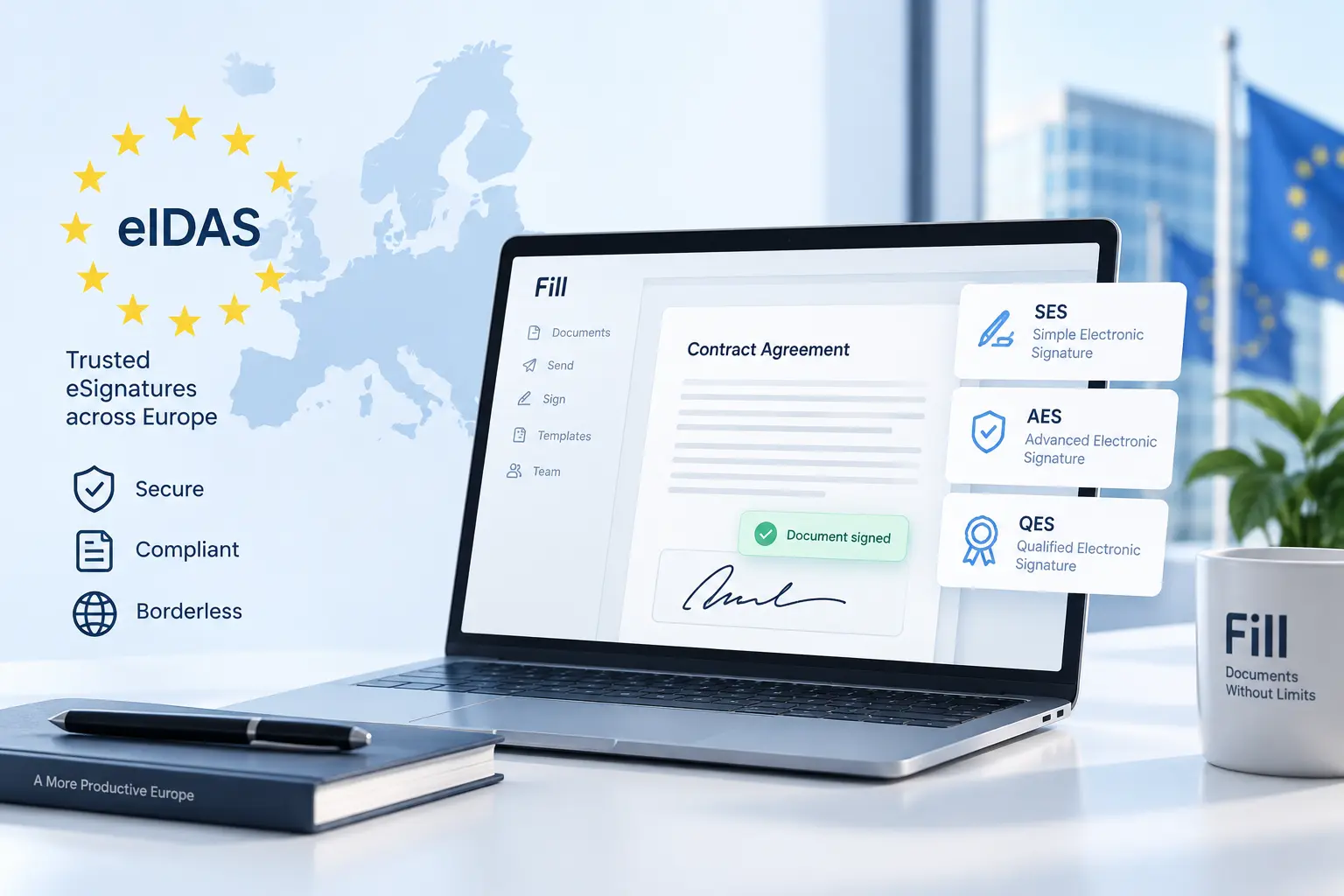
An eIDAS-compliant eSignature is an electronic signature that meets the applicable requirements of the EU's eIDAS framework. eIDAS establishes different signature levels and their legal effects, but it does not require every transaction to use a Qualified Electronic Signature (QES). Specific EU, national, industry, or contractual requirements may still require a particular signature level.
Simple Electronic Signatures (SES) are often sufficient for routine business documents, while Advanced Electronic Signatures (AES) and Qualified Electronic Signatures (QES) provide stronger identity and security assurances. QES also has the same legal effect as a handwritten signature under eIDAS.
This guide explains the three eIDAS signature levels, what makes an eSignature platform suitable for EU transactions, and which signature level your business may need.
What is an eIDAS-Compliant eSignature?
An eIDAS-compliant eSignature is an electronic signature that meets the applicable requirements of Regulation (EU) No 910/2014, commonly known as the eIDAS Regulation.
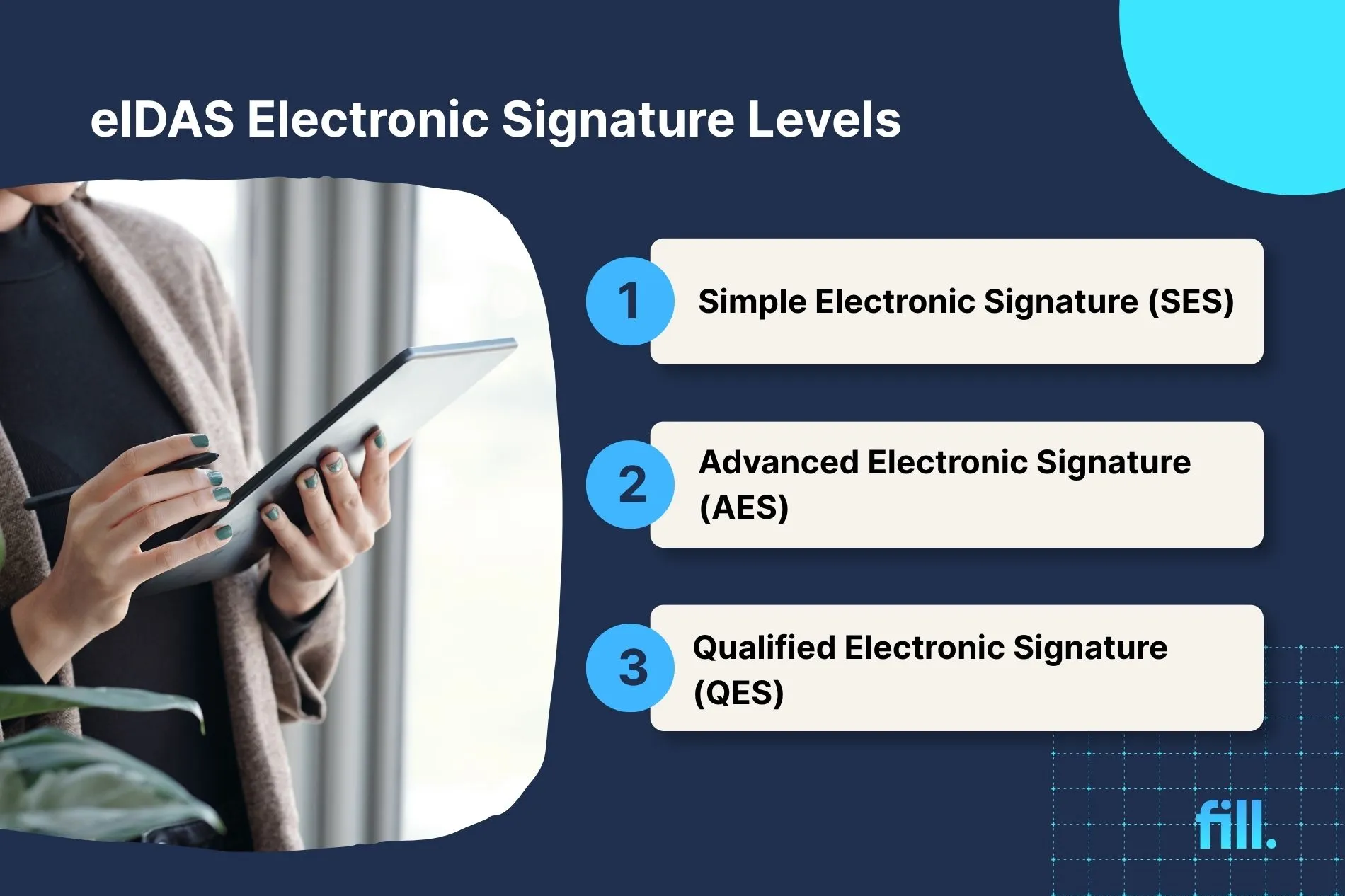
eIDAS recognizes three levels of electronic signature: Simple Electronic Signature (SES), Advanced Electronic Signature (AES), and Qualified Electronic Signature (QES). These levels differ in their requirements and legal effects.
An electronic signature does not need to be qualified to have legal effect. However, QES is the only eIDAS signature level expressly given the same legal effect as a handwritten signature.
Does eIDAS Require a Specific Type of Electronic Signature?
No. eIDAS does not mandate a specific type of electronic signature for the majority of business transactions. Under Article 25 of Regulation (EU) No 910/2014, an electronic signature cannot be denied legal effect or admissibility as evidence in legal proceedings solely because it is electronic or does not meet the requirements for a qualified electronic signature. However, specific EU or national laws may require a particular level of signature for certain transactions.
This means businesses do not automatically need QES for every contract, approval, or agreement.
For example, an ordinary business agreement may be suitable for SES, while a transaction subject to a specific legal formalization requirement may need a higher level. The applicable requirements depend on the document and the relevant jurisdiction.
eIDAS is also technology-neutral. It defines the requirements and legal effects of signature levels rather than requiring businesses to use one particular eSignature platform, software, or signing method.
What does eIDAS actually establish?
The regulation establishes:
- Legal recognition of electronic signatures.
- Requirements for Advanced Electronic Signatures.
- Requirements for Qualified Electronic Signatures.
- Legal equivalence of QES to handwritten signatures.
- Recognition across EU member states of a QES based on a qualified certificate issued in one member state.
For businesses, the practical question is not simply, "Is this an electronic signature?" It is:
What level of signature assurance does this transaction require?
The Three eIDAS Signature Levels, Explained
The eIDAS framework recognizes three levels of electronic signatures. They differ mainly in how strongly the signer’s identity is verified, how the signature is linked to the signer, and what legal assurance the signature provides.
Important: eIDAS does not require every document to use QES. The appropriate signature level depends on the transaction, applicable law, industry requirements, and the level of assurance the parties need.
Simple Electronic Signature (SES): Often Used for Routine Business Documents
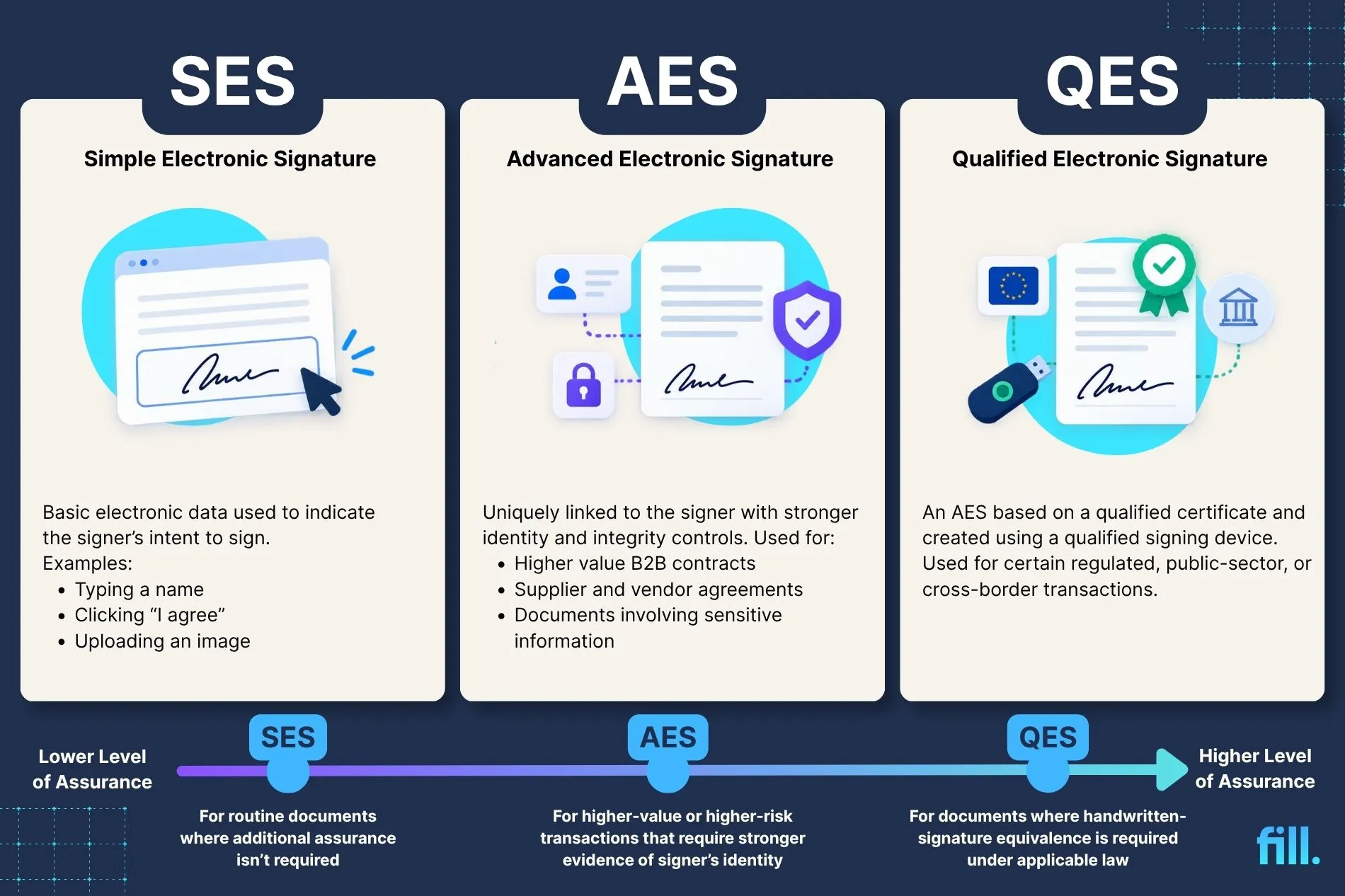
A Simple Electronic Signature (SES) is the basic level of electronic signature under eIDAS. It covers electronic data attached to or logically associated with other electronic data and used by the signer to sign.
Examples include:
- Typing a name into an online agreement
- Clicking an “I agree” button
- Drawing a signature with a mouse or touchscreen
- Uploading an image of a handwritten signature
- Signing a routine business document through an eSignature platform
SES is often appropriate for everyday business documents where the parties do not need the additional assurance provided by AES or QES.
However, “simple” does not mean that the signature should be unsupported. Businesses should still retain evidence of the signer’s identity, consent, signing activity, and document version where appropriate.
Advanced Electronic Signature (AES): Stronger Identity and Integrity Controls
An Advanced Electronic Signature (AES) must meet additional requirements under eIDAS. It must be:
- Uniquely linked to the signer.
- Capable of identifying the signer.
- Created using electronic signature creation data that the signer can use under their sole control, with a high level of confidence.
- Linked to the signed data so that any later change to the data can be detected.
In practice, AES workflows generally use stronger signer-identification, signer-control, and document-integrity measures than basic electronic-signature workflows. The exact implementation depends on the technology and signing process.
AES may be appropriate for documents such as:
- Higher-value B2B contracts
- Employment and HR documentation
- Supplier and vendor agreements
- Documents involving sensitive business information
- Transactions where the parties need stronger evidence of who signed and whether the document changed
AES is not automatically required for every important document. The appropriate level depends on the applicable legal, regulatory, and contractual requirements.
Qualified Electronic Signature (QES): Equivalent to a Handwritten Signature
A Qualified Electronic Signature (QES) is an Advanced Electronic Signature that also meets additional qualified requirements. It must be based on a qualified certificate for electronic signatures and created using a qualified electronic signature creation device.
Under eIDAS, a QES has the same legal effect as a handwritten signature.
QES may be required or preferred when a transaction calls for the highest level of identity assurance or when applicable law requires handwritten-signature equivalence. It may also be used for certain regulated, public-sector, or cross-border transactions.
QES is usually more involved than SES or AES because it may require a qualified trust service provider, identity verification, and a qualified signing device or service.
Do not assume that every eSignature platform provides QES by default. Businesses should verify whether the platform supports QES directly or through an integration with a qualified trust service provider.
What Makes an eSignature Platform eIDAS Compliant?
An eSignature platform supports eIDAS-compliant signing when its signing process can meet the applicable requirements for the transaction and signature level being used.
There is no single feature that makes a platform “eIDAS compliant.” Businesses should evaluate how the platform handles signer identity, document integrity, signing consent, and evidence of the signing event.
1. Signer Authentication and Identity Verification
The platform should provide a way to identify and authenticate the person signing.
Depending on the required signature level, this may include:
- Email-based signer authentication
- Password or access-code verification
- Two-factor authentication
- Identity verification
- Qualified identity or certificate-based verification for QES
The required method depends on whether the transaction uses SES, AES, or QES. Stronger authentication alone does not automatically make a signature qualified.
2. Tamper-Evidence and Document Integrity
The platform should help demonstrate whether the signed document has been changed after signing.
Useful controls may include:
- A record of the final signed document
- Document version tracking
- Tamper-evident technology
- Signature validation
- Notifications or evidence of changes made after signing
These controls are especially important when a business needs to demonstrate that the document presented after signing is the same document the signer approved.
3. Audit Trails and Timestamps
A reliable audit trail records important events throughout the signing process.
Depending on the platform, this may include:
- Signer names and email addresses
- Invitations and reminders
- Authentication events
- Signing date and time
- IP address or device information
- Completed signature actions
- Document completion and download events
An audit trail can help establish who signed, when the signing occurred, and how the document moved through the signing process. However, an audit trail by itself does not prove that a signature meets every AES or QES requirement.
4. Consent to Sign Electronically
The platform should make it clear that the signer is agreeing to sign electronically.
The signing process should provide an understandable opportunity for the signer to:
- Review the document
- Understand what they are signing
- Apply or confirm their signature
- Complete the signing action voluntarily
Businesses should also consider whether their process includes appropriate electronic-record and consent disclosures for the jurisdictions in which they operate.
5. Signature Validation and Evidence Retention
Businesses should have a way to validate completed signatures and retain the evidence needed for future reference.
Before choosing a platform, check whether it provides:
- A downloadable signed document
- A certificate of completion or signing evidence
- Signature-validation information
- A complete audit trail
- Document retention and access controls
- Support for the signature level required by the transaction
The platform’s documentation should explain which signature levels it supports and whether any higher-assurance features require a separate service or integration.
Important: Platform Compliance vs. Signature-Level Compliance
A platform may support eIDAS-compliant electronic signing without providing every signature level in every workflow.
Before signing, confirm:
- Which signature level the transaction requires.
- Which signature level the platform actually supports.
- Whether identity verification or qualified trust services are required.
- Whether the completed document includes sufficient evidence for validation and recordkeeping.
Which eIDAS Signature Level Do You Actually Need?
The right eIDAS signature level depends on the type of document, the risk involved, the applicable law, and the level of assurance the parties need.
For many routine business documents, a Simple Electronic Signature (SES) may be sufficient. Advanced Electronic Signatures (AES) may be appropriate when stronger signer identification and document-integrity controls are needed. Qualified Electronic Signatures (QES) are relevant when a transaction requires qualified signing or the same legal effect as a handwritten signature under eIDAS.
Signature-level checklist
Questions to ask before choosing a signature level
Use these questions to determine which level may be appropriate:
- Does a law, regulation, or contract require a specific signature type?
- Does the signer’s identity need to be verified to a higher standard?
- Would the parties need to prove that the document was not changed after signing?
- What is the financial, legal, or operational risk if the signature is challenged?
- Does the transaction require the legal effect of a handwritten signature?
- Does the chosen platform support the required signature level in the relevant workflow?
When choosing a signature level, start with the applicable law or contractual requirement. Then consider the level of signer identification, document integrity, and evidentiary assurance needed. If the transaction requires handwritten-signature equivalence, use a QES-capable workflow.
Because requirements can vary between EU member states and industries, businesses should confirm the applicable rules for the specific transaction rather than relying only on a general eIDAS summary.
eIDAS-Compliant Signing in Practice: Common Use Cases
Businesses use electronic signatures for many types of documents, from everyday approvals to cross-border contracts. The appropriate eIDAS signature level depends on the document, the parties involved, the risk of a dispute, and any applicable legal or industry requirements.
SES may be sufficient for routine documents when no higher level is required. AES may be appropriate when the parties need stronger evidence of signer identity or document integrity. The applicable law, industry rules, and contracting requirements should determine whether QES is necessary.
Cross-Border B2B Contracts and Vendor Agreements
Businesses often use electronic signatures for:
- Client and service agreements
- Statements of work
- Vendor contracts
- Non-disclosure agreements
For cross-border transactions, businesses should also confirm whether the other party or the applicable jurisdiction requires a specific signature level.
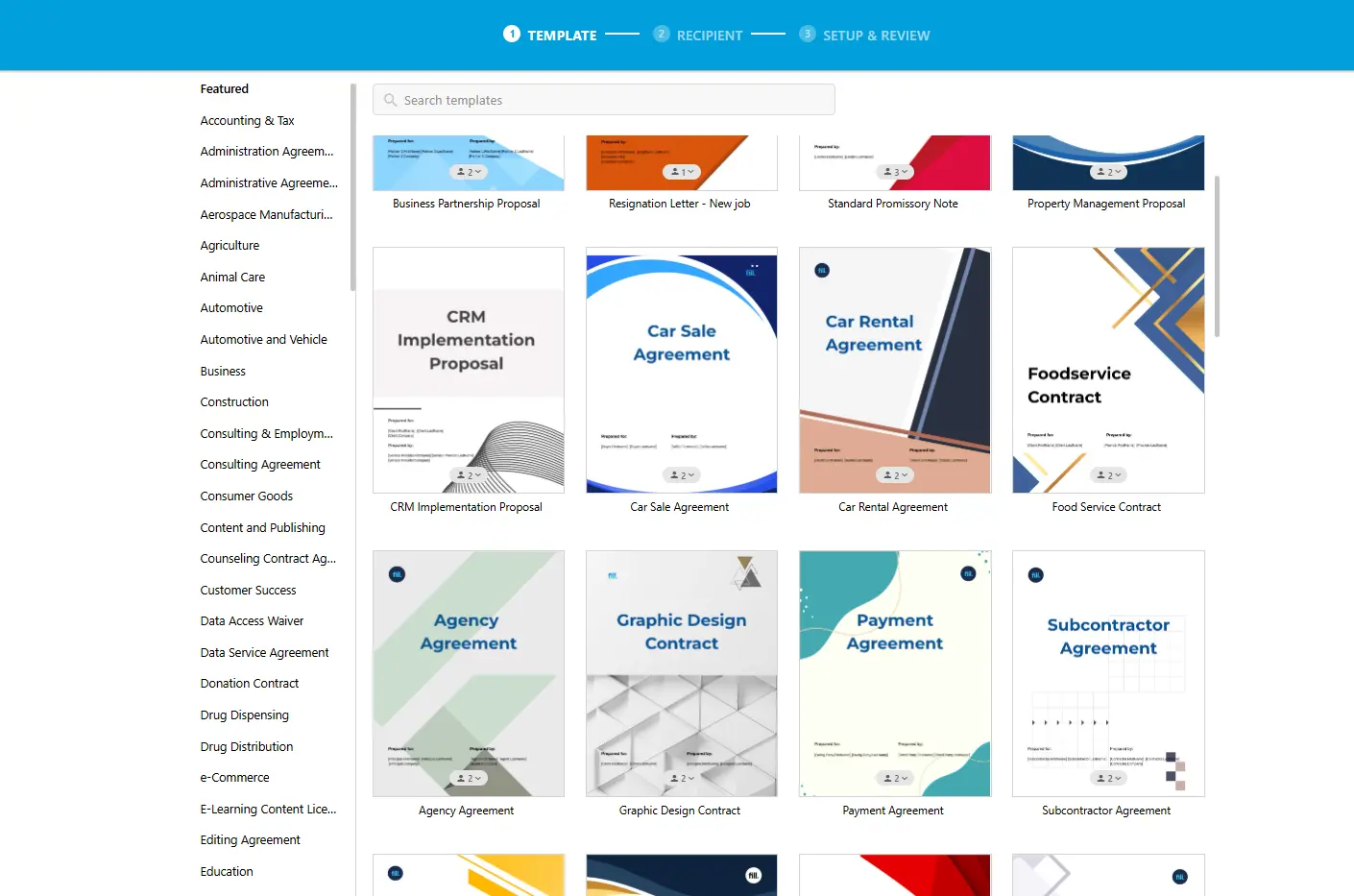
Explore Fill’s contract templates.
HR and Employment Documentation
Electronic signatures can support HR workflows such as:
- Offer letters
- Employment agreements
- Employee acknowledgments
- Policy confirmations
HR teams should therefore confirm whether a particular document requires a specific signature method, identity-verification process, or recordkeeping practice.
Consumer Terms and Clickwrap Agreements
Businesses may use electronic acceptance for:
- Terms of service
- Privacy notices
- Subscription terms
- Product acknowledgments
- Online checkout agreements
- Customer consents
For these workflows, the key concern is often proving that the customer had notice of the terms and actively accepted them.
A platform should retain reliable evidence of:
- The version of the terms presented
- The date and time of acceptance
- The customer’s identity or account information
- The customer’s acceptance action
- Any relevant changes to the terms
A clickwrap acceptance may be treated differently from a traditional signed contract, so businesses should not assume that every customer acceptance workflow requires SES, AES, or QES.
Procurement and Supplier Onboarding
Procurement teams may use electronic signatures for:
- Supplier agreements
- Vendor onboarding forms
- Purchase-related documents
- Compliance acknowledgments
If a supplier, public-sector buyer, regulated industry, or procurement policy requires QES, the business should verify that the selected signing workflow supports qualified signing rather than assuming that a standard eSignature process is sufficient.
Explore Fill’s contract management tools.
What These Use Cases Have in Common
The same document category may require different signature levels depending on the circumstances. For example, one vendor agreement may use SES, while another may require AES or QES due to value, regulatory context, or contractual requirements.
The document type is a useful starting point, but it is not a substitute for checking the applicable requirements.
When comparing eSignature tools, focus on the signature level required for your transaction, the platform’s signer-verification options, document-integrity controls, audit trail, and support for signature validation.
For more information about how Fill compares with other eSignature solutions, explore our eSignature comparison guides. See Fill's eSignature comparison guide and DocuSign alternatives.
How Fill Supports eIDAS-Compliant Signing
Fill provides electronic signing capabilities designed for businesses that need to sign and manage documents online.
Based on Fill's documented product information, the platform supports:
- eSignatures described as legally binding under ESIGN, UETA, and eIDAS.
- A full audit trail with timestamp and signer verification.
- 256-bit AES document encryption.
These capabilities support electronic signing workflows for many ordinary business documents.
What this means for eIDAS
For businesses using Fill, the relevant signature level depends on the transaction.
Fill's documented eSignature capabilities support the SES/AES-level positioning described in the brief. However, the available product information does not establish that Fill issues qualified certificates or provides QES.
Therefore, businesses that specifically require QES should confirm whether a suitable qualified trust service provider integration is available and whether the resulting signature meets the applicable requirements.
Do not claim that Fill provides QES or qualified-certificate issuance unless that capability has been independently verified.
You can review Fill's product information on its pricing page and HIPAA-compliant electronic signature page.
Common Mistakes to Avoid When Using eIDAS-Compliant eSignatures
eIDAS compliance depends on the signature level, the signing process, and the requirements of the transaction. Avoid these common assumptions when choosing or evaluating an eSignature workflow.
Mistake 1: Assuming Every Document Requires QES
QES provides the highest level of assurance under eIDAS, but it is not automatically required for every document. If SES or AES is sufficient for the transaction, using QES may add unnecessary complexity.
Instead: Determine the required signature level based on the document, transaction, applicable law, and any contractual requirements.
Mistake 2: Treating “Legally Binding” and “QES” as Synonyms
An electronic signature may be legally recognized without being a Qualified Electronic Signature.
“Legally binding” describes a signature’s potential legal effect. QES describes a specific signature level that must meet additional qualified requirements.
Mistake 3: Assuming an Audit Trail Automatically Creates AES or QES
An audit trail can provide useful evidence about the signing process, including signer information, timestamps, and signing activity.
However, an audit trail alone does not meet all requirements for an Advanced or Qualified Electronic Signature.
Instead: Evaluate the complete signing process, including signer identification, signing control, document integrity, and any required certificate or qualified signing mechanism.
Mistake 4: Confusing Encryption With Signature Qualification
Encryption helps protect information from unauthorized access. It does not, by itself, determine whether a signature is SES, AES, or QES.
Signature qualification depends on factors such as signer identity, signing control, document integrity, certificates, and qualified signing mechanisms.
Mistake 5: Assuming a Platform’s General Compliance Statement Covers Every Workflow
A platform may support different signing methods, authentication options, or assurance levels depending on the plan, region, or workflow.
Instead: Review the specific signing process you intend to use. A general statement that a platform is “eIDAS compliant” does not automatically mean that every signature created through it qualifies as AES or QES.
Mistake 6: Ignoring National or Industry-Specific Requirements
eIDAS provides the EU framework for electronic identification and trust services, but specific transactions may also be affected by national law, sector rules, or contractual requirements.
When a document has special legal or regulatory requirements, confirm which signature level and signing process apply.
FAQs About eIDAS-Compliant eSignatures
What is eIDAS, and does it apply outside the EU?
eIDAS is the EU framework for electronic identification, electronic signatures, and trust services. It primarily applies to transactions within the EU, but businesses outside the EU may still need to consider it when selling to or contracting with EU customers and organizations.
Are electronic signatures legally binding under eIDAS?
Yes. Electronic signatures cannot be denied legal effect solely because they are electronic. However, the evidentiary strength and legal requirements may depend on the signature level, transaction, and applicable law.
What is the difference between SES, AES, and QES?
SES is the basic electronic signature level. AES adds requirements related to signer identification, signer control, and document integrity. QES meets additional qualified requirements and has the same legal effect as a handwritten signature under eIDAS.
Do I need a QES for every business document?
No. QES is not required for every business document. SES may be sufficient for routine documents, while AES or QES may be appropriate when stronger assurance or a specific legal requirement applies.
Is Fill eIDAS compliant?
Fill supports electronic signing workflows for businesses that need electronic signatures in transactions involving eIDAS. Its documented features include electronic signatures, signer verification, audit trails with timestamps, and document encryption. However, the signature level required depends on the transaction, and businesses should verify whether their workflow requires SES, AES, or QES.
Conclusion: Choosing the Right eIDAS-Compliant eSignature
eIDAS recognizes three levels of electronic signatures: SES, AES, and QES. The right choice depends on the document, transaction, applicable law, and level of assurance required.
SES may be sufficient for many routine business documents. AES provides stronger signer-identification and document-integrity controls, while QES is designed for transactions requiring qualified signing or handwritten-signature equivalence.
Before choosing an eSignature platform, review its authentication options, audit trail, document-integrity controls, signature validation features, and support for the signature level your transaction requires.
If you need a practical way to prepare, send, and track electronic documents, start signing with Fill today.
Related Stories
GDPR-Compliant eSignatures: What EU Data Protection Actually Requires

HIPAA-Compliant Document Signing: What Healthcare Teams Actually Need
Fill Now Supports Signer ID Verification (and Other Features to Look Out For)
