HIPAA-Compliant Document Signing: What Healthcare Teams Actually Need
What makes document signing HIPAA compliant? Learn the real requirements - BAA, encryption, audit trails - plus which eSignature tools healthcare teams trust.

What Makes an eSignature HIPAA Compliant?
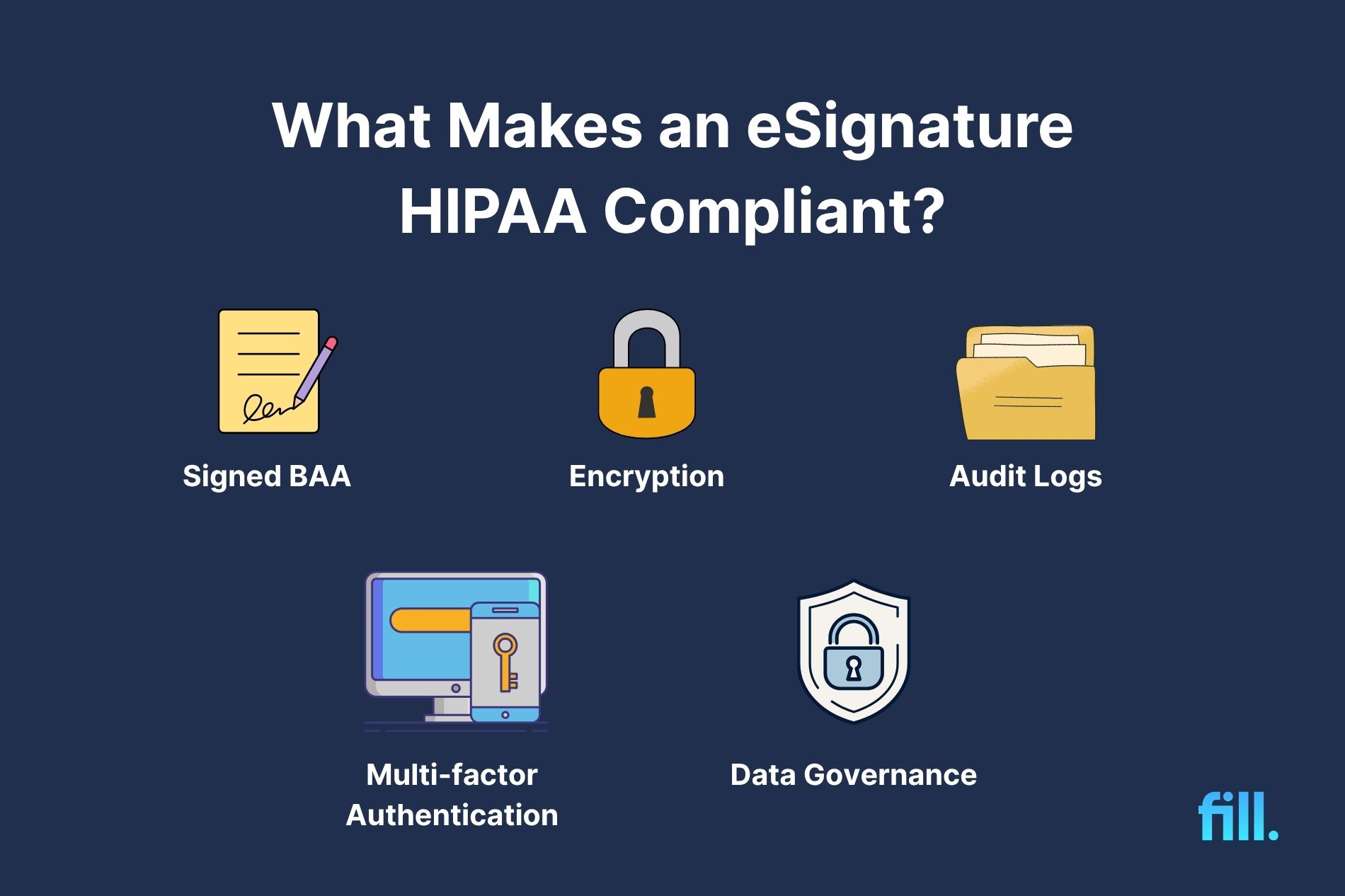
A HIPAA-compliant eSignature protects protected health information (PHI) through appropriate contractual, technical, and administrative safeguards. In practice, healthcare organizations should look for vendors that sign a Business Associate Agreement (BAA), encrypt PHI, maintain audit trails, and provide user authentication and access controls.
Key requirements for HIPAA-compliant document signing:
- Signed BAA: Establishes the vendor's responsibilities for protecting PHI.
- Encryption: Protects PHI in transit and at rest.
- Audit Trails: Records signing activity and support investigations and compliance reviews.
- User Authentication and MFA: Helps prevent unauthorized access to PHI.
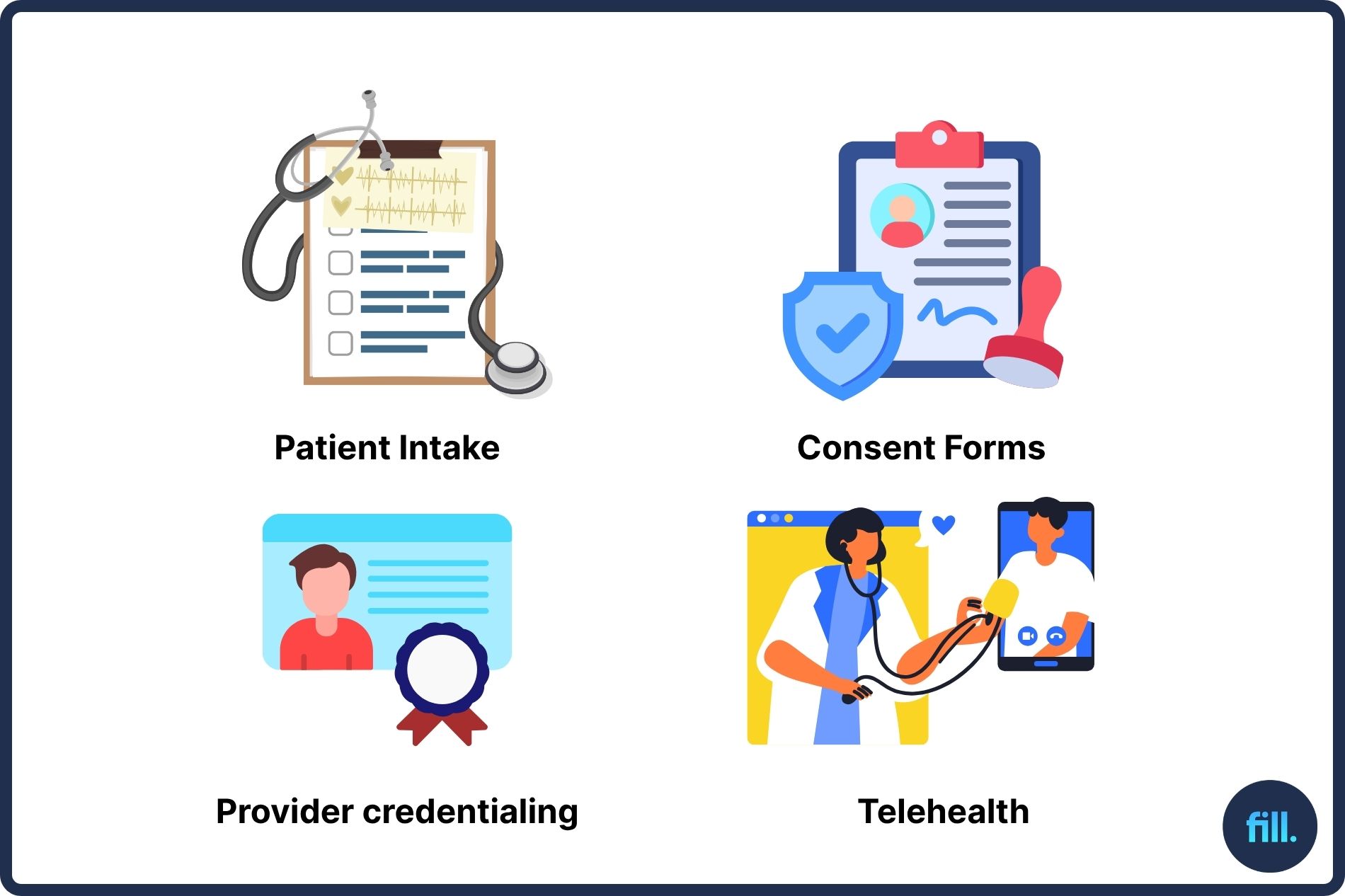
Healthcare organizations handle protected health information (PHI) every day, from patient intake forms and consent documents to provider credentialing paperwork.
Electronic signatures can simplify these workflows, but many healthcare teams still ask the same question: Is document signing actually HIPAA compliant?
The short answer is yes. HIPAA allows electronic signatures, but compliance depends on whether the systems used to collect, store, transmit, and manage signed documents appropriately safeguard PHI.
A HIPAA-compliant document signing process requires:
- A signed Business Associate Agreement (BAA) with your eSignature provider
- Encryption of PHI in transit and at rest
- Audit trails and tamper-evident records
- User authentication and access controls, including MFA
- Appropriate data retention and breach response procedures
Healthcare organizations evaluating HIPAA-compliant electronic signature software should focus on these requirements first, not marketing claims or feature lists.
Disclaimer: This article provides general information and is not legal advice. Healthcare organizations should consult qualified legal or compliance professionals regarding their specific HIPAA obligations.
Are Electronic Signatures HIPAA Compliant?
Yes. HIPAA does not prohibit electronic signatures, nor does it require organizations to use paper signatures.
According to the U.S. Department of Health and Human Services (HHS), HIPAA does not require a particular form of signature, provided appropriate safeguards are in place to protect PHI.
Instead, HIPAA focuses on protecting PHI through administrative, physical, and technical safeguards. As long as electronic signature workflows meet HIPAA security requirements and properly protect patient information, electronic signatures can be used for healthcare documents.
The key distinction is that an electronic signature is not automatically HIPAA-compliant. The surrounding system-including storage, transmission, authentication, and auditing-must meet HIPAA requirements.
This is why healthcare organizations evaluating electronic signature software should look beyond signing functionality and examine how vendors handle PHI.
A HIPAA-compliant signature is not a separate type of signature created by HIPAA law. Instead, it refers to an electronic signing process that protects PHI through appropriate safeguards.
What Actually Makes Document Signing HIPAA Compliant
When evaluating HIPAA-compliant document signing solutions, five requirements matter most.
A Signed Business Associate Agreement (BAA) - The Non-Negotiable
Under HHS guidance, a business associate is an entity that creates, receives, maintains, or transmits PHI on behalf of a covered entity. If an eSignature vendor falls into this category, HIPAA generally requires a signed Business Associate Agreement (BAA).
The BAA establishes the vendor's responsibilities for safeguarding PHI and outlines how data will be protected, used, and reported in the event of a breach.
For many healthcare compliance teams, this is the first question they ask vendors: "Will you sign a BAA?"
For many healthcare organizations, the inability or unwillingness of a vendor to sign a BAA may eliminate the solution from consideration.
As a result, a signed BAA is often considered the most important requirement for HIPAA-compliant eSignature software.

Encryption of PHI (In Transit and At Rest)
Documents containing PHI should be protected while:
- Being transmitted between systems
- Being viewed by signers
- Being stored after completion
Although HIPAA's Security Rule does not prescribe specific encryption standards in every scenario, it identifies encryption as an "addressable" implementation specification. This means organizations must assess whether encryption is reasonable and appropriate for their environment and implement appropriate safeguards to protect PHI.
In practice, encryption is widely considered a best practice for protecting PHI in transit and at rest because it significantly reduces the risk of unauthorized access or data interception.
Audit Trails & Tamper-Evidence
Healthcare teams need evidence showing:
- Who signed a document
- When it was signed
- Which actions occurred during the signing process
- Whether changes were made after signing
A comprehensive audit trail helps organizations determine who accessed a document, reconstruct signing events, investigate incidents, and demonstrate accountability during compliance reviews.
Tamper-evident records help demonstrate document integrity, making it easier to identify unauthorized modifications.
Access Controls & User Authentication (MFA)
Not everyone should have access to PHI. HIPAA-compliant electronic signature systems should support:
- Role-based permissions
- User authentication
- Single sign-on (SSO), where applicable
- Multi-factor authentication (MFA)
These controls help ensure that only authorized individuals can access sensitive documents.
While HIPAA does not specifically require multi-factor authentication, HHS guidance and industry best practices frequently recommend stronger authentication controls to reduce unauthorized access risks.
Data Retention & Breach Procedures
Healthcare organizations should understand how long documents and audit logs are retained, where data and backups are stored, how incident reporting works, and what happens when information must be deleted.
A vendor's retention, backup, and breach notification practices can directly affect an organization's ability to protect PHI, investigate incidents, and meet its compliance obligations.

The HIPAA-Compliant Signing Checklist (What Teams Actually Need)
When evaluating a HIPAA-compliant eSignature solution, healthcare organizations should look beyond signature functionality and assess whether a vendor offers the safeguards needed to protect PHI, including BAAs, encryption, audit trails, and secure document workflows.
No software vendor is officially "HIPAA certified." HIPAA does not provide a certification program for eSignature solutions or document platforms.
Instead, healthcare organizations must evaluate whether a vendor's safeguards, contractual commitments, and implementation practices are sufficient to support HIPAA compliance for their specific use case.
Before choosing a HIPAA-compliant eSignature solution, confirm that it can answer "yes" to all of the following:
Because healthcare teams often need both secure forms and document signing, many organizations prefer a platform that combines HIPAA-compliant online forms and eSignatures in a single workflow rather than relying on separate systems.
Fill signs a BAA and is built for PHI.
HIPAA-Compliant Signing in Practice: Healthcare Use Cases
HIPAA compliance becomes most important when document signing is integrated into everyday patient and staff workflows. From patient intake to provider credentialing, healthcare organizations need secure processes that protect PHI while keeping administrative tasks efficient.
Patient Intake & Onboarding Forms
Patient intake often involves collecting:
- Medical history
- Insurance information
- Demographic data
- Consent acknowledgments
Because this information contains PHI, healthcare organizations need secure forms and HIPAA-compliant document signing working together. Combining HIPAA-compliant online forms with electronic signatures allows patients to complete paperwork digitally while helping providers maintain security and compliance throughout the onboarding process.
Consent & Authorization Forms
Healthcare providers routinely collect signatures for:
- Treatment consent
- HIPAA acknowledgments
- Release-of-information requests
- Authorization forms
Using secure digital workflows can reduce paperwork while maintaining compliance requirements. Many organizations standardize these processes by using customizable PDF templates for consent forms and authorizations, making it easier to collect signatures consistently and securely.
Telehealth & Remote Visits
Remote care requires patients to complete paperwork without visiting a physical office.
HIPAA-compliant electronic signatures help organizations securely collect:
- Telehealth consent forms
- Treatment authorizations
- Patient agreements
When paired with secure intake forms and document workflows, electronic signatures can help healthcare teams collect required documentation before remote visits while reducing paperwork delays.
HR & Provider Credentialing
Healthcare organizations also manage sensitive employee and provider documentation, including:
- Employment agreements
- Credentialing packets
- Policy acknowledgments
- Compliance certifications
Many healthcare teams use contract management software to organize provider agreements, credentialing packets, policy acknowledgments, and other sensitive documentation in a centralized system. In practice, healthcare organizations often need HIPAA-compliant document management in addition to document signing, especially when handling patient intake, consent forms, and credentialing records.
Is DocuSign HIPAA Compliant?
Many healthcare organizations specifically ask whether DocuSign is HIPAA compliant.
DocuSign is not automatically HIPAA compliant out of the box. It can support HIPAA compliance when an eligible plan supports HIPAA requirements, a BAA is executed, and the platform is configured appropriately.
Healthcare teams should verify:
- Whether their specific plan includes HIPAA support
- Whether a BAA is available
- Security configurations
- Access controls
- Audit capabilities
As with any vendor, HIPAA compliance depends on implementation and safeguards-not simply the software name.
Organizations evaluating options often assess whether a solution combines forms, workflows, and signatures, rather than focusing solely on signing functionality.
For teams that need both HIPAA-compliant forms and eSignatures in a single platform, exploring a DocuSign alternative may help identify solutions that better fit healthcare-specific workflows.
How Fill Keeps Document Signing HIPAA Compliant
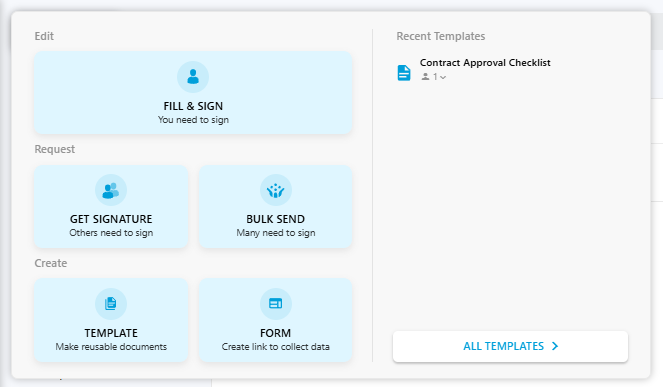
Healthcare organizations often need more than a standalone signature tool. Fill combines secure forms and HIPAA-compliant eSignatures in a single workflow, helping teams collect information, gather signatures, and manage documents while protecting PHI.
As an electronic signature software platform that supports document-driven workflows, Fill includes capabilities healthcare organizations commonly evaluate when assessing HIPAA requirements, including:
- Business Associate Agreement (BAA) availability
- Encryption for sensitive information
- Audit trails and document history
- Access controls and authentication features
- Secure document workflows for healthcare teams
Because patient intake and consent processes typically involve both data collection and signatures, some healthcare organizations choose platforms that combine forms and eSignatures in one workflow to reduce administrative complexity and minimize the number of systems handling PHI.
Teams that want to explore available plans and features can review the Fill pricing to determine the best fit for their compliance and workflow needs.
See Fill's HIPAA-compliant forms and eSignatures for patient intake
Common HIPAA Signing Mistakes to Avoid
Healthcare organizations frequently make avoidable mistakes when implementing electronic signatures.
Choosing a Vendor That Won't Sign a BAA
For healthcare organizations that handle PHI, a vendor's unwillingness to sign a BAA may prevent the platform from being used for HIPAA-regulated workflows.
Assuming "Secure" Means HIPAA Compliant
Many vendors advertise security but fail to offer the safeguards required for PHI. Always verify specific HIPAA-related controls.
Ignoring Audit Trails
Organizations sometimes focus on signatures and overlook documentation requirements. Audit logs can help organizations demonstrate accountability, investigate incidents, and support internal or external compliance reviews.
Using Separate Systems for Forms and Signatures
Fragmented workflows can create unnecessary security risks and operational complexity.
Failing to Enable MFA
Even when MFA is available, organizations don't always require it. Strong authentication is one of the simplest ways to reduce risk.
Frequently Asked Questions
Are electronic signatures HIPAA compliant?
Yes. HIPAA allows electronic signatures when appropriate safeguards protect PHI. Healthcare organizations should ensure their eSignature solution includes a signed BAA, encryption, audit trails, and access controls.
Do I need a BAA for e-signatures?
If the vendor stores, processes, or transmits PHI on your behalf, a Business Associate Agreement is generally required. Healthcare organizations should confirm BAA availability before adopting any eSignature platform.
What are the HIPAA e-signature requirements?
HIPAA does not prescribe a specific signing method. Instead, organizations must protect PHI using safeguards such as encryption, access controls, audit logs, breach procedures, and vendor BAAs where required.
Is there a free HIPAA-compliant e-signature option?
Some vendors offer free plans, but HIPAA compliance often requires business-tier features such as BAAs, advanced security controls, and audit capabilities. Organizations should verify compliance features before relying on a free plan.
What are the four requirements for a valid electronic signature?
While legal requirements vary by jurisdiction and use case, electronic signatures generally require intent to sign, consent to do business electronically, association of the signature with the record, and record retention. Healthcare organizations must also ensure HIPAA safeguards protect any PHI involved.
Final Thoughts
HIPAA-compliant document signing is not about finding a signature field. It's about protecting PHI throughout the entire workflow.
The most important requirements are straightforward:
- Signed BAA
- Encryption
- Audit trails
- User authentication and access controls
Healthcare organizations that evaluate vendors against these criteria are more likely to choose a solution that supports both compliance and operational efficiency.
Make patient paperwork HIPAA-compliant. Try Fill free.

Related Stories
Are Electronic Signatures Compliant With GDPR?

eSignature Audit Trail: What It Records and Why It Matters

Everything You Need to Know About the Electronic Signature Act