How to Build Automated Document Workflows That Save 10+ Hours a Week
Document workflow automation can save your team 10+ hours a week. Learn how to build automated, paperless document workflows step by step, plus top tools.

Updated: July 2026
Managing documents shouldn't take up your team's day.
Document workflow automation uses software to automatically create, route, approve, sign, and store documents without manual handoffs. Instead of emailing files back and forth, chasing approvals, or manually tracking signatures, automated document workflows move documents through each step based on predefined rules.
Whether you're processing employee paperwork, contracts, invoices, or customer forms, document workflow automation can eliminate repetitive administrative work, reduce errors, and save teams 10 or more hours every week.
According to Adobe's Future of Time research, workers spend about one-third of their workweek on repetitive administrative tasks such as managing files, forms, contracts, payments, and invoices. Automating document-heavy processes reduces manual work, shortens approval cycles, and gives teams more time for higher-value work.
Key Takeaways
- Document workflow automation uses software to automatically create, route, approve, sign, and store documents, reducing manual work and speeding up business processes.
- Businesses can save 10+ hours per week by automating repetitive tasks like document creation, approval routing, follow-ups, and eSignatures.
- Start by mapping your current workflow, then standardize templates, automate approvals, and measure time savings as you optimize your processes.
- The best document workflow software combines templates, workflow automation, eSignatures, document tracking, and secure storage in one platform.
- Whether you're in HR, Sales, or Finance, automating document workflows helps improve accuracy, reduce bottlenecks, and deliver a better experience for employees and customers.
What Is Document Workflow Automation?
Document workflow automation is the process of using software to move documents through every stage of their lifecycle automatically—from creation and review to approval, eSignature, and storage.
Instead of relying on employees to manually send emails, follow up with reviewers, or organize completed files, the software performs these repetitive tasks based on rules you define.
A typical automated document workflow looks like this:
Create document → Populate data → Route for review → Collect approvals → Request eSignature → Notify stakeholders → Archive securely
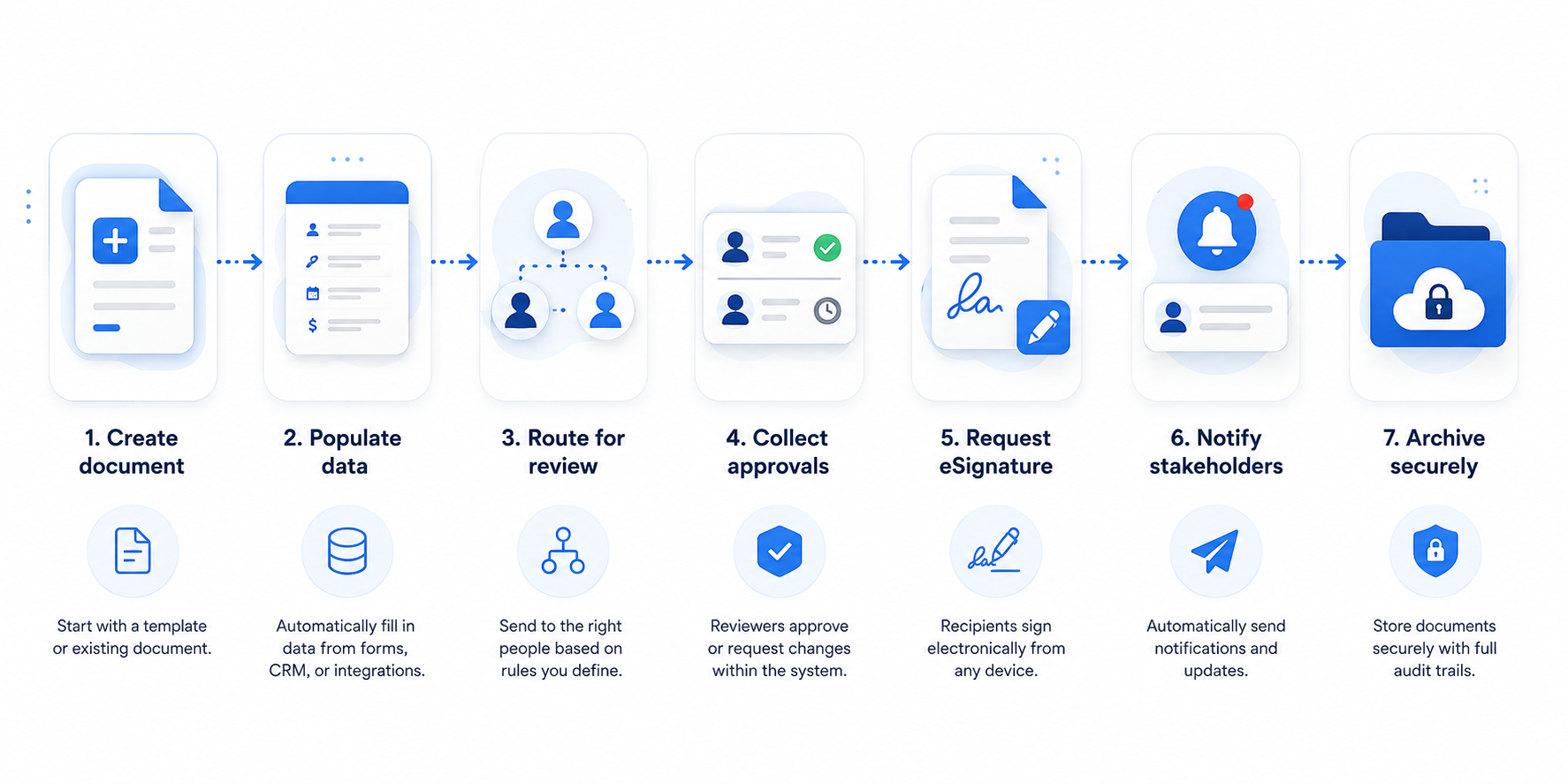
Because every step is standardized, businesses can process documents faster while reducing bottlenecks and human error.
Where Manual Document Workflows Waste 10+ Hours a Week
Many businesses think creating documents is the most time-consuming part of the process. In reality, the biggest delays happen after the document is finished.
These small tasks add up quickly. A contract may only take 20 minutes to write but several days to review, approve, sign, and file. Automating those repetitive steps frees employees to focus on higher-value work.
Manual vs. Automated Document Workflows
The difference between a manual and an automated document workflow isn't just speed—it's consistency. Automation removes repetitive administrative tasks, reduces the risk of human error, and gives everyone visibility into where a document is in the process.
The result? Instead of spending time creating documents, sending reminders, checking inboxes, and organizing files, your team can focus on higher-value work while documents move automatically from creation to completion.
What You Can Automate in a Document Workflow
Nearly every stage of a document workflow can be automated, from generating documents and routing approvals to collecting eSignatures and securely storing completed files. Document workflow automation can also streamline customer feedback management by automatically routing survey responses, approval forms, and support-related documents to the appropriate teams. Here's a closer look at the core processes you can automate.
Document Generation & Templates
Instead of creating documents from scratch, reusable templates automatically populate customer information, employee details, pricing, dates, and other variables.
Common examples include:
- Contracts
- NDAs
- Offer letters
- Purchase orders
- Invoices
- Client agreements
Templates improve consistency while dramatically reducing preparation time. For any custom clauses or AI drafted language layered on top of a template, running it through an Ai text checker before it's sent for approval is a quick way to confirm the wording still reads as intentional rather than generated filler.
Routing & Approvals
Rather than manually forwarding documents to different stakeholders, workflow rules send documents to the correct reviewer automatically.
For example:
- Contracts above $25,000 route to Legal.
- Purchase requests route to Finance.
- HR forms route to department managers before onboarding begins.
Automatic routing keeps projects moving without constant follow-up.
Data Capture (OCR & Extraction)
Many document workflow automation platforms use Optical Character Recognition (OCR) to extract information from scanned documents, receipts, invoices, and forms.
Instead of manually typing information into your systems, OCR captures key data automatically, reducing errors and speeding up processing.
eSignatures & Tracking
Electronic signatures remove one of the biggest workflow bottlenecks.
Documents can automatically be sent for signature, tracked in real time, and archived once every signer has completed the process. Automatic reminders ensure documents don't sit forgotten in someone's inbox.
How to Build an Automated Document Workflow
Building an automated document workflow doesn't require coding or months of implementation. Start with one process, optimize it, and expand from there.
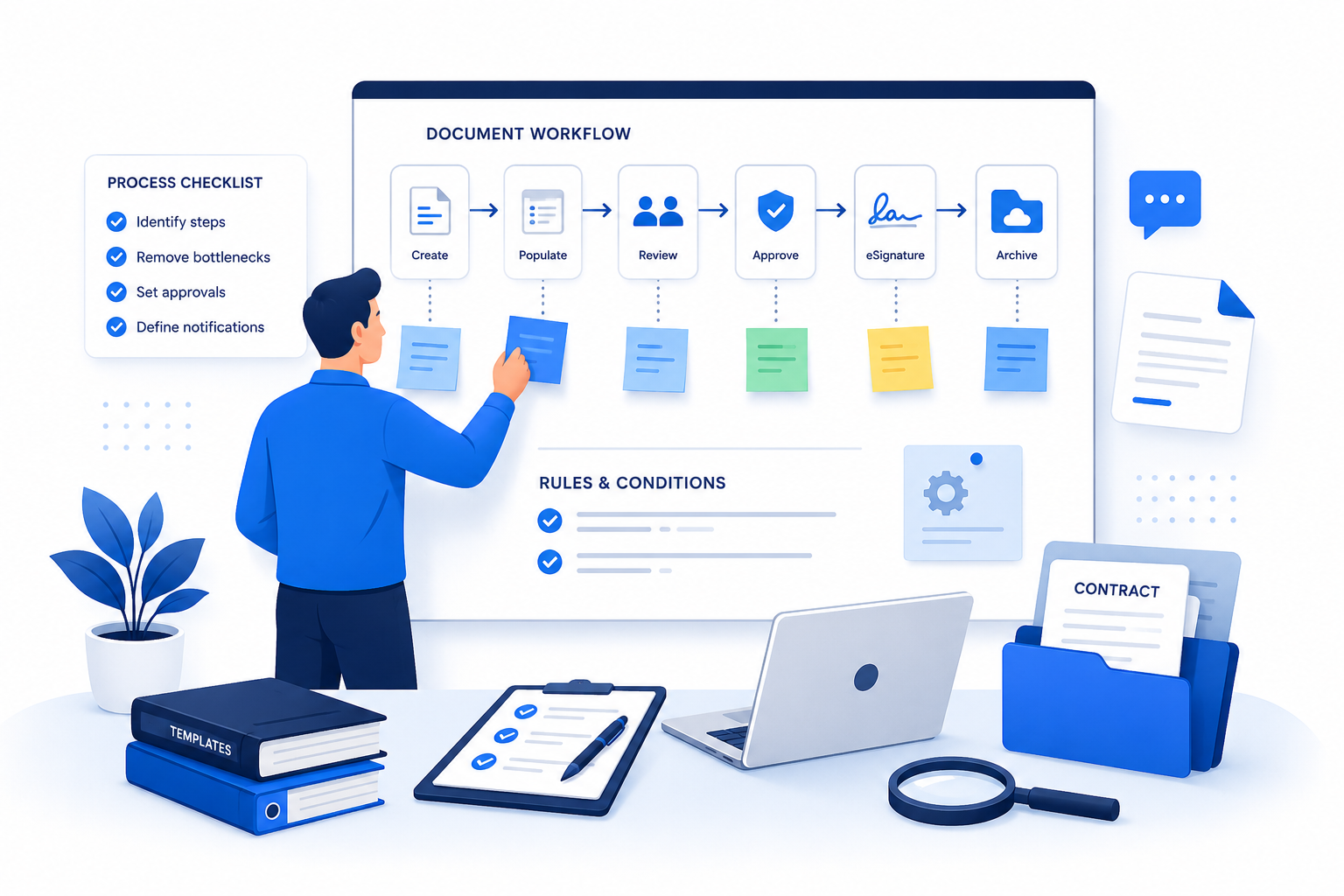
Step 1: Audit and Map Your Current Document Process
Begin by documenting how work happens today.
Ask questions such as:
- Who creates the document?
- Who reviews it?
- Who approves it?
- Where do delays happen?
- How is the final document stored?
Mapping your workflow helps identify repetitive tasks that are ideal candidates for automation.
Step 2: Standardize with Reusable Templates
Once you've mapped the process, standardize your documents.
Replace multiple document versions with approved templates that include:
- Company branding
- Standard clauses
- Merge fields
- Required form fields
This ensures every document follows the same format while reducing manual editing.
Step 3: Choose Your Document Workflow Automation Tool
The right software should simplify your process—not add another layer of complexity.
Many businesses start with shared folders, email attachments, PDF editors, and spreadsheets to manage documents. While this may work for a small team, it becomes difficult to scale as document volume grows. Employees spend more time switching between tools, tracking approvals, and searching for the latest version of a document than actually moving work forward.
A dedicated document workflow automation platform brings every step of the process into one place. Integrating these workflows with a structured document management system ensures that once files are approved, they are automatically categorized and stored securely. Instead of juggling multiple applications, your team can create documents, automate routing, collect approvals, request eSignatures, and track progress from a single workspace.
When evaluating document workflow software, look for features such as:
- No-code workflow builder
- Reusable document templates
- Approval routing
- Electronic signatures
- Document tracking
- Audit trails
- Integrations with your existing business tools
- Enterprise-grade security
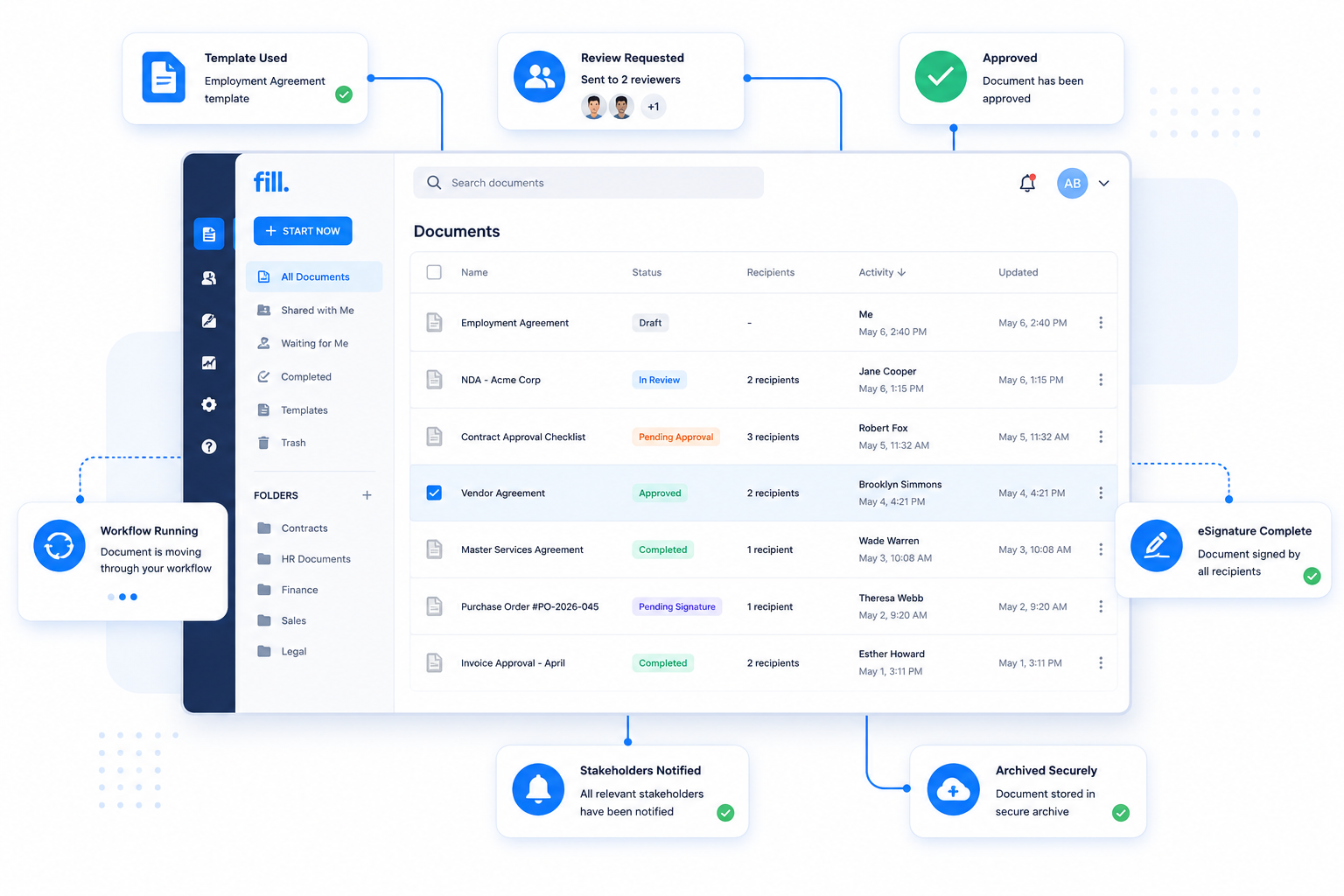
Fill combines document creation, workflow automation, approvals, and eSignatures into a single platform, making it easy to automate document workflows without switching between multiple tools.
Step 4: Set Your Rules and Triggers
Automation works because documents know where to go next.
Examples of workflow rules include:
- If a contract exceeds a certain value, send it to Legal.
- If a new employee is hired, generate onboarding documents automatically.
- If an invoice is approved, archive it and notify Accounting.
These rules eliminate repetitive administrative work while ensuring consistency.
Step 5: Add eSignatures and Approvals
Approvals and signatures are often the longest part of a document process.
Instead of downloading PDFs, emailing attachments, and manually tracking responses, use an electronic signature tool to automatically send documents, notify signers, send reminders, and record every completed signature with a secure audit trail.
This significantly shortens turnaround times while improving visibility for everyone involved.
Try Fill to automate approvals and collect legally binding electronic signatures from one secure workspace.
Step 6: Test, Launch, and Measure Time Saved
Before rolling out your workflow across the organization, test it with a small group.
Measure metrics such as:
- Approval turnaround time
- Documents processed
- Signature completion rate
- Error rate
- Hours saved each week
Continue refining your workflow as your business grows and your processes evolve.
Document Workflow Automation Examples by Team
Different departments benefit from document workflow automation in different ways.
HR & Employee Onboarding
HR teams handle a steady flow of documents—from offer letters and employment agreements to tax forms and policy acknowledgments. Manually preparing, sending, and tracking these documents can slow onboarding and create unnecessary administrative work. Document workflow automation becomes even more effective when paired with tools like an AI Recruiter, helping organizations streamline hiring and employee onboarding within a connected workflow.
A typical automated onboarding workflow looks like this:
Instead of sending emails and following up manually, each step happens automatically based on predefined workflow rules. This helps HR teams onboard new hires faster while ensuring required paperwork isn't missed.
Sales & Contracts
Sales teams need contracts to move quickly. Delays in approvals or signatures can slow deals and impact revenue.
With document workflow automation, a sales agreement can move from proposal to signed contract with minimal manual effort.
A typical contract workflow looks like this:
By automating approvals, reminders, and document tracking, sales teams spend less time chasing paperwork and more time closing deals.
If your organization manages a growing number of agreements, consider using contract management software.
Finance & Accounts Payable
Finance teams process invoices, purchase orders, expense reports, and payment approvals every day. Manual routing often creates bottlenecks that delay payments and increase the risk of errors.
An automated accounts payable workflow might look like this:
Automating invoice routing and approvals improves processing speed, creates a clear audit trail, and reduces manual data entry.
What to Look for in Document Workflow Software
Not all document workflow automation software offers the same capabilities.
Look for a solution that includes:
The best document workflow software should simplify your processes while remaining easy for your team to adopt.
How Fill Automates Your Document Workflows
Fill helps businesses automate every stage of the document lifecycle from one intuitive platform.
With Fill, you can:
- Create reusable document templates
- Automate routing and approvals
- Collect legally binding electronic signatures
- Track document progress in real time
- Send automatic reminders
- Maintain secure audit trails
- Store completed documents in one centralized location
Whether you're managing HR paperwork, sales contracts, or financial documents, Fill helps your team spend less time on administrative work and more time on meaningful business tasks.
Tips for Workflows That Actually Save Time
Automation is most effective when your process is already simple.
Keep these best practices in mind:
- Start with one repetitive workflow before automating everything.
- Standardize documents before building automation.
- Reduce unnecessary approval layers.
- Use templates wherever possible.
- Monitor workflow analytics regularly.
- Review your workflows as business requirements change.
- Train employees so everyone follows the same process.
Small improvements made consistently often produce the biggest time savings.
Frequently Asked Questions
What is document workflow automation?
Document workflow automation uses software to automatically create, route, review, approve, sign, and store documents based on predefined rules. It reduces manual work, speeds up business processes, and improves document accuracy by eliminating repetitive administrative tasks.
How do I automate my document workflow without code?
Many modern document workflow automation platforms offer no-code workflow builders. You can create reusable templates, define routing rules, automate approvals, and collect electronic signatures using visual workflow tools instead of writing code.
What are the best document workflow automation tools?
The best tool depends on your business needs. Platforms like Fill, Microsoft Power Automate, DocuSign, and PandaDoc all offer document automation capabilities. Look for software that combines templates, workflow automation, approvals, eSignatures, integrations, and security in one platform.
How much time can document workflow automation save?
The amount of time saved depends on your document volume and business processes. Organizations that automate repetitive tasks such as approvals, signatures, and document routing commonly save 10 or more hours each week while reducing errors and improving turnaround times.
Is my data secure with automated document workflows?
Yes. Reputable document workflow automation software uses encryption, access controls, audit trails, and secure cloud storage to protect sensitive information. Many providers also support compliance standards required by regulated industries.
Ready to Save 10+ Hours Every Week?
Manual document processes slow down your business. By automating document creation, approvals, routing, eSignatures, and storage, your team can eliminate repetitive work, reduce errors, and complete critical processes faster.
Start your free Fill trial today and build your first automated document workflow in minutes.

Related Stories
Contract Signing: Tips, Tools, and Legal Requirements

AI Assistant for Documents: Understand Any Document Instantly

How to Draft a Real Estate Development Proposal: Get the Project Started