How to Create an Electronic Signature and Sign Documents Online

Need to sign a PDF or online document without printing it?
You can create an electronic signature in just a few minutes using a computer, phone, tablet, or dedicated eSignature platform. The best method depends on whether you need a quick one-time signature or a reusable signature for documents you sign regularly.
In this guide, you’ll learn:
- how to create an electronic signature online
- how to make an e signature for PDFs
- how to convert a handwritten signature into an eSignature
- how to create a reusable signature on desktop or mobile
Quick Answer: How to Create an Electronic Signature
If you regularly sign PDFs, contracts, or business documents, using a dedicated eSignature platform like Fill is the quickest way to create and reuse your electronic signature.
If you only need a one-time signature, you can also use Adobe Acrobat, Preview on Mac, or upload a handwritten signature image.
To create an electronic signature:
- Open the document or PDF you need to sign
- Choose your preferred signing method or eSignature platform.
- Type, draw, or upload your signature
- Place the signature in the document
- Save, dowload, or send the signed file
Electronic signatures are commonly used for contracts, forms, agreements, invoices, and other online documents.
How to Sign Documents Online
Signing documents online lets you complete paperwork without printing, scanning, or mailing physical copies. Whether you're signing a contract, approving a form, or completing business paperwork, electronic signatures make the process faster and more convenient.
Most online signing tools let you:
- upload PDF documents
- create or reuse an electronic signature
- fill in form fields
- request signatures from others
- download or securely share completed documents
Electronic document signing is commonly used for:
- contracts
- forms
- agreements
- HR paperwork
- client documents
What Is an Electronic Signature?
An electronic signature (or eSignature) is a digital version of your handwritten signature used to sign documents online.
Depending on the tool you use, an eSignature can be:
- typed
- drawn with your finger or stylus
- uploaded as an image
- generated automatically by software
Electronic signatures are legally valid in many countries when used through compliant eSignature platforms.
1. Create an Electronic Signature and Sign Documents with Fill (Recommended for Most Users)
If you regularly sign PDFs, contracts, forms, or other business documents, using a dedicated eSignature platform like Fill is one of the fastest and easiest ways to create an electronic signature. Instead of recreating your signature every time, you can save it once, sign documents from any device, and securely manage your signed files in one place.
With Fill, you can:
- Create a reusable electronic signature
- Sign PDFs online from your computer, phone, or tablet
- Upload documents and fill out forms
- Request signatures from others
- Track signing progress and manage signed documents securely

How to Create an Electronic Signature and Sign a Document with Fill
- Create a free Fill account or sign in.
- Upload the PDF or document you want to sign.
- Click the signature field or select Sign.
- Create your electronic signature by typing, drawing, or uploading an image of your handwritten signature.
- Place your signature in the document and adjust its size or position as needed.
- Download your signed document or securely send it to others.
Once you've created your signature, Fill saves it for future use so you can sign additional documents in just a few clicks without repeating the setup process.
2. Create an Electronic Signature Using Adobe Acrobat Pro DC
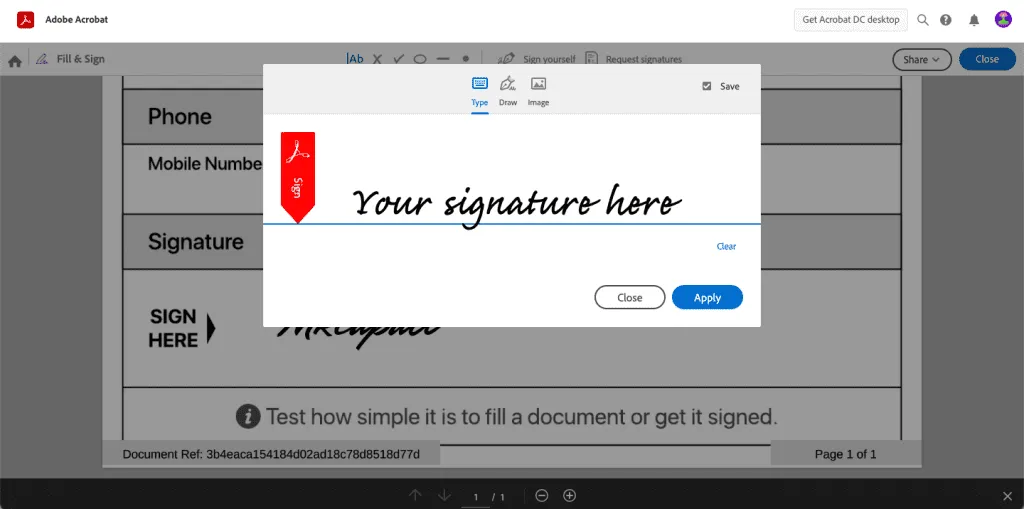
Adobe Acrobat is one of the most popular tools for signing PDF documents electronically.
It allows you to:
- type your signature
- draw your signature
- upload an image of your handwritten signature
How to Create an Electronic Signature in Adobe Acrobat
- Open your PDF document in Adobe Acrobat
- Click Fill & Sign
- Select Add Signature
- Choose whether to type, draw, or upload your signature
- Insert the signature into the document
- Save the signed PDF
This method works well for contracts, forms, and business documents that need PDF signing.
3. Create an Electronic Signature on Mac Using Preview
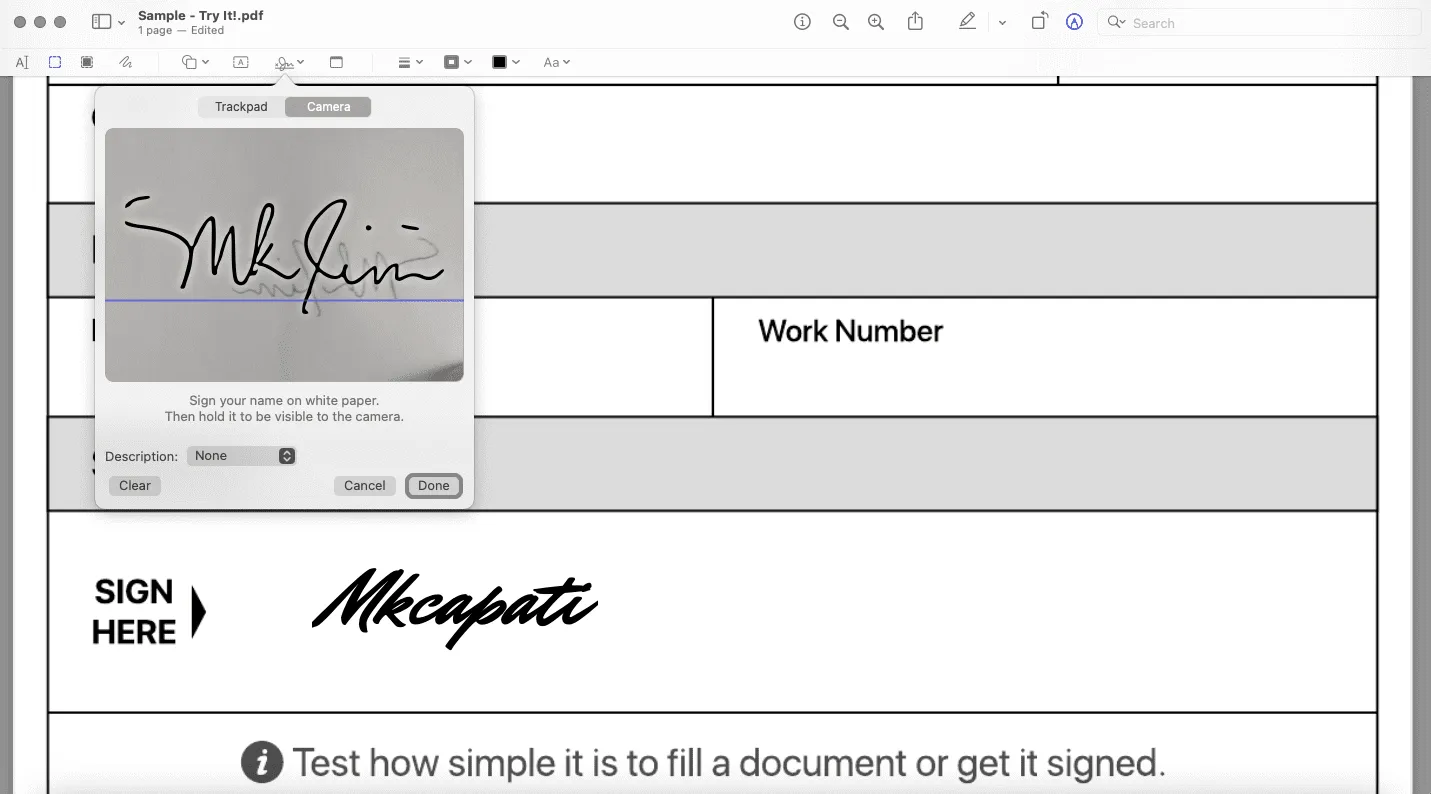
Mac users can create and save signatures directly in the built-in Preview app.
Once saved, your signature can be reused across PDF documents.
How to Create an ESignature in Preview
- Open a PDF in Preview
- Click the Markup icon
- Select the Signature tool
- Create a signature using:
- your trackpad
- your camera
- your iPhone or iPad
Save and insert the signature into the PDF. This is one of the easiest ways to sign PDFs on a Mac without installing additional software.
Read Further: How to sign documents on Mac
4. Convert Your Handwritten Signature Into an Electronic Signature
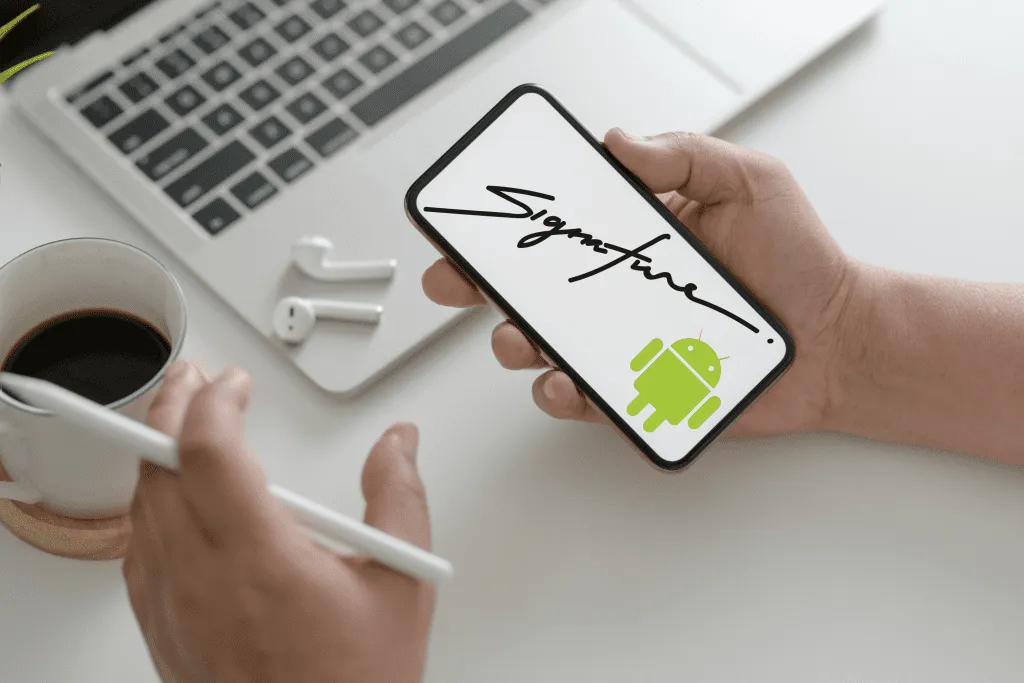
If you want your eSignature to look more natural, you can convert your handwritten signature into a digital image.
This is a popular option for:
- contracts
- freelance agreements
- business documents
- client paperwork
How to Convert a Signature Into an ESignature
- Sign your name on white paper using dark ink
- Take a clear photo using your phone
- Crop the image closely around the signature
- Remove shadows or background if needed
- Save the file as PNG or JPG
- Upload it into your eSignature software
You can then reuse the same signature whenever you need to sign documents online.
How to Create an Electronic Signature for PDFs
PDFs are the most common file type used for electronic signatures.
Most PDF signing tools allow you to:
- add signatures
- place initials
- fill out forms
- send documents for signature
You can create electronic signatures for PDFs using:
- Adobe Acrobat
- Preview on Mac
- Fill
- mobile PDF apps
- browser-based signing tools
If you regularly work with PDFs, using a reusable signature can speed up document signing significantly.
Read Further: How to sign a PDF for free
How to Generate an Electronic Signature Online
Online signature generators allow you to create a signature instantly without installing software. Most eSignature tools also let you upload a scanned signature image.
Here's what you can do:
- type your name in signature fonts
- draw your signature
- download the signature image
- reuse the signature for documents
Online generators are useful when you need a quick signature for:
- PDFs
- contracts
- forms
- email attachments
How to Create a Transparent Signature PNG
Many people convert handwritten signatures into transparent PNG files so they can reuse them in PDFs, contracts, and online forms.
How to Make a Signature Transparent
- Sign your name on white paper
- Take a clear photo or scan your handwritten signature
- Upload the image into a background remover or editing tool
- Remove the white background
- Save the signature as a transparent PNG
Transparent signature files work best because they blend naturally into documents without showing a white box around the signature.
Read Further: How to create transparent signature

What’s the Difference Between an Electronic Signature and a Digital Signature?
These terms are often used interchangeably, but they are not exactly the same.
Electronic Signature
An electronic signature is any electronic method used to sign a document.
Examples include:
- typed names
- drawn signatures
- uploaded signature images
Digital Signature
A digital signature uses encryption and authentication technology to verify document integrity and signer identity.
Digital signatures are commonly used in:
- enterprise workflows
- government systems
- compliance-heavy industries
For most everyday document signing, an electronic signature is sufficient.
Benefits of Using Electronic Signatures
Electronic signatures help simplify document workflows by allowing people to sign documents from anywhere.
Benefits include:
- faster document turnaround
- no printing or scanning
- easier remote signing
- reusable signatures
- secure document tracking
- reduced paper usage
They are commonly used by:
- businesses
- freelancers
- HR teams
- legal teams
- real estate professionals
- remote workers

Final Thoughts
Creating an electronic signature is easier than ever.
Whether you use:
- Adobe Acrobat
- Preview on Mac
- a mobile device
- a touchscreen tablet
- an online eSignature platform like Fill
—you can sign documents online in just a few minutes.
For users who regularly work with PDFs, contracts, or online forms, having a reusable electronic signature can make document signing much faster and more convenient.
FAQs About Electronic Signatures
How do I create an electronic signature for free?
You can create a free electronic signature using tools like Fill, Adobe Acrobat, Preview on Mac, or mobile signing apps.
Can I create an electronic signature on my phone?
Yes. Most smartphones allow you to draw, upload, or save signatures using signing apps or PDF editors.
Are electronic signatures legally binding?
Electronic signatures are legally valid in many countries when used according to applicable laws and regulations.
Can I upload a handwritten signature?
Yes. You can photograph your handwritten signature and upload it as an image.
What file type should I use for a signature image?
PNG is usually preferred because it supports transparent backgrounds, though JPG also works.
Can I reuse my electronic signature?
Yes. Most eSignature apps allow you to save and reuse signatures across documents.
How do I scan my signature for online documents?
You can:
- Sign white paper using dark ink
- Take a clear photo or scan it
- Crop the image
- Remove the background if needed
- Save as PNG or JPG
- Upload it into your eSignature software


View our Privacy Policy for more info.