Why Choose Fill for Online Signatures?
Effortless Contract Management
Streamline your company’s document signing process, from creation to execution, with Fill eSignature’s intuitive and user-friendly platform. Sign and manage documents online faster than ever.
Signature Requests for Teams and Clients
Enable seamless collaboration with teams, clients, and external partners. Share documents instantly and collect signatures online to keep workflows moving without delays.
Automate the Signing Process
Speed up your enterprise’s signing workflow with automated reminders and status updates. Finalize agreements quickly and efficiently with Fill’s online signature tools.
Cut Costs and Boost Efficiency
Eliminate printing, scanning, and mailing costs. By transitioning to online signatures, you’ll reduce overheads and achieve more cost-efficient document handling.
Close Contracts Faster
Get contracts signed in minutes, not days. Whether it’s sales agreements or employee contracts, Fill eSignature helps you close deals effortlessly, saving time, effort, and resources.
Features Tailored to Meet Business Needs


The Best Online Signature Solution for Businesses

Secure Cloud-Based Storage
Store all your signed documents in one secure, cloud-based location. Easily access, organize, and share your files without worrying about losing critical agreements.

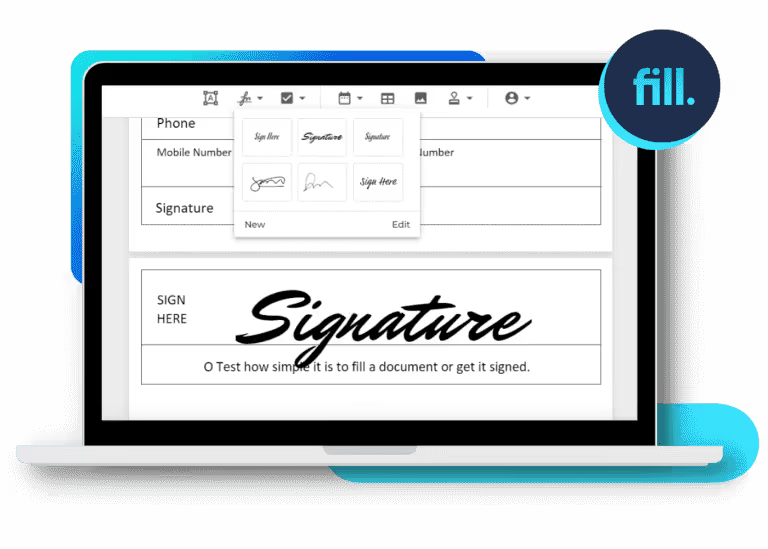
Effortless Online Signature Creation
Create, sign, and manage documents in seconds with Fill eSignature. Say goodbye to printing, scanning, and mailing, and embrace a seamless, paperless workflow.

Automate Signing Workflows
Speed up the document lifecycle with automated processes. From sending reminders to tracking statuses, Fill eSignature eliminates manual tasks, keeping your workflow smooth and efficient.

Professional Templates for Every Need
Get started quickly with ready-to-use templates for contracts, forms, and agreements. Simplify your process and ensure professional-quality documents every time.

Seamless Collaboration
Enable teams, clients, and partners to review, comment, and sign documents in real-time. Simplify communication and keep everyone on the same page to finalize agreements faster.

Intelligent Notifications
Stay on top of deadlines and critical tasks. Fill’s automated notifications ensure you never miss a signature request, document review, or important milestone.

Why Companies Love Our Online Signature Service

Kindred
Frequently asked questions
What’s the process for creating an online signature?
You can create an online signature using various methods:
Drawing: Use your mouse or touchscreen to draw your signature.
Typing: Type your signature and choose a font that resembles handwriting.
Uploading: Scan and upload an image of your handwritten signature. Many online signature platforms offer these options to facilitate the signing process.
How secure are online signatures?
Online signatures are generally secure, especially when using reputable platforms that employ encryption and authentication measures. These platforms ensure the integrity of the signed document and verify the signer’s identity, reducing the risk of fraud.
Do online signatures hold up in court?
Yes, online signatures are admissible in court, provided they meet the legal standards of authenticity and intent. Using a trusted online signature platform that complies with relevant laws and regulations can help ensure the enforceability of your signed documents.
Can I use online signatures for any type of document?
Online signatures are suitable for a wide range of documents, including contracts, agreements, forms, and more. However, certain legal documents may require specific types of signatures or notarization. It’s advisable to consult legal counsel for documents with stringent legal requirements.
How can I request an online signature from someone else?
To request an online signature with Fill eSignature:
- Upload the document: Log in to your Fill dashboard and upload the file you need signed.
- Add the signer’s email address: Enter the recipient’s email address to send the signature request.
- Specify signature fields: Indicate exactly where the signature, initials, or other details are needed.
- Send the request: Click send, and the recipient will receive an email with instructions to review and sign the document electronically.
