Fill and Sign PDF Online - Fill & Sign Tool by Fill
Complete PDF forms, add text, and add legally binding electronic signatures—all from your browser.
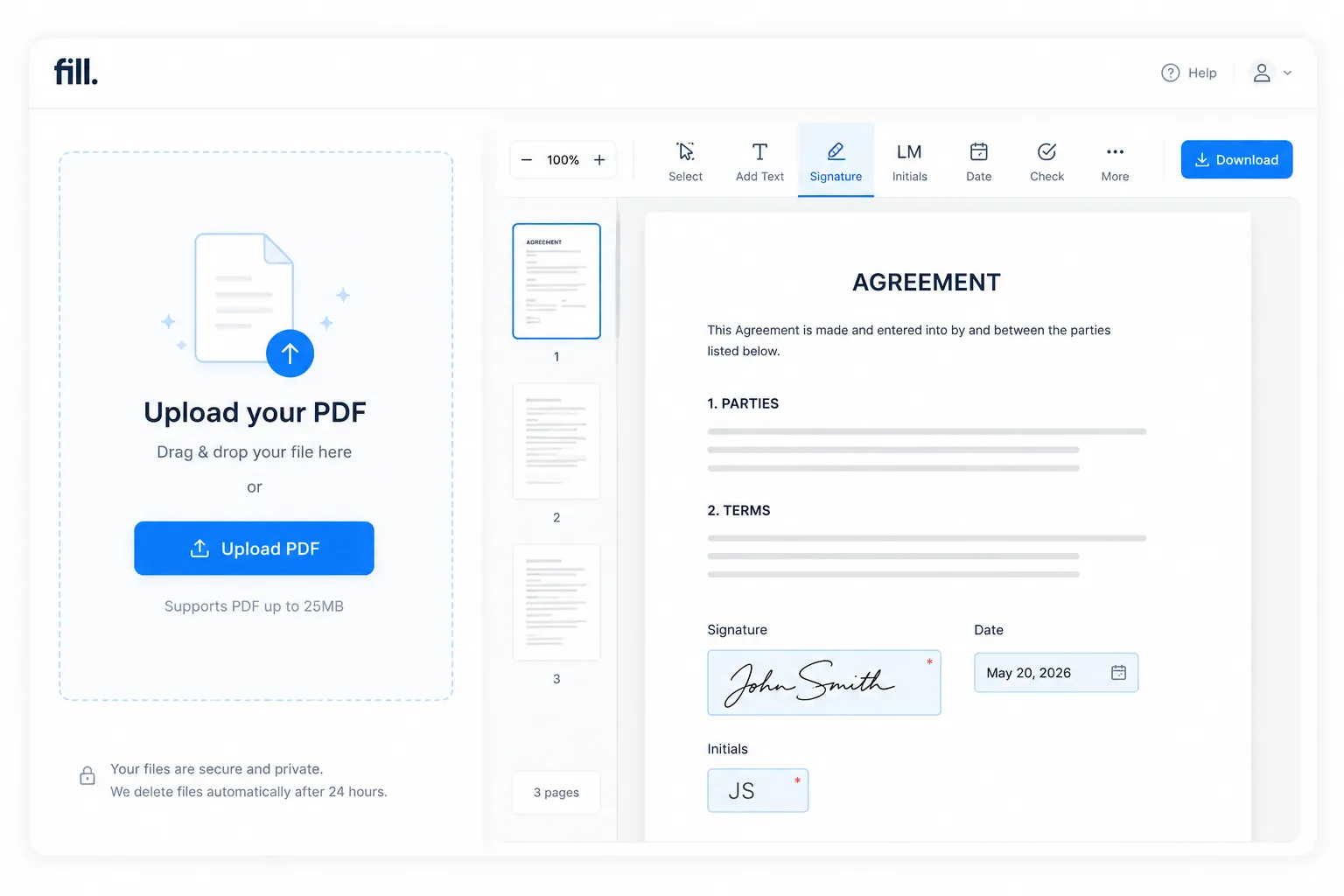
Fill Any PDF Form and Add Your Signature in Minutes
Fill is an online PDF form filler that lets you complete documents and add electronic signatures without installing desktop software. Here’s how it works:

Upload a PDF document

Fill in your form and add your signature

Preview your completed document
Fill Any PDF Form—even PDFs Without Fillable Fields
Not every PDF comes with editable form fields. Fill lets you place text, dates, checkmarks, initials, and signatures exactly where they're needed, making it easy to complete both interactive and flat PDF documents.

Auto-Detect Form Fields
When your document already contains fillable fields, Fill automatically recognizes them so you can move through the form faster. Simply tab from field to field to complete your document with fewer clicks.
Learn how Fill supports secure document workflows for healthcare organizations with our HIPAA-compliant electronic signature solution.

Add Text, Checkmarks, Dates, and Initials Anywhere
Working with a scanned or flattened PDF? No problem. Add text, dates, checkmarks, initials, and signatures wherever they're needed—even if the document wasn't originally designed to be filled out electronically.

Save Time with Autofill
Fill can remember commonly used information, such as your name, address, and contact details, helping you complete future forms more quickly and consistently.
Need to create your own reusable documents? Build custom fillable PDF forms that recipients can complete online.
What You Can Fill and Sign with Fill
From everyday paperwork to business documents, Fill makes it easy to complete PDF forms and add electronic signatures in one place. Whether you're preparing documents for yourself or getting them ready to send to others, you can streamline the entire process online.
Common documents you can fill and sign include:

Tax forms (W-9s, W-4s, etc.)
Lease and rental agreements
Non-disclosure agreements (NDAs)
Healthcare consent and patient intake forms
Employment contracts and job applications
School permission slips and enrollment forms
Expense reports and reimbursement forms
Business contracts and proposals
Service agreements
Fill vs. Adobe Fill & Sign — What's the Difference?
Looking for an alternative to Adobe Fill & Sign? Both tools let you complete PDF forms and add legally binding electronic signatures. Fill stands out with a modern, browser-based experience that goes beyond basic document editing, helping you prepare, sign, and manage documents in one place.
As your document needs grow, Fill makes it easy to request signatures, manage documents, and streamline approval workflows—all from a single platform.
Need a more complete electronic signature solution? See how Fill compares as a DocuSign alternative.
Frequently asked questions
How do I fill and sign a PDF for free?
Upload your PDF to Fill, add text, dates, checkmarks, and your electronic signature directly in your browser, then preview the completed document. When you're ready, you can continue with the next step to save, share, or manage your document.
How do I turn a flat PDF into a fillable form?
If your PDF doesn't contain interactive form fields, you can still place text, dates, checkmarks, initials, and signatures anywhere on the page. If you need to create reusable fillable forms with editable fields, explore Fill's PDF Forms feature.
Can I fill out a PDF form without Adobe?
Yes. Fill lets you complete PDF forms and add electronic signatures online without installing Adobe software. Everything works directly from your web browser.
What's the difference between Fill and Adobe Fill & Sign?
Both tools let you fill out and sign PDF documents. Fill goes beyond basic document editing by supporting end-to-end document workflows, including signature requests, reusable templates, document management, and team collaboration.
Can Fill detect form fields automatically?
Yes. When your PDF contains fillable fields, Fill can automatically recognize them, making form completion faster. If your document isn't fillable, you can manually place text, dates, checkmarks, and signatures wherever they're needed.
Are filled and signed PDFs legally binding?
Yes. Electronic signatures created with Fill comply with major eSignature laws, including ESIGN, UETA, and eIDAS, when used in accordance with applicable legal requirements. Learn more about how Fill's electronic signatures work.
Can I send a filled PDF for someone else to sign?
Absolutely. Once your document is ready, you can send it to one or multiple recipients for legally binding electronic signatures using Fill's Signature Request feature.