What Customers Say About Fill eSignature
Get started with Fill eSignature today and transform how you handle document signing. With a 4.6+ rating on Google Play and 4.9 on the App Store, Fill is the trusted solution for secure and seamless eSigning on both mobile and desktop platforms.

How To Esign Documents
Don’t let the idea of digital signing intimidate you. It’s easier than you think. When you use Fill eSignature, you don’t need advanced technical knowledge to start eSigning documents. Our intuitive platform is so easy to use and hardly requires a learning curve.
Here’s how to esign documents:
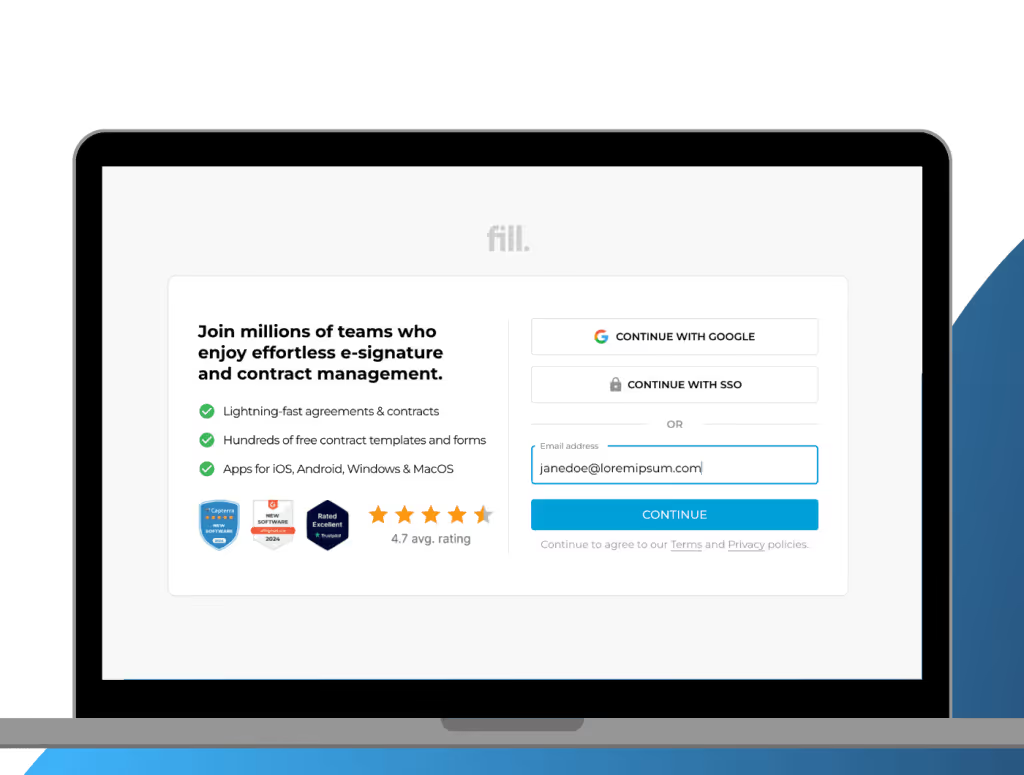
1. Log in to your account
Go to Fill and log in to your account. Alternatively, you can download our mobile and desktop app for easy access. If you don’t have an account yet, sign up and take advantage of our free trial.
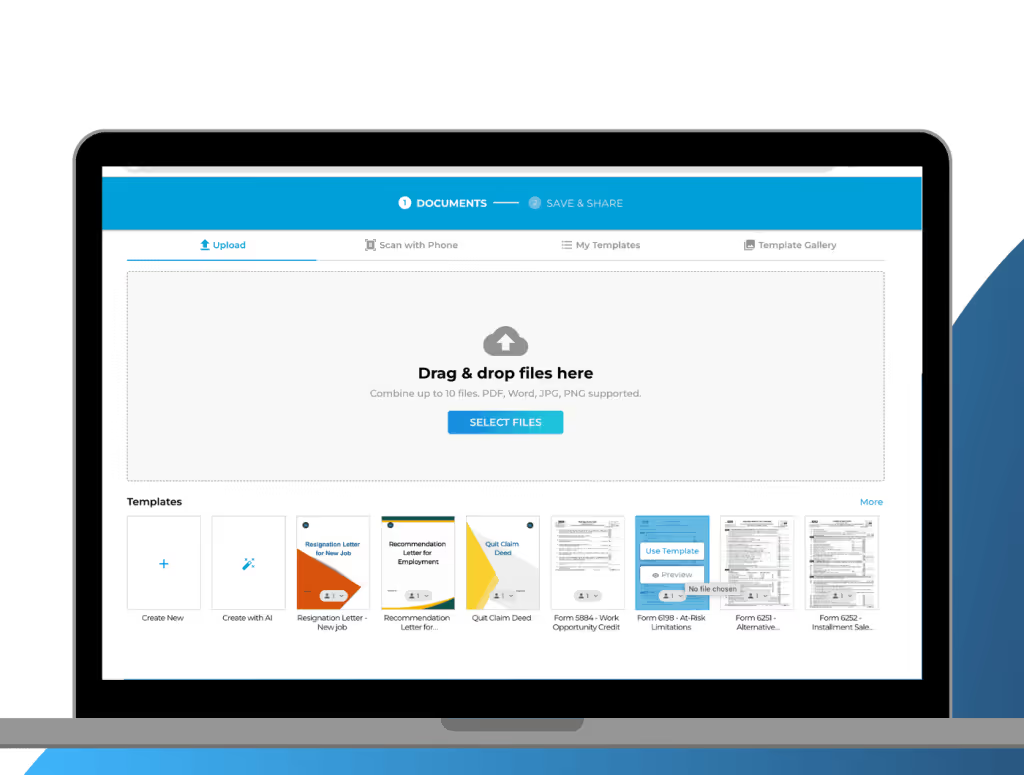
2. Upload your document
On your dashboard, click Start Now. Choose Only You if you’re the only one signing. However, if other parties need to sign it, click Request Signature. Upload the document and click Next.
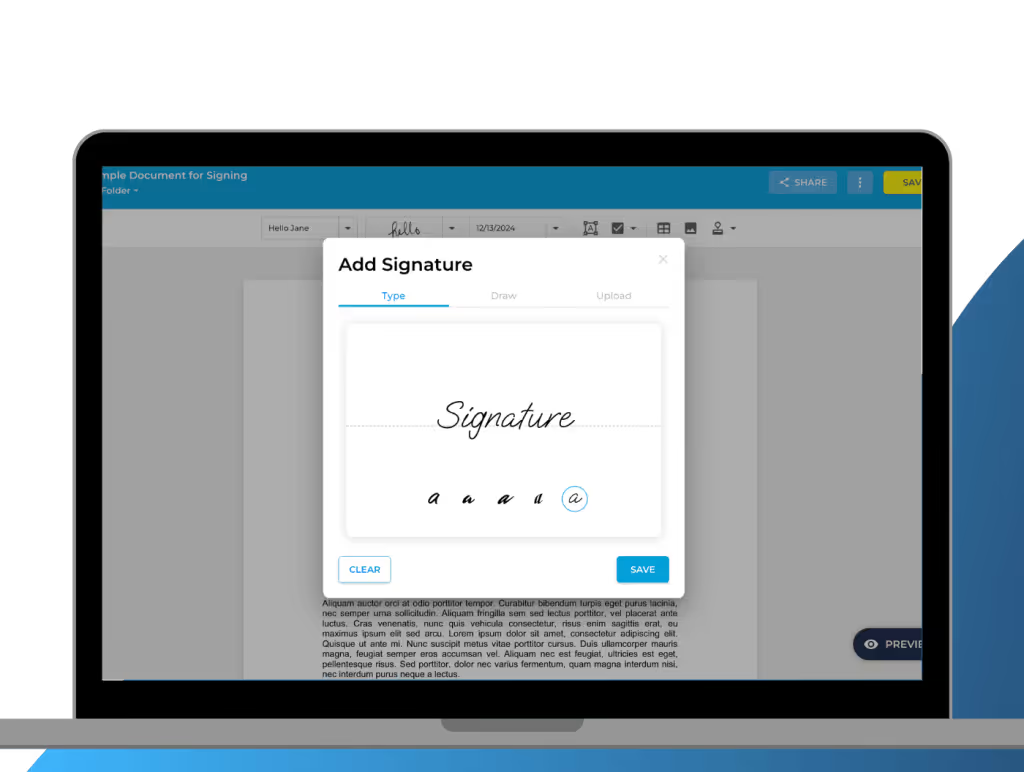
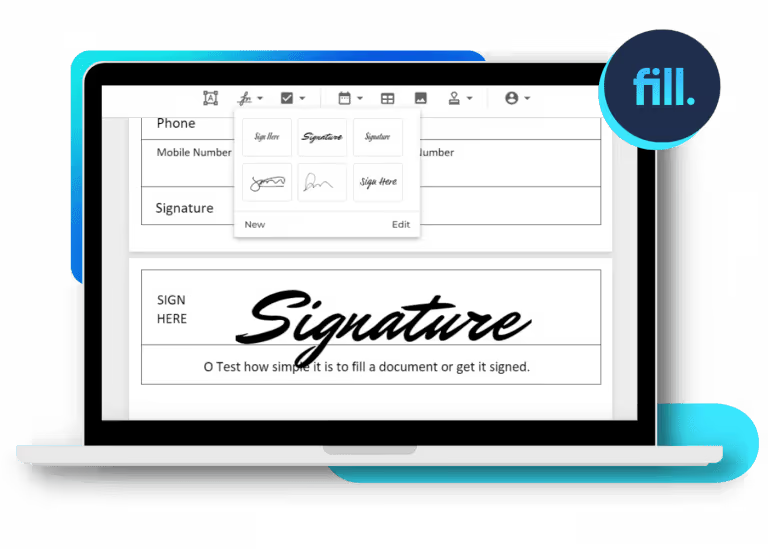
3. Create Your eSignature
You can create your own eSignature on Fill using any of the three methods:
- Type: Enter your name and choose from a range of font styles that resemble handwritten signatures.
- Draw: Use your mouse, trackpad, or touchscreen to draw a custom signature.
- Upload: If you already have an image of your handwritten signature, simply upload it to the platform.
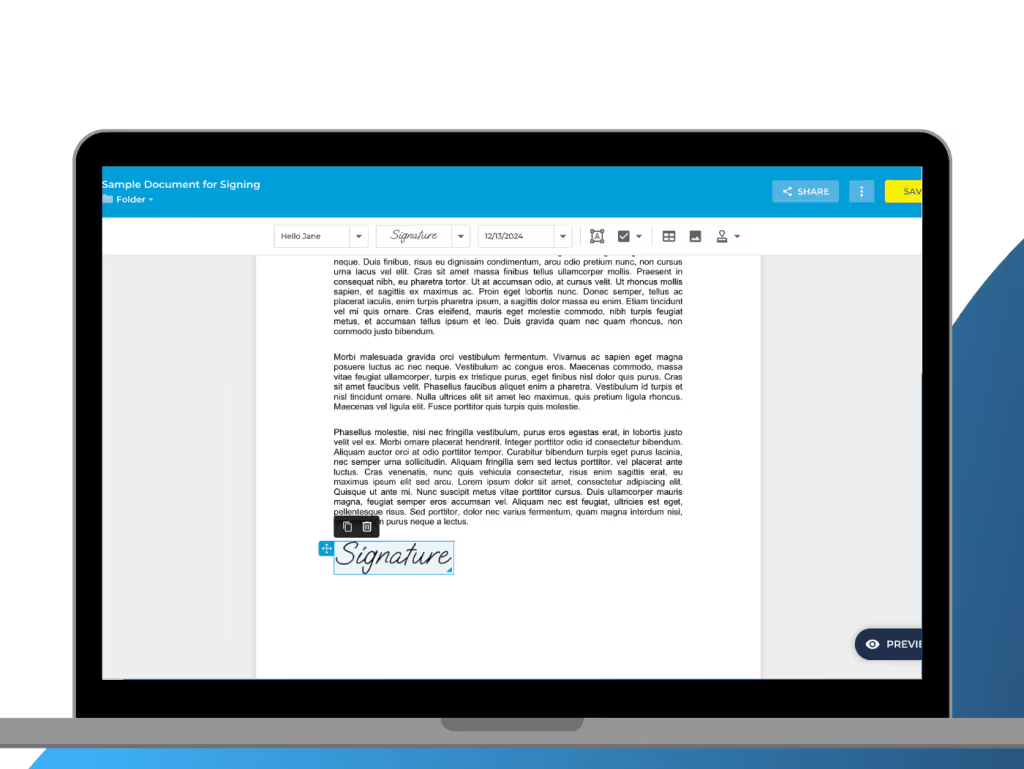
4. Esign your document
Once you’re happy with your eSignature, you can affix it to the document. Simply drag and drop the eSignature to the designated signature field.
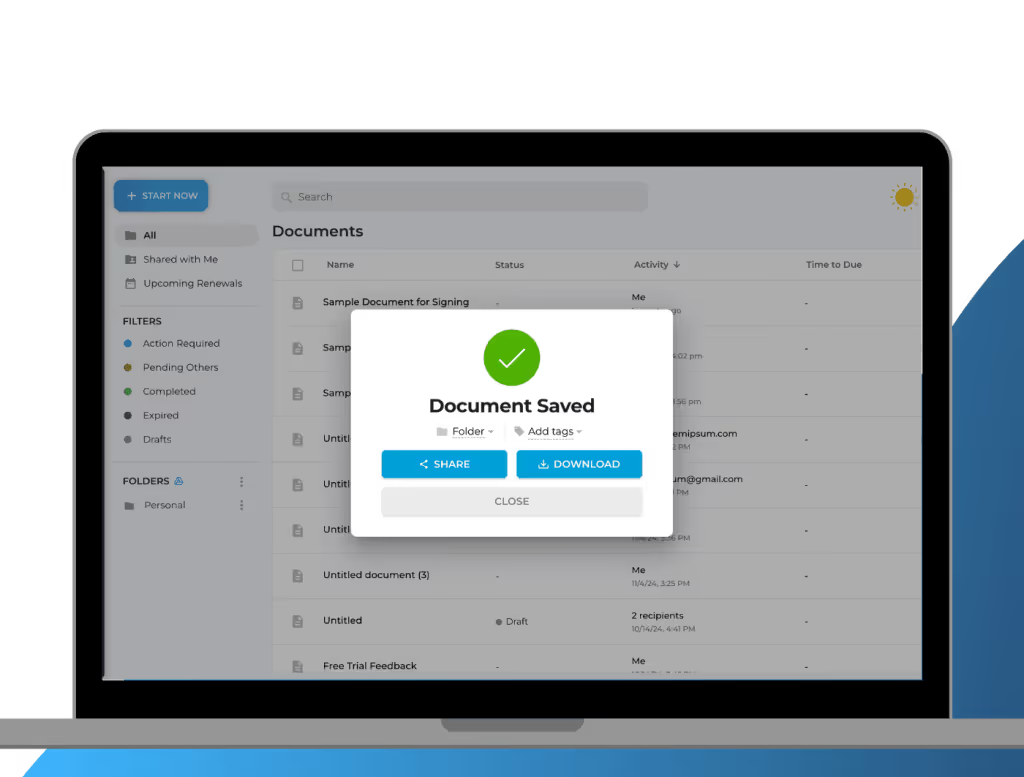
5. Save and download your signed file
Check your document to ensure everything is as it should be. If you’re satisfied, click Save. If you want to save a copy for your personal file, click Download.
Esign Documents with Ease Using Fill eSignatures

Military-grade security
Trust Fill to keep your sensitive data secure. We use the most stringent security measures to ensure that your documents never fall into the wrong hands. With military-grade encryption, Fill eSignature guarantees your files are secure from unauthorized access.

Legally binding signatures
Enter into agreements securely and with confidence, knowing that every signature created with Fill is legally binding and enforceable. Our eSignature platform adheres to the highest standards, including ESIGN, UETA, and eIDAS compliance.

Intuitive user interface
Navigate our platform and esign documents with ease. Designed for simplicity, Fill eSignature is perfect for users of all skill levels. Our platform boasts a sleek and modern interface, ensuring a smooth and seamless user experience.

Cross-platform application
Enjoy uninterrupted workflow and stay productive regardless of your device of choice. Our eSignature tool is compatible with Android, iOS, Mac, and Windows, making it simple to eSign documents on any platform.
Join millions of customers who enjoy effortless document workflow management.









What our users say about us

Frequently Asked Questions About Esigning Documents
What types of documents can I esign?
With Fill, you can eSign documents of varying types and formats, including contracts, agreements, invoices, purchase orders, NDAs, consent forms, and more. Our platform supports popular file formats like PDF, Word, and image files, ensuring flexibility and convenience for your signing needs.
How can I track and manage esigned documents?
Our real-time audit trail makes it easy for you to monitor the progress of your document workflow. You’ll be able to see when the document was sent, opened, and signed. We also send auto-reminders to signers to ensure the timely completion of your documents.
Moreover, our eSignature platform also specializes in document management, offering features like centralized storage, advanced search, and custom tagging to keep your files organized and accessible.
How long are esigned documents valid?
Esigned documents are legally binding and valid in the same way as traditional paper documents with handwritten signatures. The validity of an esigned document depends on the specific laws and regulations in the jurisdiction where the document is being used.
In general, esigned documents are considered valid as long as they comply with the relevant electronic signature laws and regulations, such as the ESIGN Act in the United States. It’s important to familiarize yourself with the electronic signature laws in your jurisdiction to ensure the validity of your esigned documents.
If you have any specific concerns about the validity of esigned documents in a particular context, it’s advisable to seek legal advice.
Can I esign documents for free?
Fill eSignature offers a time-limited free trial that lets you experience our platform first-hand. When you sign up, you can explore and use all our top-rated features, including esigning, creating templates, and managing your documents, all at no cost during the trial period.
Once the trial period ends, you can choose from our flexible subscription plans that suit your needs. Our plans are designed to provide affordable options for individuals, small businesses, and enterprises, ensuring that you can continue to esign documents without breaking the bank.
Do esignature platforms provide audit trails?
Yes, eSignature platforms like Fill provide comprehensive audit trails to track the entire signing process of your documents.
The audit trail includes detailed information such as the date and time of each action taken on the document, including when it was sent, opened, and signed. This level of transparency and accountability ensures that you have a clear record of the document’s history, which can be crucial for legal and compliance purposes.
