What Customers Say About Fill eSignature
Get started with Fill eSignature today and transform how you handle document signing. With a 4.6+ rating on Google Play and 4.9 on the App Store, Fill is the trusted solution for secure and seamless eSigning on both mobile and desktop platforms.


How Do I Esign A PDF File for Free
eSigning your PDF with Fill eSignature is a simple and efficient process that doesn’t require any complicated setup or additional software. With its user-friendly interface, you can sign your documents securely in just a few steps. Here’s a detailed guide:
1. Open Your Browser and Navigate to the Fill eSignature Platform
Start by opening your preferred web browser on your computer, tablet, or smartphone. Type in the Fill eSignature website URL and access the platform. There’s no need to download or install anything, as everything works seamlessly online.
2. Upload the PDF Document You Want to Sign
Once you’re on the platform, click the “Upload” button to select the PDF document you want to sign. You can upload files from your device or connect to cloud storage services like Google Drive, Dropbox, or OneDrive for added convenience.
3. Create Your eSignature
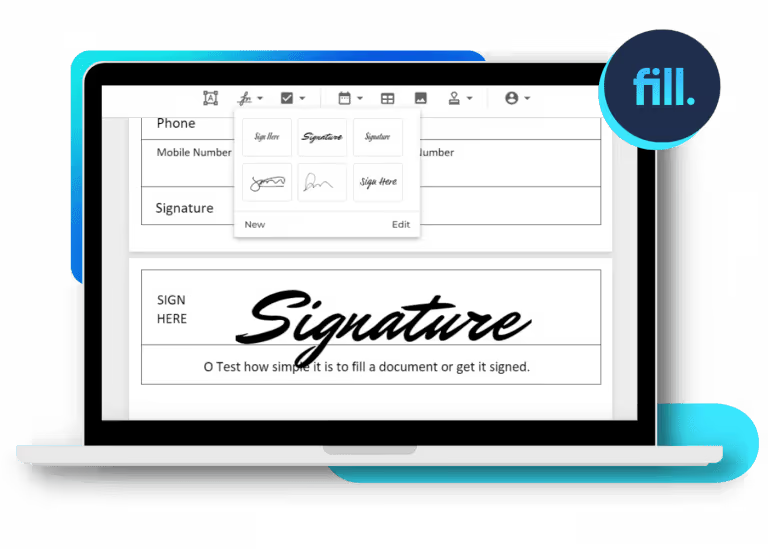
Fill provides multiple options for creating your eSignature. You can:
- Type: Enter your name and choose from a range of font styles that resemble handwritten signatures.
- Draw: Use your mouse, trackpad, or touchscreen to draw a custom signature.
- Upload: If you already have an image of your handwritten signature, simply upload it to the platform.
4. Drag and Drop Your eSignature into the Document
After creating your eSignature, position it in the designated signature field within the PDF. The drag-and-drop functionality makes it easy to adjust the size and placement to fit the document layout perfectly.
5. Save, Share, and Manage Your Signed PDF
Once you’re satisfied with the placement, click “Save” to finalize the changes. You can then download the signed PDF directly to your device or share it via email or a secure link, depending on your needs.
You can store the signed document in the cloud for streamlined document management, ensuring it’s readily available for future reference or collaboration.
Sign PDFs with Ease Using Fill eSignatures

Convenience of Cloud Backup
Eliminate the hassle of managing paper records by digitizing and storing them in the cloud. With Fill, you can access and manage your documents from any device—whether it’s your tablet, smartphone, or desktop—giving you unparalleled flexibility and reducing business expenses.

Edit and Annotate PDF Files
With our intuitive editor, you can update, annotate, and save changes to your PDF documents instantly—no need to convert them into another format. Add text, eSignatures, and comments directly to your files, streamlining workflows and saving time.

eSignature Requests
Our app enables you to send PDF documents for eSignatures effortlessly, even to users without Fill accounts. Stay updated on the signing process with real-time notifications and email alerts, ensuring your workflow remains uninterrupted and efficient.

Encrypt Your Documents
Your data’s security is our top priority. Every PDF document processed through Fill is automatically encrypted with the highest level of data protection, safeguarding your sensitive information from potential cyber threats.
PDF Documents You Can Sign with Fill eSignatures

Business Documents

Financial Documents

Healthcare Documents

Legal Documents

Government Documents

Real Estate Documents
Start eSigning PDFs with Fill Today
Discover how easy and efficient eSigning PDFs can be. Sign up for your free trial now and simplify your document signing process with Fill eSignature—secure, fast, and hassle-free.
Join millions of customers who enjoy effortless document workflow management.









What our users say about us

Frequently Asked Questions About Esigning PDFs
How can I eSign a PDF for free?
You can use free tools like Fill eSignature to sign PDFs at no cost. With Fill’s free trial, you can upload your PDF, create your signature, position it in the document, and save the signed file effortlessly. It’s the perfect way to explore secure and convenient eSigning without any commitment.
How to create an eSignature for a PDF document?
Creating an eSignature for a PDF document is simple and can be done using tools like Fill eSignature. First, open the platform and select the option to create a signature. You can draw your signature using your mouse or touchscreen, type your signature, or upload a scanned image of your handwritten signature. Once you’ve created your eSignature, save it within the tool for future use. This allows you to quickly and easily apply your signature to any PDF document.
Is it legal to sign a PDF electronically?
Yes, electronic signatures are legally binding in many countries, including the United States and the European Union. In the U.S., the ESIGN Act of 2000 grants eSignatures the same legal status as handwritten signatures.
Can I request signatures from others on a PDF?
Yes, Fill eSignature allows you to send documents to others for their electronic signatures, streamlining the process of collecting multiple signatures on a single PDF.
How do I eSign a PDF on my smartphone?
Signing a PDF on your smartphone is quick and hassle-free with Fill eSignature. Start by downloading the Fill eSignature app for Android or iOS. Once installed, upload the PDF document you need to sign directly from your phone. You can create a new signature or use a pre-saved one, then drag and drop it into the appropriate spot in the document. After signing, save the updated PDF and share or download it as needed. The app’s user-friendly design ensures a seamless signing experience on the go.
